Page 28
EVACU ELITE
INSTALLATION, COMMISSIONING AND USER MANUAL
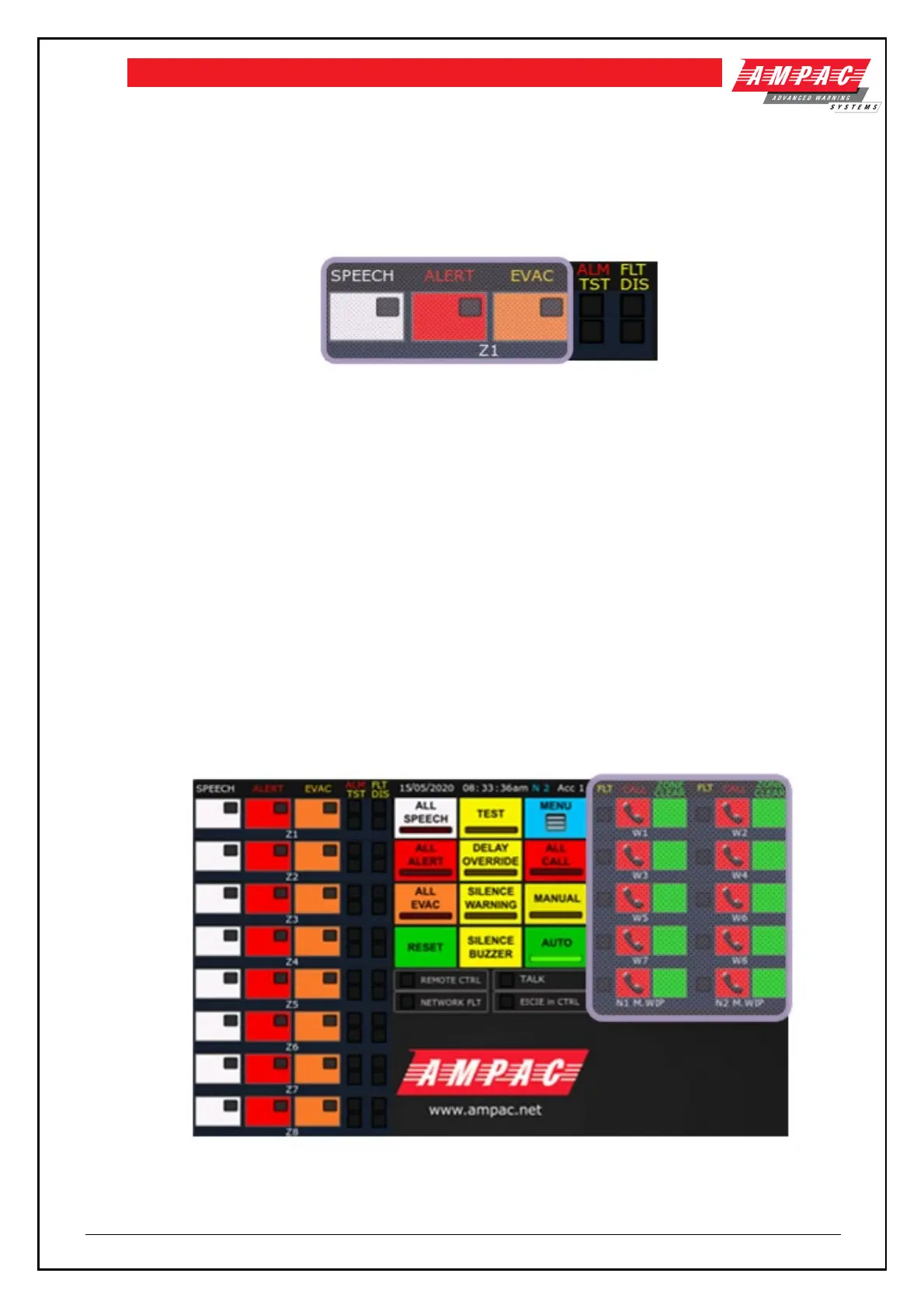
• ALM – illuminated when there is an alarm signal present in the emergency zone
• FLT – illuminated when there is a fault with the emergency zone and associated
transmission path
• TST – illuminated when the EWS is in the Test condition
• DIS – illuminated when the emergency zone is disabled
Figure 5-4 Emergency zone with controls highlighted
There are three controls with associated indicators for each emergency zone:
• SPEECH – indicator is illuminated RED when the emergency zone is selected for live
speech. Live speech is broadcast when the PTT control of the microphone is activated and
the TALK indicator is illuminated. To select the emergency zone for speech, activate the
speech control at access level 2, when the EWS is in MANUAL mode.
• ALERT – indicator is illuminated RED when the alert warning signal is being broadcast to the
emergency warning zone. To manually broadcast the alert warning signal, activate the
ALERT control. To cancel the broadcast, activate the ALERT control.
• EVAC - indicator is illuminated RED when the evacuate warning signal is being broadcast to
the emergency warning zone. To manually broadcast the evacuate warning signal, activate
the EVAC control. To cancel the broadcast, activate the EVAC control.
Each zone has an associated descriptor (“Z1” in the above example)– which is editable. Refer to
section 5.6.4.
5.1.13 Individual EIS controls and indicators
Refer to the highlighted section in figure 5-5 for the individual EIS controls
Figure 5-5 Front control panel with the individual EIS controls and indicators highlighted



 To Next Page