Page 57
EVACU ELITE
INSTALLATION, COMMISSIONING AND USER MANUAL
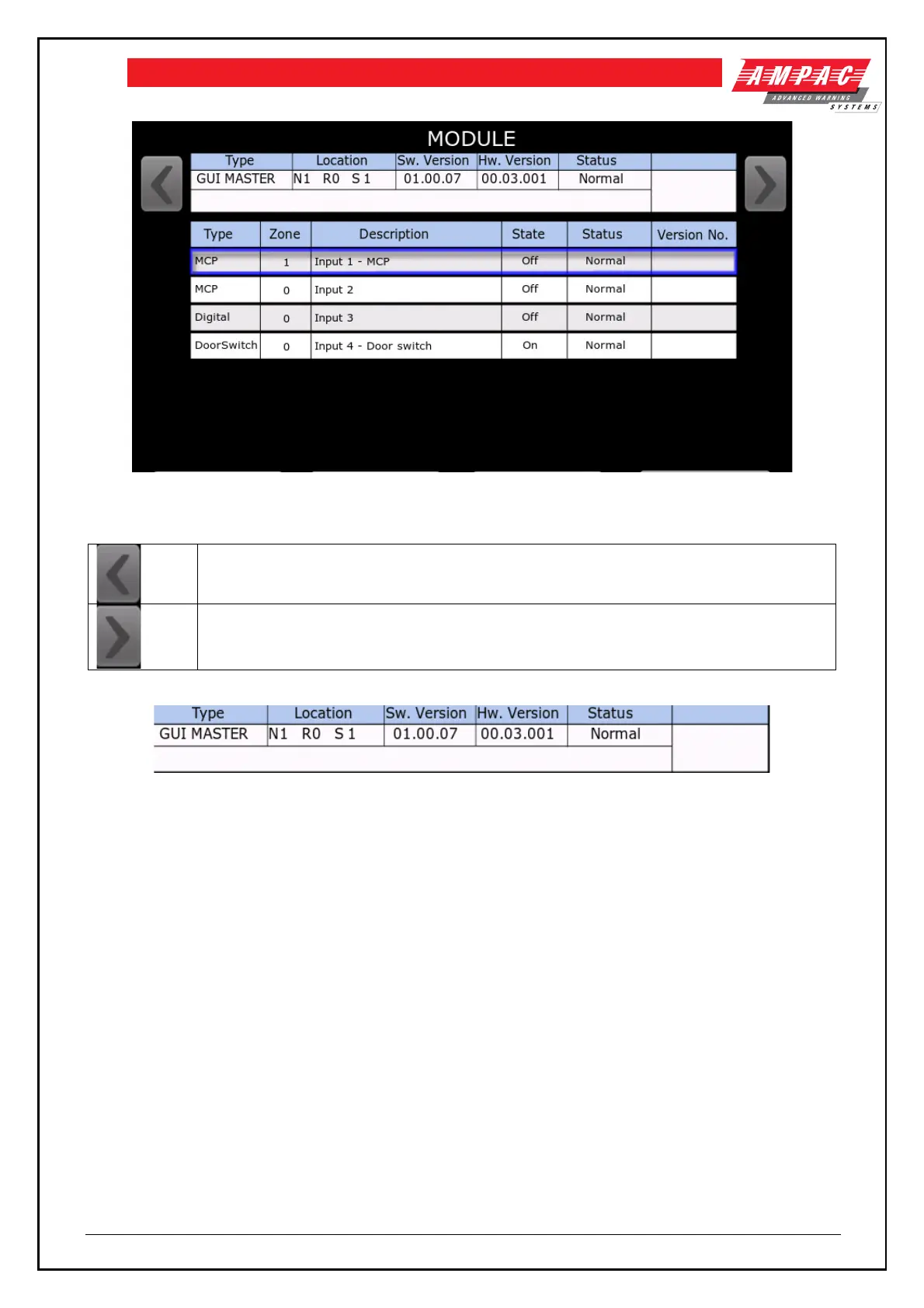
Figure 6-28 Graphical user interface status screen
The following explains the content of the screen
Display the previous module in the node
Display the next module in the node
Figure 6-29 Graphical user interface status
From above is the module type “GUI PRIMARY”, location – Node 1, Rack 0, Slot 1, Software version 01.00.07,
hardware version 00.03.001 and status is Normal.
The input status is the same as the Multi-purpose interface card, refer to section 6.3.3
The first Graphical user interface fitted to a cabinet is the Primary, and any other Graphical user interfaces
fitted are referred to as Secondaries. The secondaries do not have the inputs fitted and their Type is GUI
SECONDARY.
6.3.10 Power supply
Refer to section 4.2.2 for detailed information on the function and configuration of the power supply.
Figure 6-30 is the status screen for the power supply.



 To Next Page