Page 46
EVACU ELITE
INSTALLATION, COMMISSIONING AND USER MANUAL
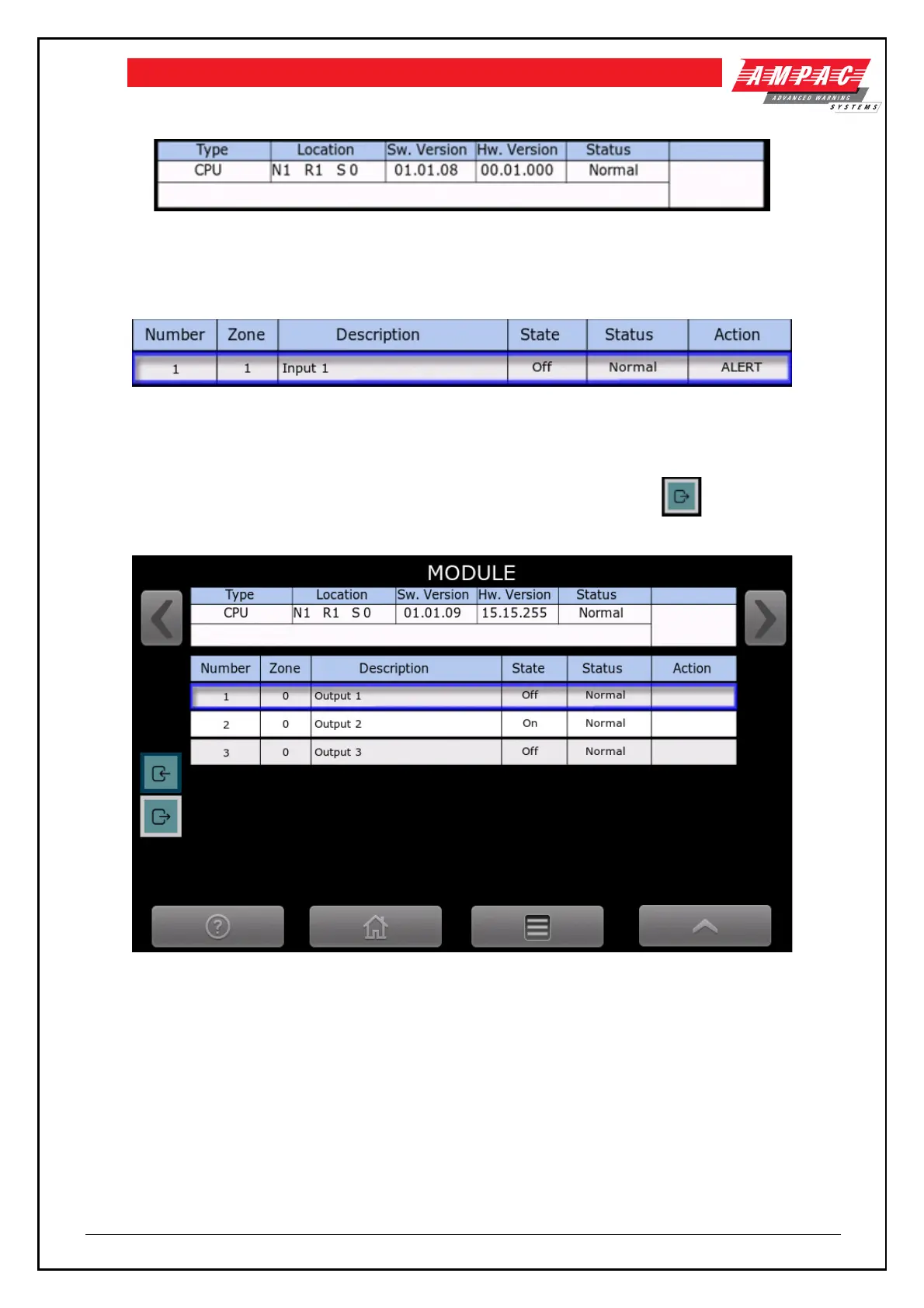
Figure 6-4 Distribution CPU card status
Above is the module type “CPU”, location – Node 1, Rack 1, Slot 0, Software version 01.01.08, hardware
version 00.01.000 and status is Normal.
Figure 6-5 Input status
There is a record for each of the 4 inputs, showing the allocated zone, description, state, status and action.
Figure 6-6 shows the status of the 3 outputs on the Distribution CPU, note the icon is highlighted
denoting outputs are displayed.
Figure 6-6 Distribution CPU card status - showing the outputs
There is a record for each of the 3 outputs, showing the allocated zone number, descriptor, state, status and
action
6.3.2 Network interface card
The status screen for the Network interface card is shown in figure 6-7. There are no inputs or outputs
associated with this card.



 To Next Page