Page 64
EVACU ELITE
INSTALLATION, COMMISSIONING AND USER MANUAL
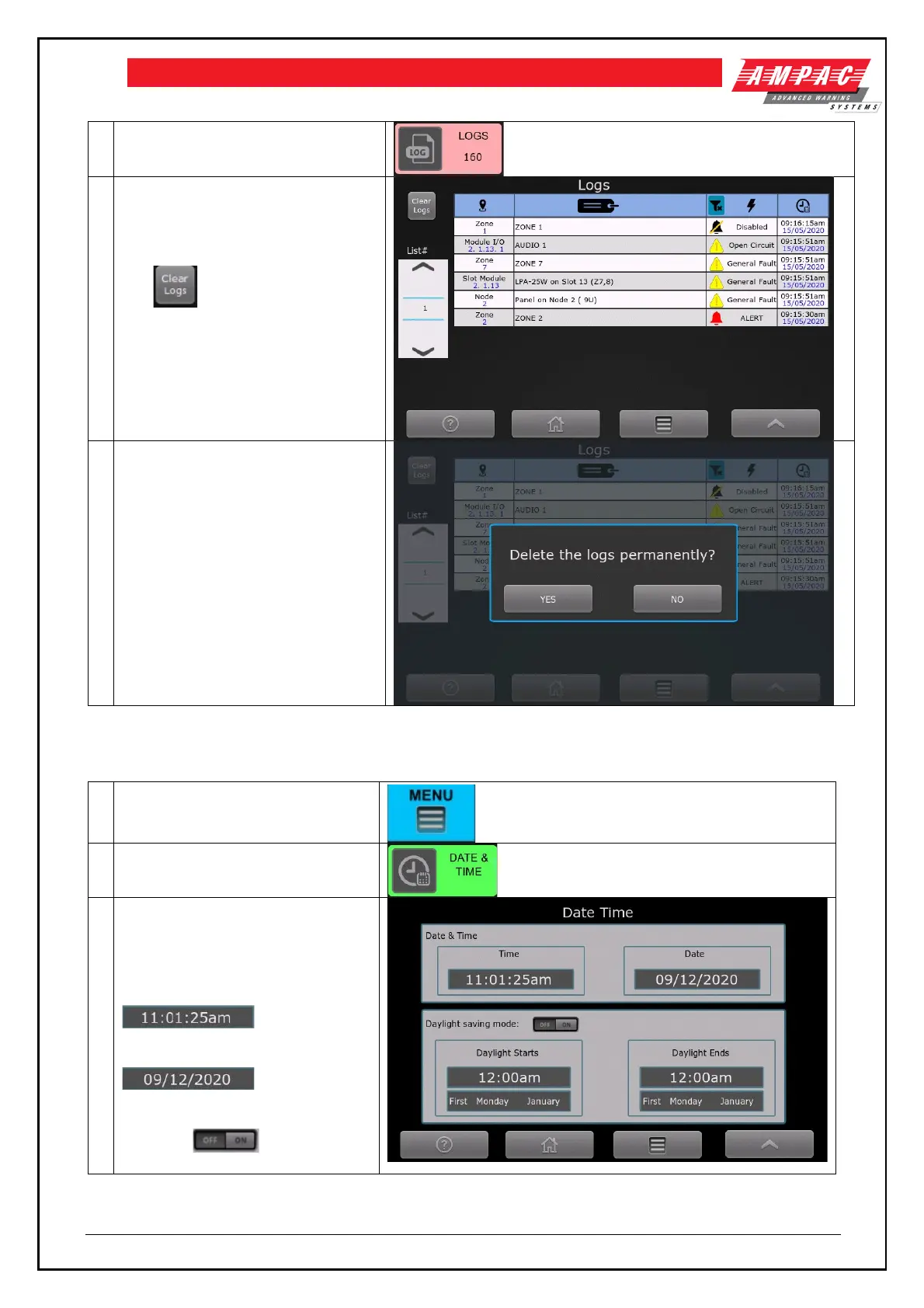
Shows a list of events that have
occurred in the system.
The control clears the logs.
Prompted to confirm clearing the logs
6.10 Date and Time
To set the date and time, the following controls are activated
Date and time control (require
access level 3)
Shows the current date and time,
and daylight-saving details.
To set the time, select the
control
To set the date, select the
control
To turn daylight saving on / off,
select the control



 To Next Page