Page 27
EVACU ELITE
INSTALLATION, COMMISSIONING AND USER MANUAL
5.1.10 All call control and indicator (EIS)
The red indicator is illuminated steady when an All Call has been instigated. An
All Call will initiate a call to broadcast to all WIP handsets.
To instigate an All Call, activate the All-Call control with the Master WIP handset
off hook.
5.1.11 Menu control (EWS and EIS)
Activating the Menu control at access level 2 will display the main menu screen.
Refer to section 5.6 for further detail.
5.1.12 Individual EWS controls and indicators
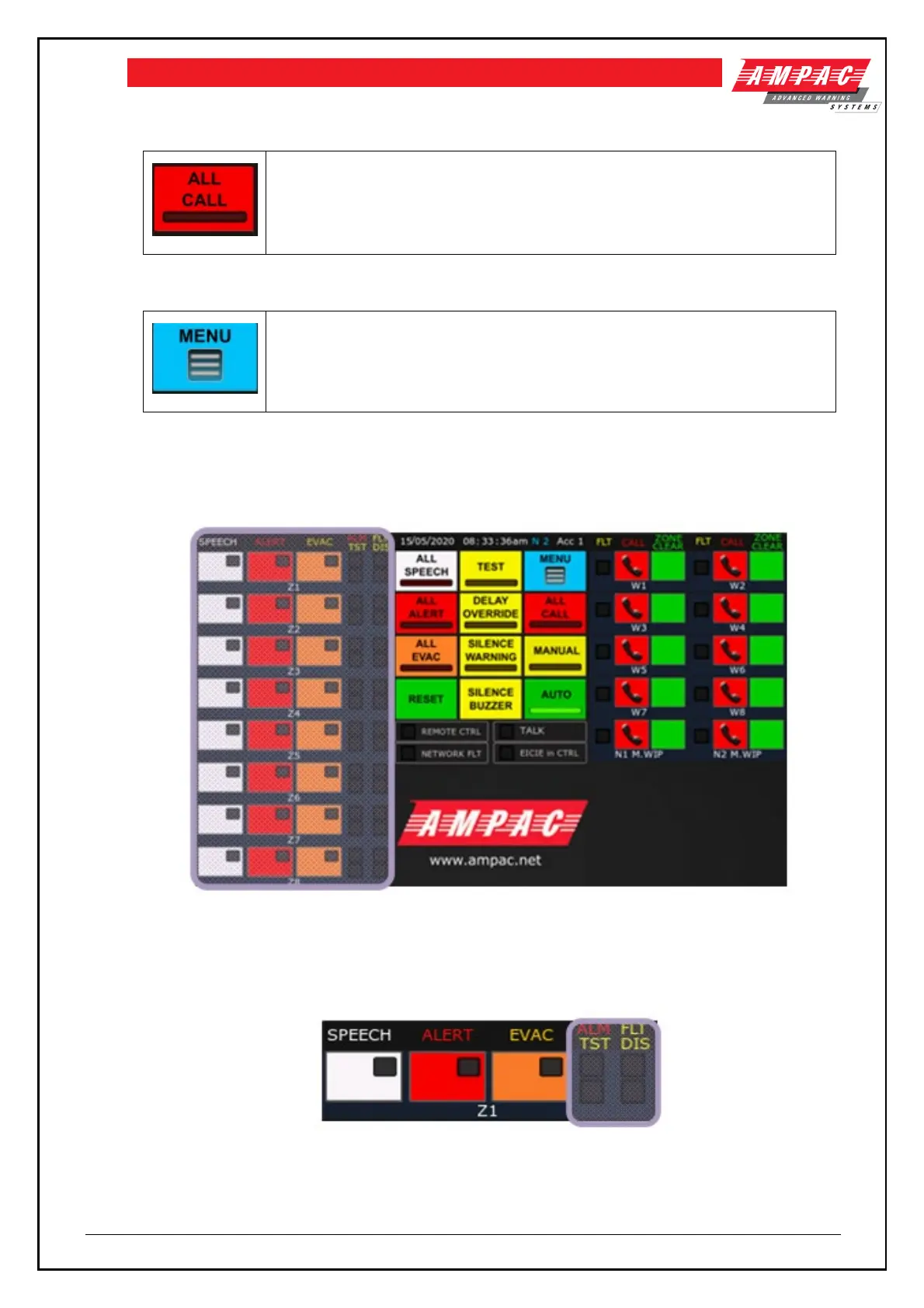
Refer to the highlighted section in figure 5-2 for the individual EWS controls
Figure 5-2 Front control panel with individual EWS controls and indicators highlighted
Each emergency zone in the EWS has its own controls and indicators. Refer to Figure 5-3 and 5-4
below
Figure 5-3 Emergency zone with indicators highlighted
There are four indicators associated with each emergency zone:



 To Next Page