Page 23
EVACU ELITE
INSTALLATION, COMMISSIONING AND USER MANUAL
5 EWCIE and EICIE Operation
5.1 Front Control Panel
5.1.1 General
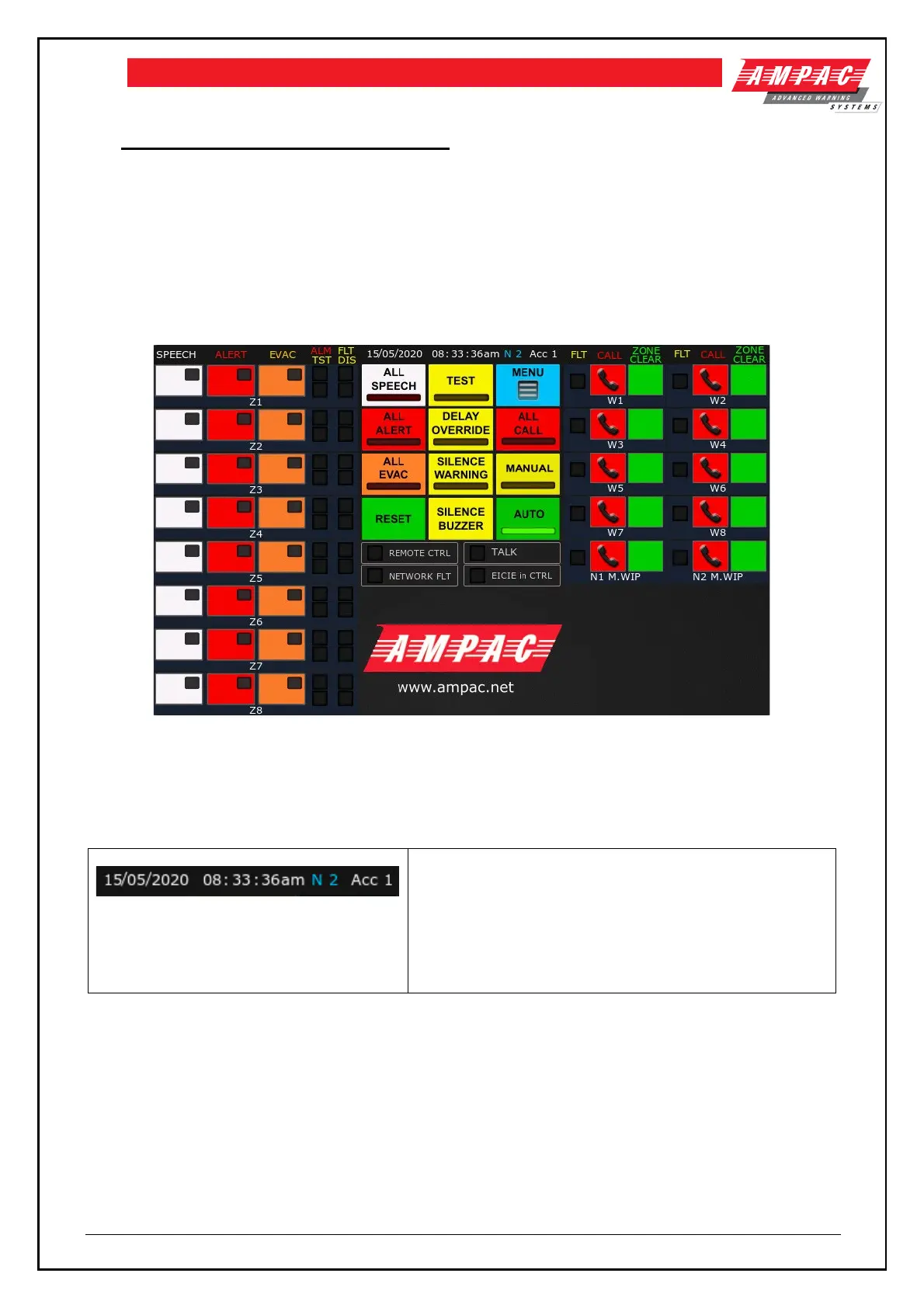
The Front Control Panel contains all the system wide controls and indicators for the EWCIE and EICIE
functionality, and individual controls and indicators for the emergency warning zones (EWCIE) and
WIP handsets (EICIE) according to the site-specific data (SSD). The layout of the Front Control Panel
is shown below.
Figure 5-1 Front Control Panel
The following sections detail of the operation of each control and indicator and the applicable system
(EWS or EIS).
5.1.2 Status Line (EWS and EIS)
The status line details the following
Date: 15/05/2020
Time: 08:33
Node No.: 2
Access level 1 – common to the EWCIE and EICIE – refer to
section 3.2
5.1.3 Automatic / Manual Mode control and Indication (EWS)
The EWS shall be in the automatic or manual mode.
In the automatic mode, the EWS automatically responds to alarm signals from an EDS and broadcasts
emergency warning signals (both aurally and visually) to selected emergency zones as per the SSD (referred
to as phasing).
In manual mode, any phasing is halted, any new alarm signal is visually indicated but will not instigate any
phasing (until the EWS is returned to the automatic mode).



 To Next Page