Page 30
EVACU ELITE
INSTALLATION, COMMISSIONING AND USER MANUAL
5.1.16 Talk indicator
The TALK indicator is illuminated steady when the Audio channel is open,
in response to the PTT control of the emergency microphone being
activated.
5.1.17 EICIE in control indicator
If there are multiple EICIEs networked in the EIS, the EICIE in CTRL
indicator is illuminated steady if another EICIE is in control (master WIP
handset is off hook)
5.2 Additional Front Panels
From figure 5.1, the standard Front Panel Control can support 8 emergency zones and 16 WIP
handsets.
When the site configuration requires over 8 emergency zones and/or 16 WIP handsets, additional
Front Panels can be added. Refer to the Programming Manual for further information.
5.3 Led Indicators
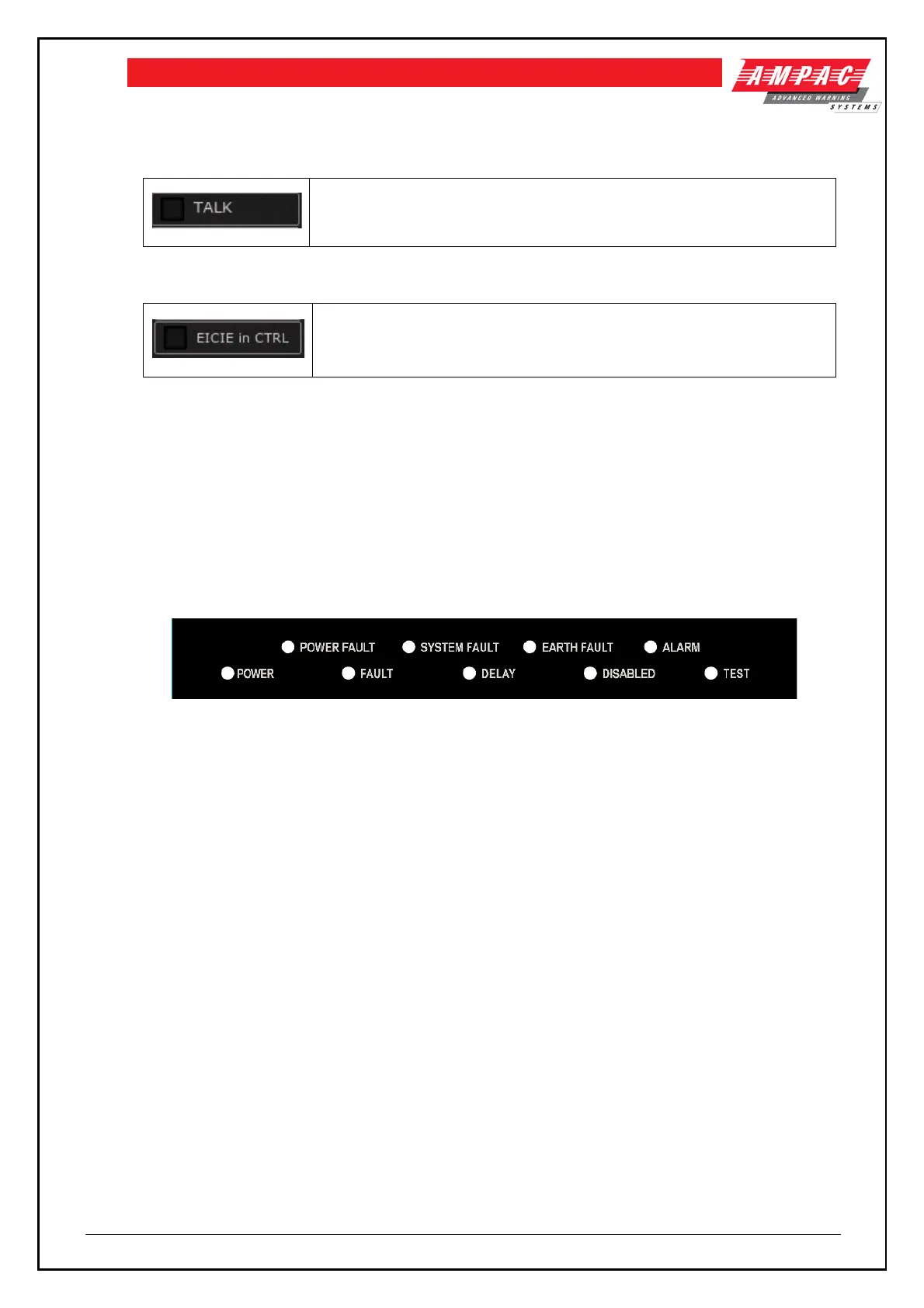
The EWCIE is fitted with the following LED indicators
Figure 5-8 LED Indicators
5.3.1 Power
Power - power is applied to the EWCIE
5.3.2 Power Fault
Power Fault – fault associated with the PSE – loss of mains, loss of standby power source, battery
charger fail, and high battery impedance
5.3.3 Fault
Fault – EWCIE or EICIE is in the fault warning condition
5.3.4 System Fault
System Fault – System fault condition on the EWCIE or EICIE
5.3.5 Delays
The indicator is illuminated steady when one or more emergency zones are configured to introduce a
delay before entering the emergency warning condition (in Automatic mode) on receipt of an alarm
signal in the emergency zone.
The indicator shall flash when the delay is active (alarm signal received in an emergency zone with a
delay configured)



 To Next Page