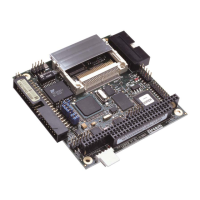
SBC-GX1 Technical Manual Contents
Contents
Introduction ........................................................................................................................................6
SBC-GX1 ‘at a glance’...........................................................................................................7
Features.................................................................................................................................8
SBC-GX1 support products .................................................................................................10
Handling your board safely ..................................................................................................11
Conventions.........................................................................................................................12
Getting started with your SBC-GX1 .................................................................................................13
CPU configuration................................................................................................................13
Installing memory.................................................................................................................13
Connecting a floppy disk drive.............................................................................................14
Connecting a hard disk drive ...............................................................................................14
Connecting a CD-ROM (IDE Type)......................................................................................14
Using the CompactFlash socket ..........................................................................................15
Connecting a mouse............................................................................................................15
Using the serial interfaces (RS232) .....................................................................................15
Connecting a printer.............................................................................................................15
Using the audio features......................................................................................................15
Using the flat panel interface ...............................................................................................16
Using the PC/104 expansion bus.........................................................................................16
Using the USB ports ............................................................................................................17
Using the Ethernet interface ................................................................................................17
Jumpers and connectors..................................................................................................................18
Jumpers ...............................................................................................................................20
Connectors...........................................................................................................................24
Award BIOS setup ...........................................................................................................................25
The Main menu....................................................................................................................26
Control keys.........................................................................................................................29
Standard CMOS setup.........................................................................................................30
BIOS features setup.............................................................................................................31
Chipset features setup.........................................................................................................34
Power management.............................................................................................................36
PNP / PCI configuration setup .............................................................................................38
Integrated peripherals..........................................................................................................39
General Software Embedded BIOS 2000........................................................................................42
The Main menu....................................................................................................................43
Control keys.........................................................................................................................45
Basic CMOS configuration screen.......................................................................................46
Custom configuration screen ...............................................................................................49
Shadow configuration setup screen.....................................................................................51
Software support..............................................................................................................................52
Datalight ROM-DOS 6.22 ....................................................................................................52
Datalight FlashFX flash filing system...................................................................................52
FLASHROM Utility ...............................................................................................................53
© 2004 Arcom Issue D 3


 To Next Page