EN – 54
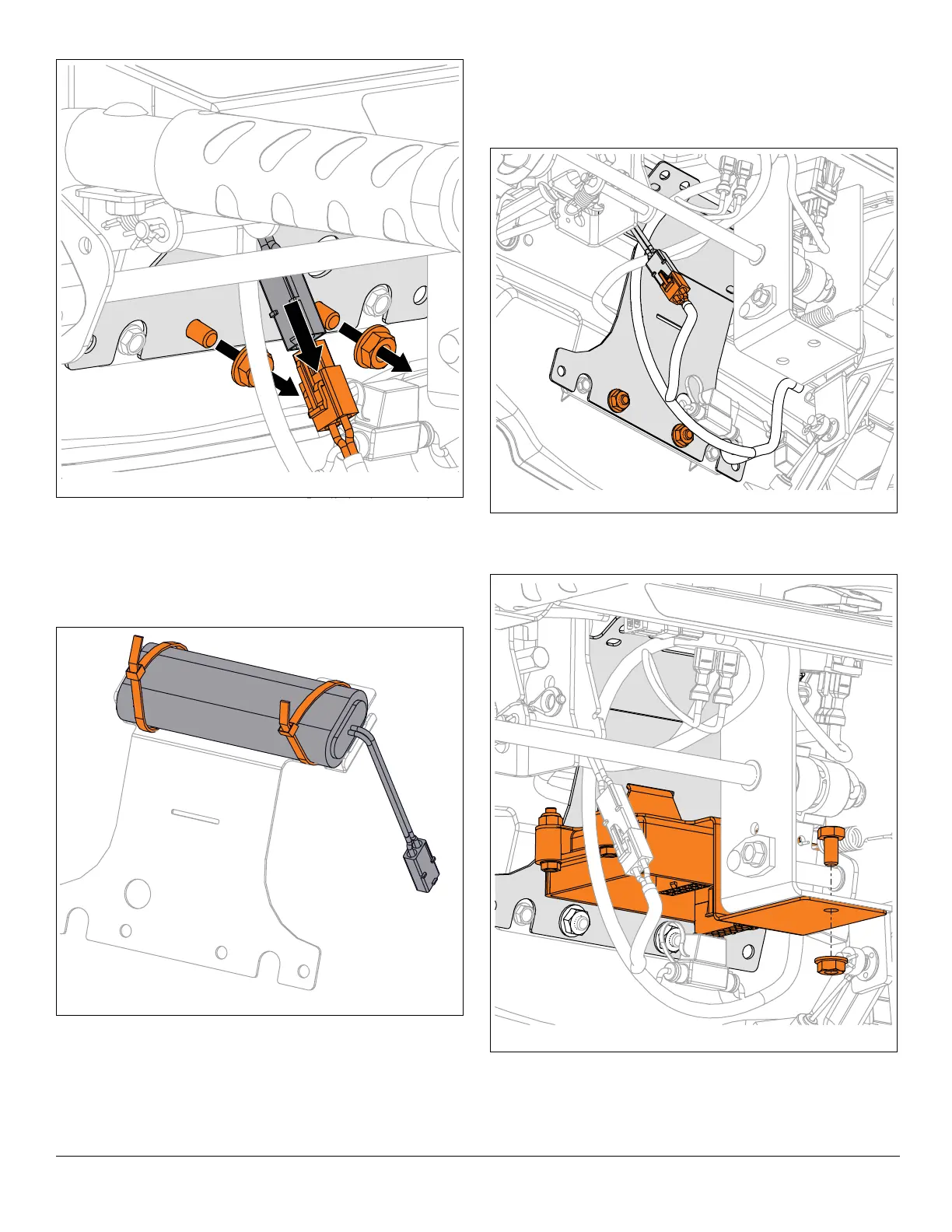
7. Cut cable ties retaining battery to battery bracket.
Remove battery and dispose of properly.
Install Battery
1. Position battery in battery bracket and secure with two
cable ties. See Figure 133.
See Figure 134.
2. Secure battery bracket to dash panel with original
hardware.
3. Reconnect battery connector to wire harness.
4. Reinstall ECU and secure to dash panel with original
hardware. See Figure 135.
5. Reconnect wire harnesses to ECU.
6. Reconnect spark plug wire.





 To Next Page