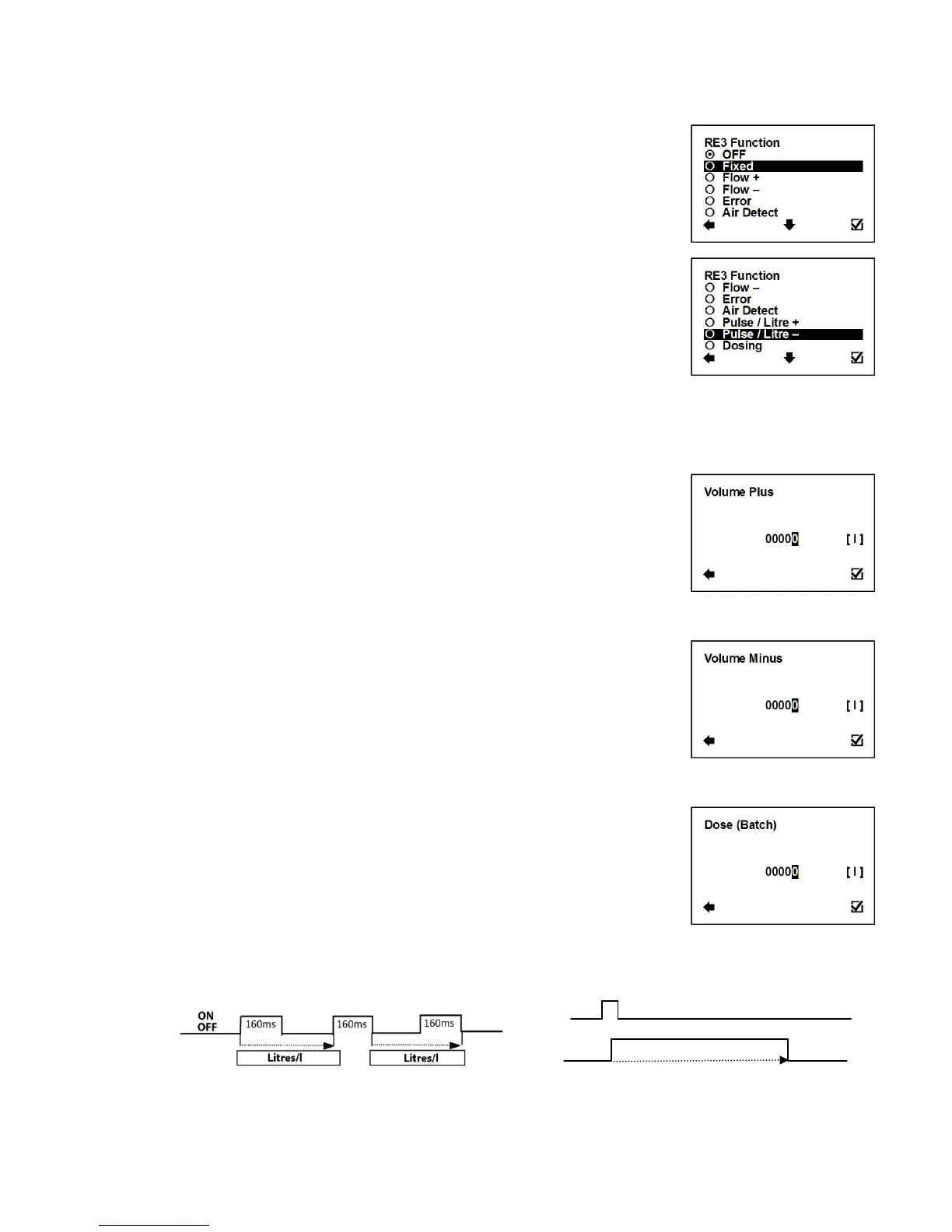
User Settings > Pulse Output > RE3 & RE4 > RE3 (RE4) function
This function serves to select which signal the output should be
giving. The relays are independent to each other.
Confirmation of setup and saving to memory
Output: OFF, fixed status signal
Output: ON, fixed status signal
Output: ON, for any positive flow
Output: ON, for any negative flow
Output: ON, for any error identified by the device.
The signal can be cancelled by pressing any
push button on the flowmeter
Output: ON, during air detection (empty pipe)
The unit generate pulse 160 ms when the volume plus
pass through the flowmeter
The unit generate pulse 160 ms when the volume
minus pass through the flowmeter
This function serves to control dosing (batching)
User Settings > Pulse Output > Volume Plus
This function serves to configure the positive flow volume after which
a 160 ms output pulse is generated to correspondent Relay. In case
of a power failure, the output will start counting volume from 0.
Possible range: 0 – 99999 l
Selection of digit position
Confirmation of setup and saving to memory
User Settings > Pulse Output > Volume Minus
This function serves to configure the negative flow volume after
which a 160 ms output pulse is generated to correspondent Relay. In
case of a power failure, the output will start counting volume from 0.
Possible range: 0 – 99999 l
Selection of digit position
Confirmation of setup and saving to memory
User Settings > Pulse Output > Dose (Batch)
This function serves to control dosing (batching). A dose is activated
through a pulse input on Pulse input. At the same time with the relay
(RE3 and/or RE4) open. After reaching the required volume, relay
(RE3 and/or RE4) is closed.
Possible range: 0 – 99999 l
Selection of digit position
Confirmation of setup and saving to memory



 To Next Page