180 | Authentication and User Management Aruba Instant 6.5.0.0-4.3.0.0 | User Guide
Loading Certificates through Instant CLI
To upload a CA, server, or captive portal certificate:
(Instant AP)# copy tftp <ip-address> <filename> {cpserver cert <password> format {p12|pem}|
radsec {ca|cert <password>} format pem|system {1xca format {der|pem}| 1xcert <password> format
pem}}
To download RadSec certificates:
(Instant AP)# download-cert radsec ftp://192.0.2.7 format pem [psk <psk>]
(Instant AP)# download-cert radsecca ftp://192.0.2.7 format pem
Removing Certificates
To clear a certificate:
(Instant AP)# clear-cert {ca|cp|radsec|radsecca|server}
Loading Certificates Through AirWave
You can manage certificates using AirWave. The AMP directly provisions the certificates and performs basic
certificate verification (such as certificate type, format, version, serial number, and so on) before accepting the
certificate and uploading to anIAP network. The AMP packages the text of the certificate into an HTTPS
message and sends it to the VC. After the VC receives this message, it draws the certificate content from the
message, converts it to the right format, and saves it on the RADIUS server.
To load a certificate in AirWave:
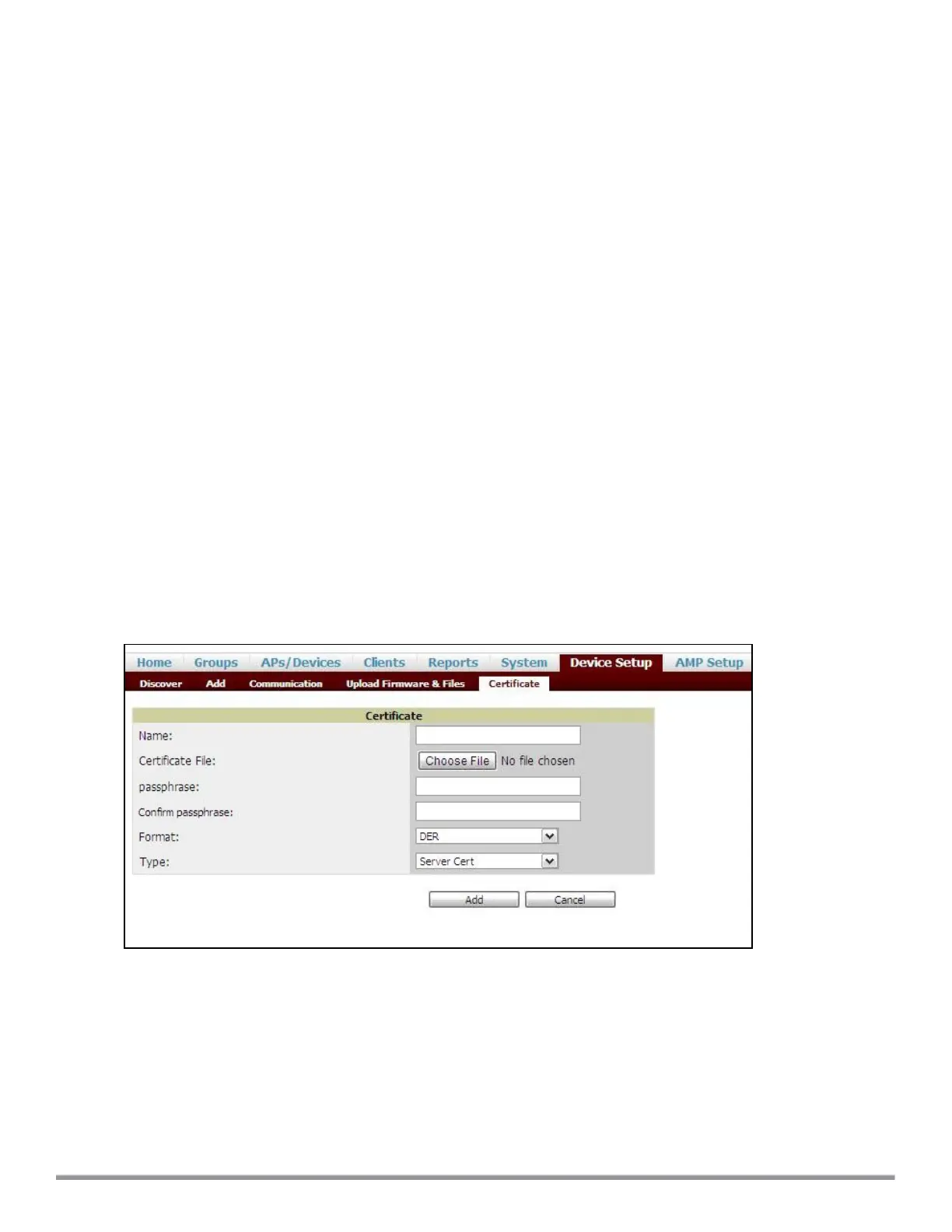
1. Navigate to Device Setup > Certificate and then click Add to add a new certificate. The Certificate
window is displayed.
2. Enter the certificate Name, and click Choose File to browse and upload the certificate.
Figure 37 Loading Certificate through AirWave
3. Select the appropriate Format that matches the certificate filename.
l Select Server Cert for certificate Type, and provide the passphrase if you want to upload a server
certificate.
l Select either Intermediate CA or Trusted CA certificate Type, if you want to upload a CA certificate.



 To Next Page