In the Instant UI
To configure management subnets:
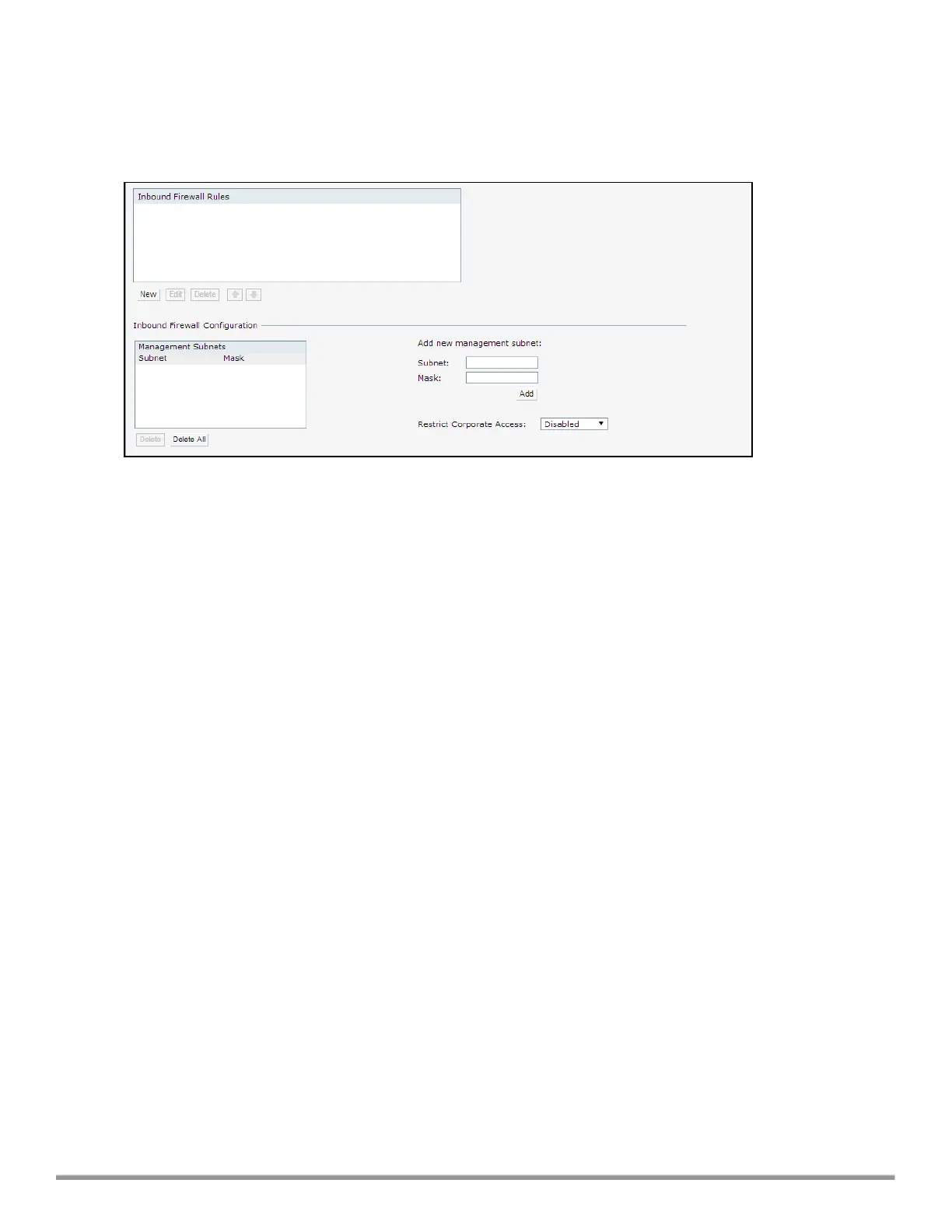
1. Navigate to Security > Inbound Firewall. The Inbound Firewall tab contents are displayed.
Figure 43 FirewallSettings—Management Subnets
2. To add a new management subnet:
l In the Add new management subnet section, enter the subnet address in Subnet.
l Enter the subnet mask in Mask.
l Click Add.
3. To add multiple subnets, repeat step 2.
4. Click OK.
In the CLI
To configure a management subnet:
(Instant AP)(config) # restricted-mgmt-access <subnet-IP-address> <subnet-mask>
(Instant AP)(config) # end
(Instant AP)# commit apply
Configuring Restricted Access to Corporate Network
You can configure restricted corporate access to block unauthorized users from accessing the corporate
network. When restricted corporate access is enabled, corporate access is blocked from the uplink port of
master IAP, including clients connected to a slave IAP. You can configure restricted corporate access by using
the Instant UI or the CLI.
In the Instant UI
To configure restricted corporate access:
1. Navigate to Security > Inbound Firewall . The Inbound Firewall (see Figure 43) tab contents are
displayed.
2. Select Enabled from the Restrict Corporate Access drop-down list.
3. Click OK.
In the CLI
To configure restricted management access:
(Instant AP)(config) # restrict-corp-access
(Instant AP)(config) # end
(Instant AP)# commit apply
Aruba Instant 6.5.0.0-4.3.0.0 | User Guide Roles and Policies | 194



 To Next Page