On the DHCP server, the format for option 60 is “ InstantAP“, and the two formats for option 43 are
“<organization>,<ams-ip>,<ams-key>” and “<organization>,<ams-domain>” .
If you use the <organization>,<ams-ip>,<ams-key> format, the PSK-based authentication is used to access
the AMP server.
If you use the <organization>,<ams-domain> format, the IAP resolves the domain name into two IP
addresses—AirWave Primary and AirWave Backup—and then the IAP starts a certificate-based authentication
with AMP server, instead of the PSK login.
For option 43, when you choose to enter the domain name, the IP address and key are not available.
Enabling DNS-Based Discovery of the Provisioning AMP Server
IAPs can now automatically discover the provisioning AMP server if the DHCP option 43 and Activate cannot
perform zero-touch provisioning (ZTP )and transfer the AirWave configuration to the IAP.
When a domain option xxx is included in the DHCP configuration, the IAP will search the DNS server records
for aruba-airwave.xxx. When there is no domain option, the IAP will search only the server records for
aruba-airwave.
To enable IAPs to automatically discover the AMP server, create a DNS record for aruba-airwave.xxx or
aruba-airwave in the DNS server. To use this feature on the AirWave side, enable certificate-based login. For
information on how to enable certificate-based login, see PSK-Based and Certificate-Based Authentication on
page 307.
Standard DHCP Options 60 and 43 on Windows Server 2008
In networks that are not using DHCP options 60 and 43, it is easy to use the standard DHCP options 60 and 43
for an IAP or AP. For APs, these options can be used to indicate the master controller or the local controller. For
IAPs, these options can be used to define the AirWave IP, group, password, and domain name.
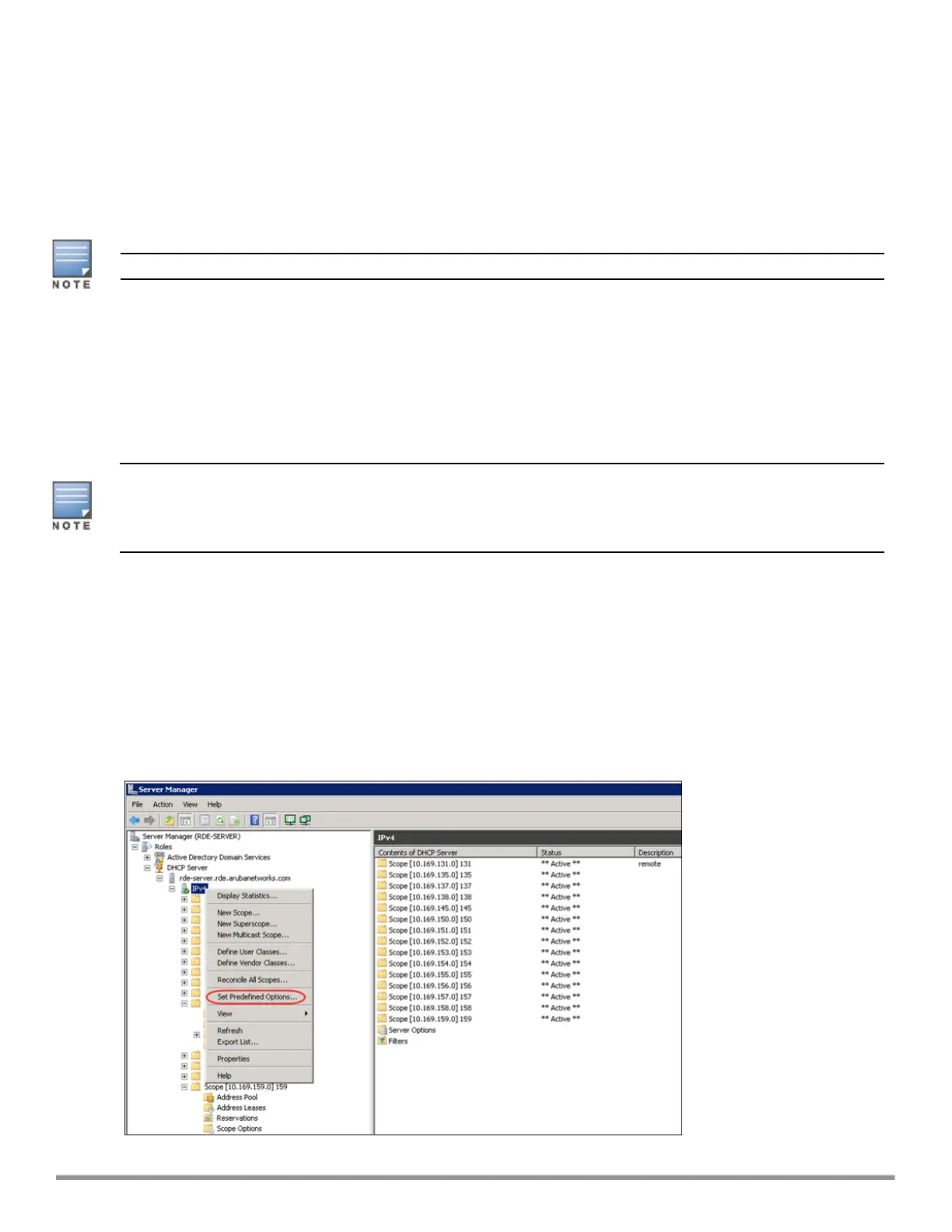
1. From a server running Windows Server 2008, navigate to Server Manager > Roles > DHCP sever >
domain > DHCP Server > IPv4.
2. Right-click IPv4 and select Set Predefined Options.
Figure 84 Instant and DHCP options for AirWave: Set Predefined Options
Aruba Instant 6.5.0.0-4.3.0.0 | User Guide IAP Management and Monitoring | 309



 To Next Page