214 | DHCP Configuration Aruba Instant 6.5.0.0-4.3.0.0 | User Guide
You can configure distributed DHCP scopes such as Distributed, L2 or Distributed, L3 by using the Instant UI or
the CLI.
In the Instant UI
To configure distributed DHCP scopes such as Distributed, L2 or Distributed, L3:
1. Click More > DHCP Server. The DHCP Server window is displayed.
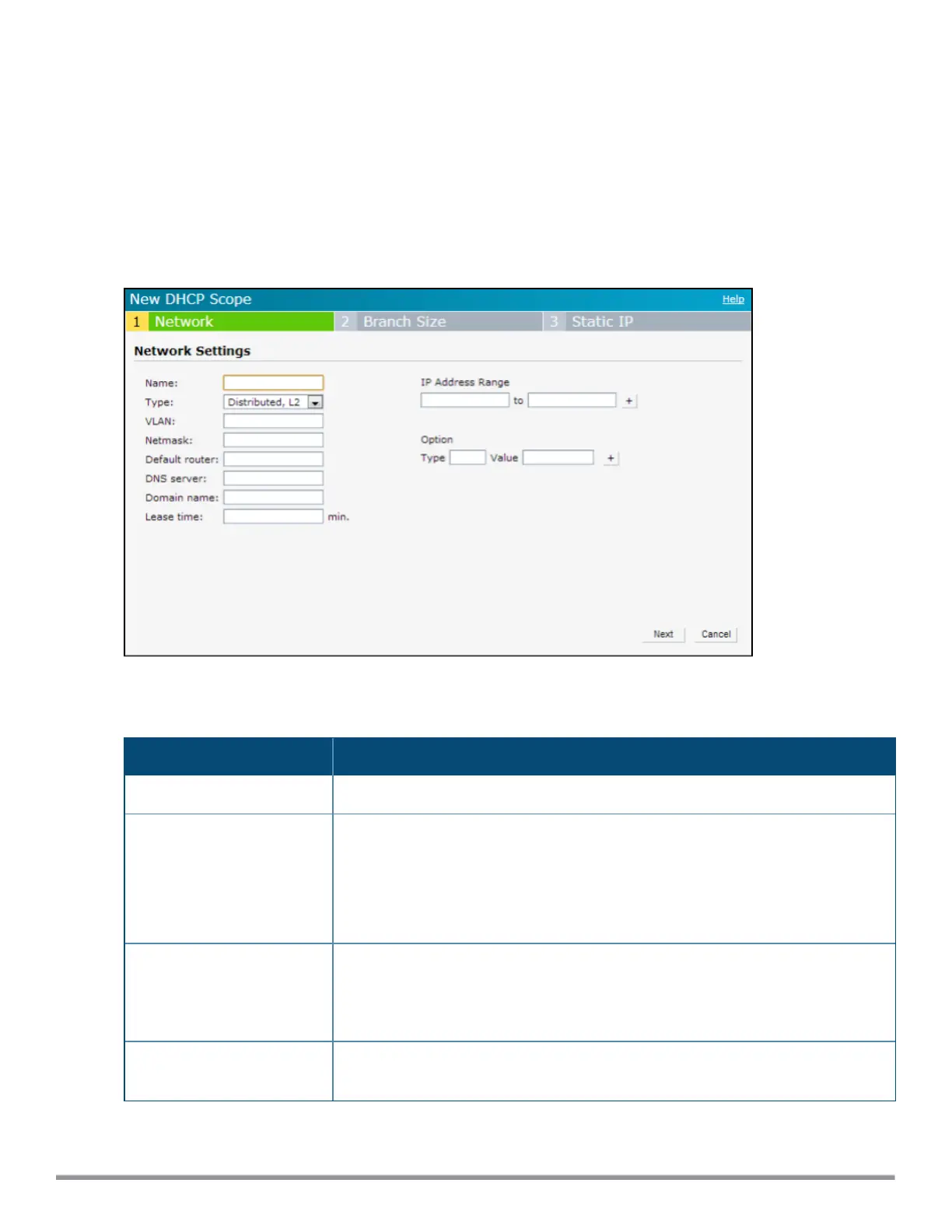
2. To configure a distributed DHCP mode, click New under Distributed DHCP Scopes. The New DHCP
Scope window is displayed. The following figure shows the contents of the New DHCP Scope window.
Figure 49 New DHCP Scope: Distributed DHCP Mode
3. Based on the type of distributed DHCP scope, configure the following parameters:
Parameter Description
Name Enter a name for the DHCP scope.
Type Select any of the following options:
l Distributed, L2—On selecting Distributed, L2, the VC acts as the DHCP server
but the default gateway is in the data center. Traffic is bridged into VPN tunnel.
l Distributed, L3—On selecting Distributed, L3, the VC acts as both DHCP
server and default gateway. Traffic is routed into the VPN tunnel.
VLAN Specify a VLANID. To use this subnet, ensure that the VLANID specified here is
assigned to an SSID profile. For more information on SSID profile configuration, see
Configuring VLAN Settings for a WLAN SSID Profile on page 87 and Configuring
VLAN for a Wired Profile on page 109.
Netmask If Distributed, L2 is selected for the type of DHCP scope, specify the subnet mask.
The subnet mask and the network determine the size of subnet.
Table 44: Distributed DHCP Mode Configuration Parameters



 To Next Page