301 | Services Aruba Instant 6.5.0.0-4.3.0.0 | User Guide
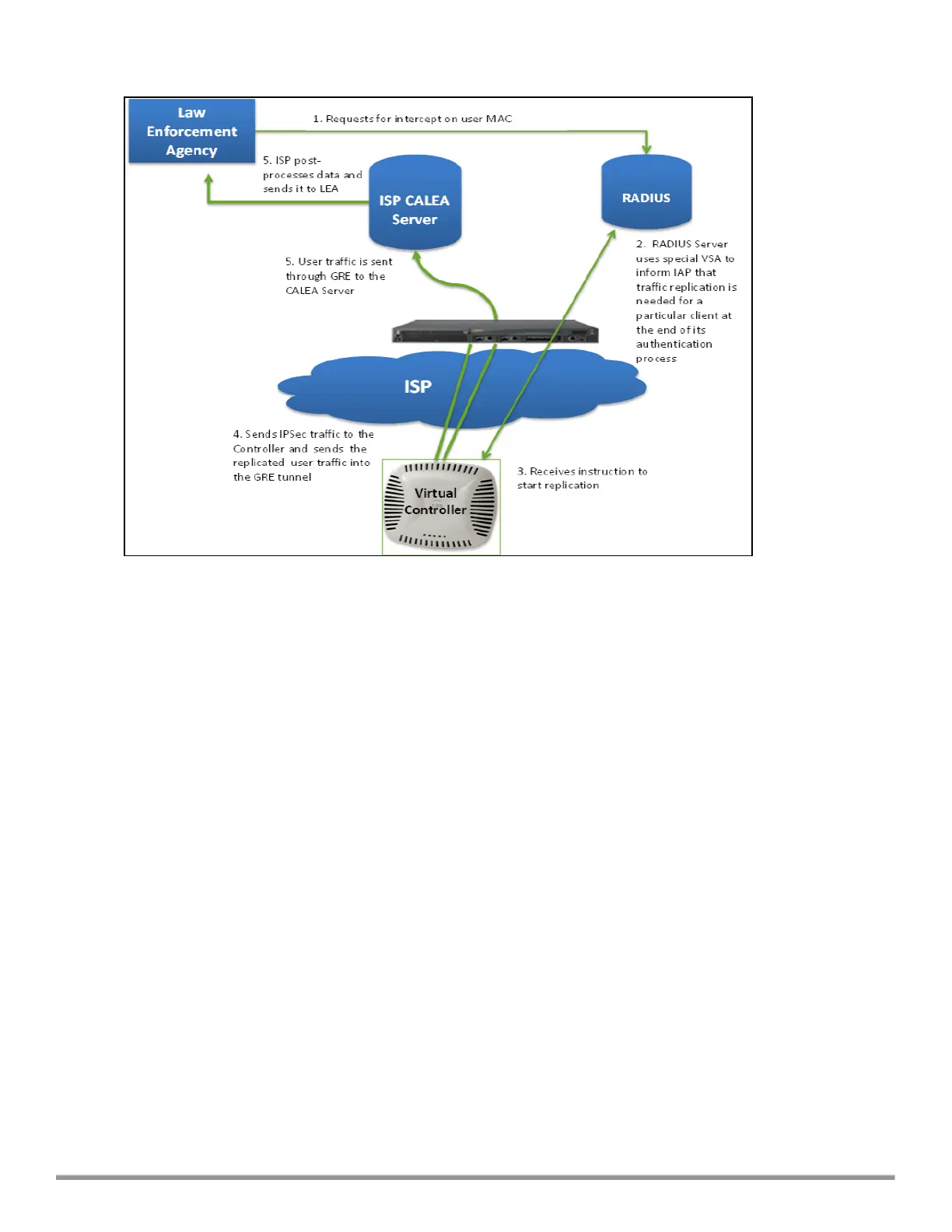
Figure 81 IAP to CALEA Server through VPN
Ensure that IPsec tunnel is configured if the client data has to be routed to the ISP or CALEA server through
VPN. For more information on configuring IPsec, see Configuring an IPsec Tunnel on page 230.
Client Traffic Replication
Client traffic is replicated in the following ways:
l Through RADIUS VSA—In this method, the client traffic is replicated by using the RADIUS VSA to assign
clients to a CALEA-related user role. To enable role assignment to clients, you need to create a user role and
a CALEA access rule, and then assign the CALEA rule to the user role. Whenever a client that is configured to
use a CALEA rule connects, a replication role is assigned.
l Through Change of Authorization(CoA)—In this method, a user session can start without replication. When
the network administrator triggers a CoA from the RADIUS server, the user session is replicated. The
replication is stopped when the user disconnects or by sending a CoA to change the replication role.
As the client information is shared between multiple IAPs in a cluster, the replication rules persist when clients
roam within the cluster.
Configuring an IAP for CALEAIntegration
To enable CALEA server integration, perform the following steps:
1. Create a CALEA profile.
2. If a replication role must be assigned through the RADIUS VSA, create an access rule and assign the access
rule to a WLAN SSID or wired profile.
3. Verify the configuration.
Creating a CALEA Profile
You can create a CALEAprofile by using the Instant UI or the CLI.



 To Next Page