3. Click New under the Community Strings for SNMPv1 and SNMPv2 box.
4. Enter the string in the New Community String text box.
5. Click OK.
6. To delete a community string, select the string, and click Delete.
Creating Community Strings for SNMPv3 Using Instant UI
To create community strings for SNMPv3:
1. Click the System link on the Instant main window.
2. In the System window that is displayed, click the Monitoring tab.
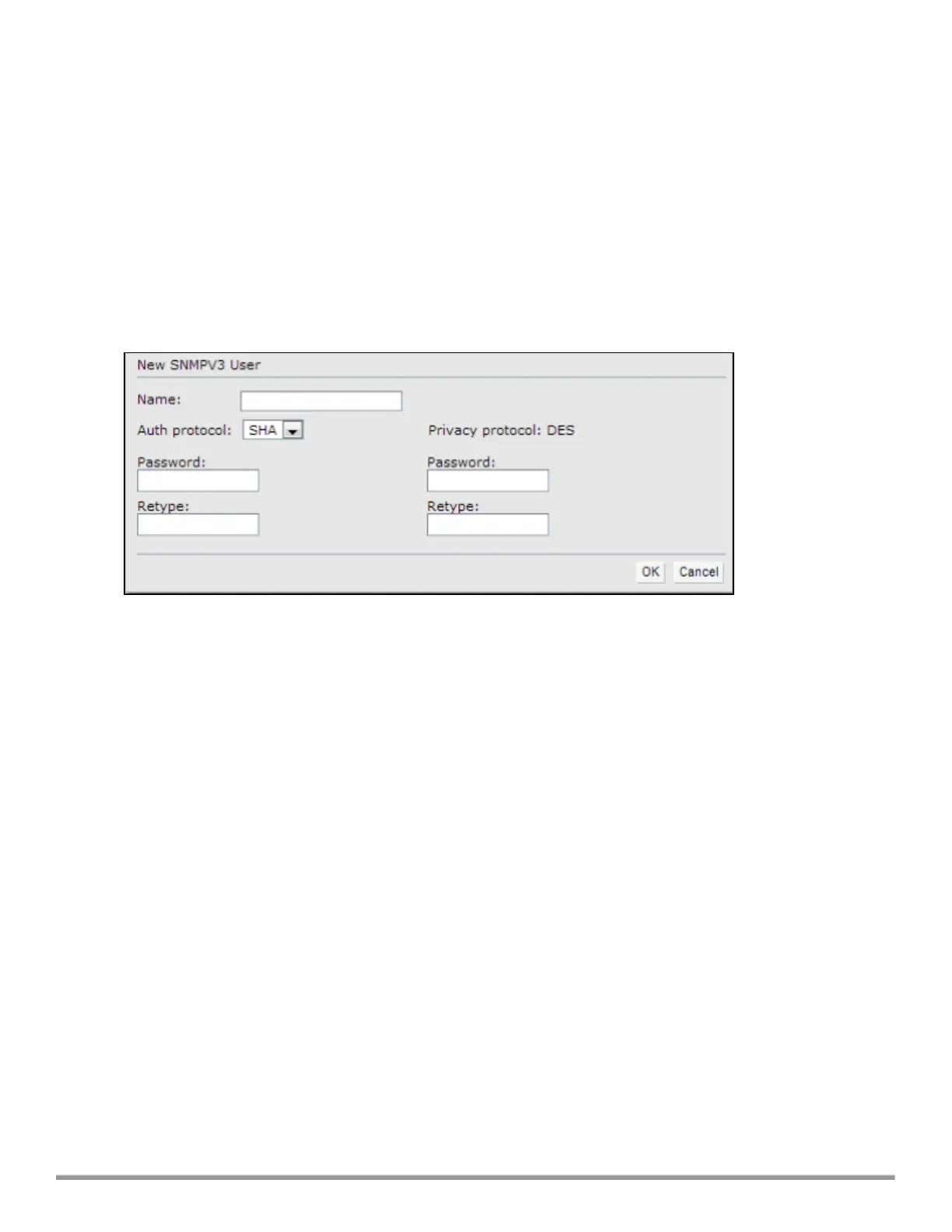
3. Click New under the Users for SNMPV3 box.
Figure 111 SNMPv3 User
4. Enter the name of the user in the Name text box.
5. Select the type of authentication protocol from the Auth protocol drop-down list.
6. Enter the authentication password in the Password text box and retype the password in the Retype text
box.
7. Select the type of privacy protocol from the Privacy protocol drop-down list.
8. Enter the privacy protocol password in the Password text box and retype the password in the Retype text
box.
9. Click OK.
10.To edit the details for a particular user, select the user and click Edit.
11.To delete a particular user, select the user and click Delete.
Configuring SNMP Community Strings in the CLI
To configure an SNMP engine ID and host:
(Instant AP)(config)# snmp-server engine-id <engine-ID>
(Instant AP)(config)# host <ipaddr> version {1 <name> udp-port <port>}|{2c|3 <name> [inform]
[udp-port <port>]}
To configure SNMPv1 and SNMPv2 community strings:
(Instant AP)(config)# snmp-server community <password>
To configure SNMPv3 community strings:
(Instant AP)(config)# snmp-server user <name> <auth-protocol> <password> <privacy-protocol>
<password>
To view SNMP configuration:
(Instant AP)# show snmp-configuration
Aruba Instant 6.5.0.0-4.3.0.0 | User Guide Monitoring Devices and Logs | 362



 To Next Page