82 | Wireless Network Profiles Aruba Instant 6.5.0.0-4.3.0.0 | User Guide
Configuring WLAN Settings for an SSID Profile
You can configure WLAN settings using the Instant UI or the CLI.
In the Instant UI
To configure WLAN settings:
1. On the Network tab of the Instant main window, click the New link. The New WLAN window is displayed.
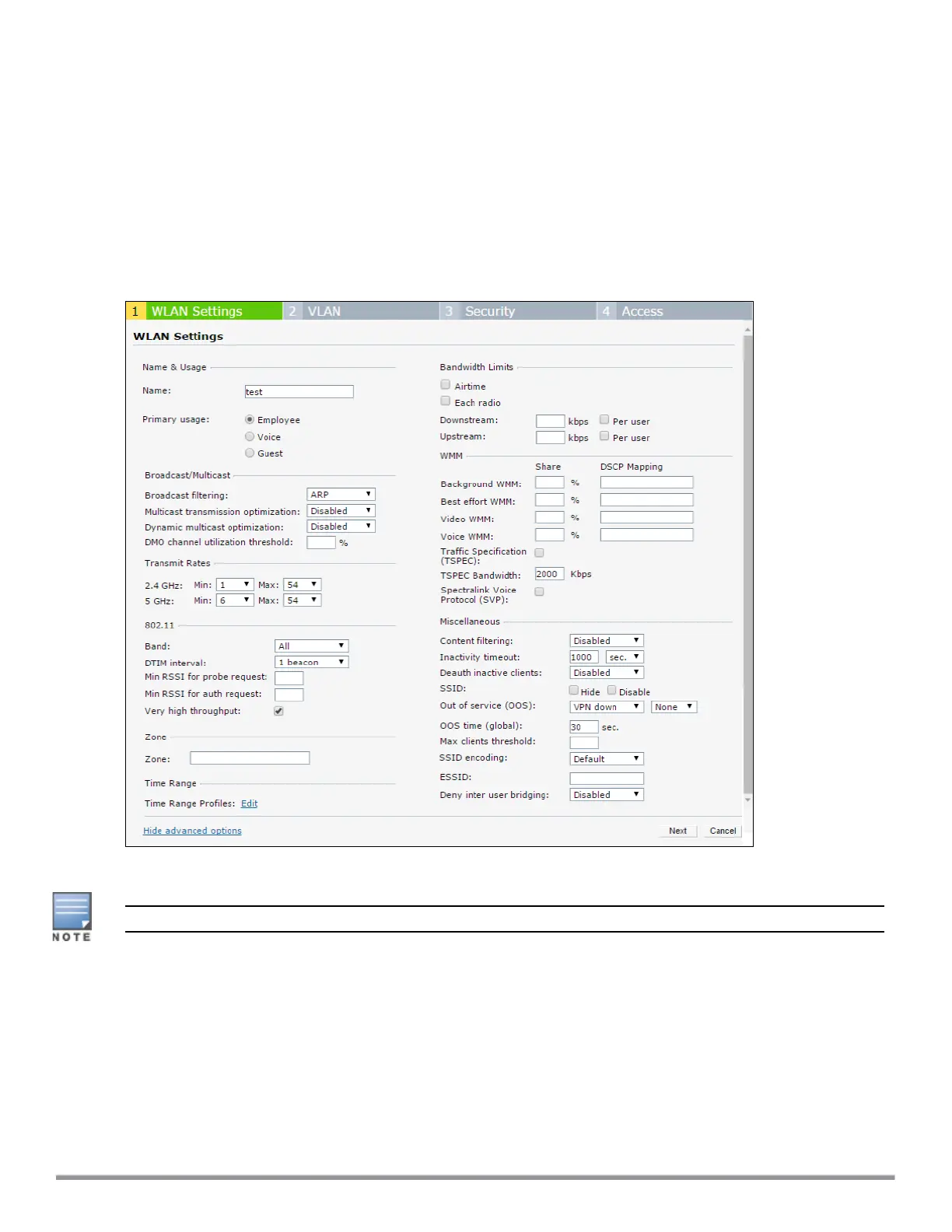
The following figure shows the contents of the WLAN Settings tab:
Figure 26 WLAN Settings Tab
2. Enter a name that uniquely identifies a wireless network in the Name (SSID) text box.
The SSIDname must be unique and may contain any special character except for ' and ".
3. Based on the type of network profile, select any of the following options under Primary usage:
l Employee
l Voice
l Guest
4. Click the Show advanced options link. The advanced options for configuration are displayed. Specify the
following parameters as required.



 To Next Page