310 | IAP Management and Monitoring Aruba Instant 6.5.0.0-4.3.0.0 | User Guide
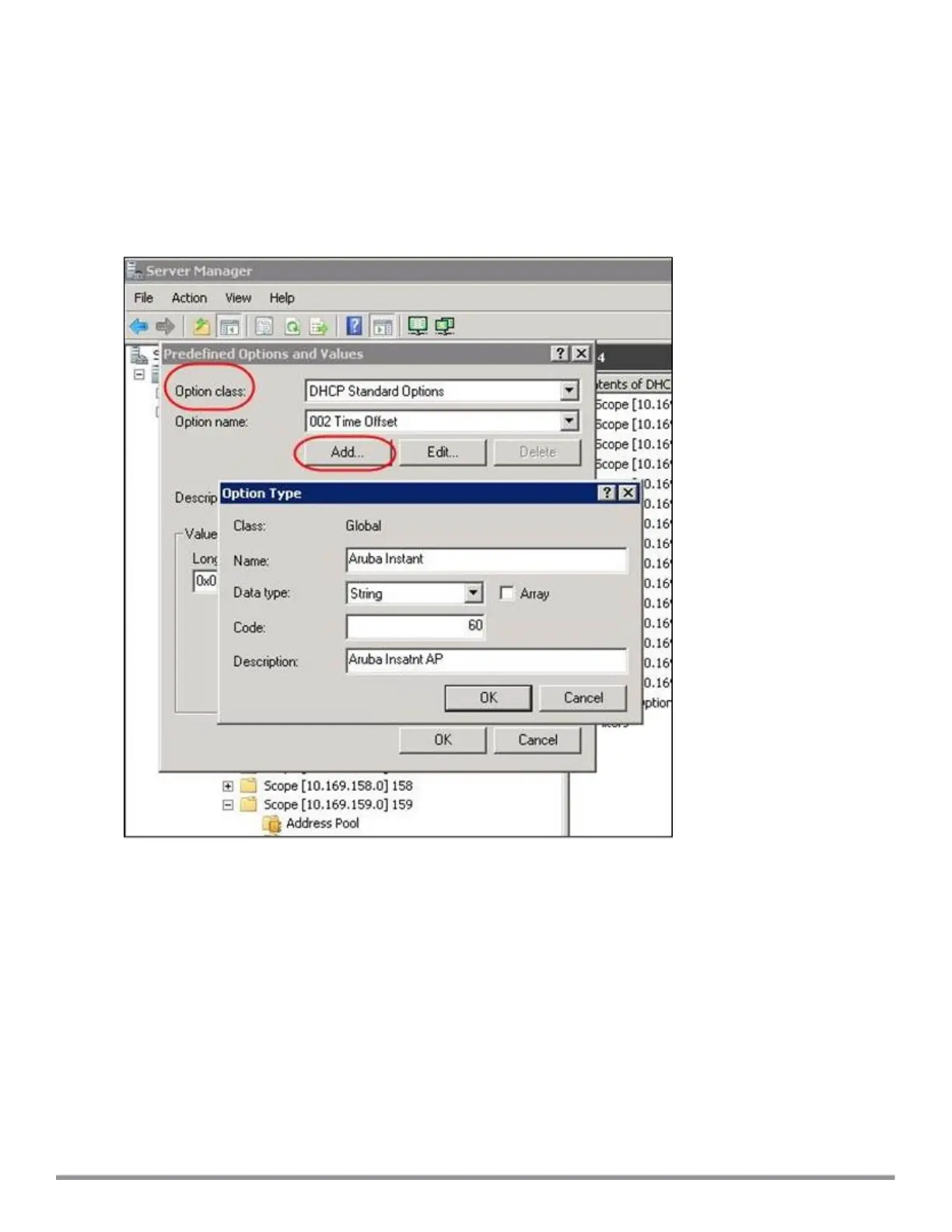
3. Select DHCP Standard Options in the Option class drop-down list and then click Add.
4. Enter the following information:
n Name—Instant
n Data Type—String
n Code—60
n Description—Instant AP
Figure 85 Instant and DHCP options for AirWave: Predefined Options and Values
5. Navigate to Server Manager and select Server Options in the IPv4 window. (This sets the value globally.
Use options on a per-scope basis to override the global options.)
6. Right-click Server Options and select the configuration options.



 To Next Page