In the Instant UI
To configure PAN firewall integration in an IAP:
1. Click More > Services.
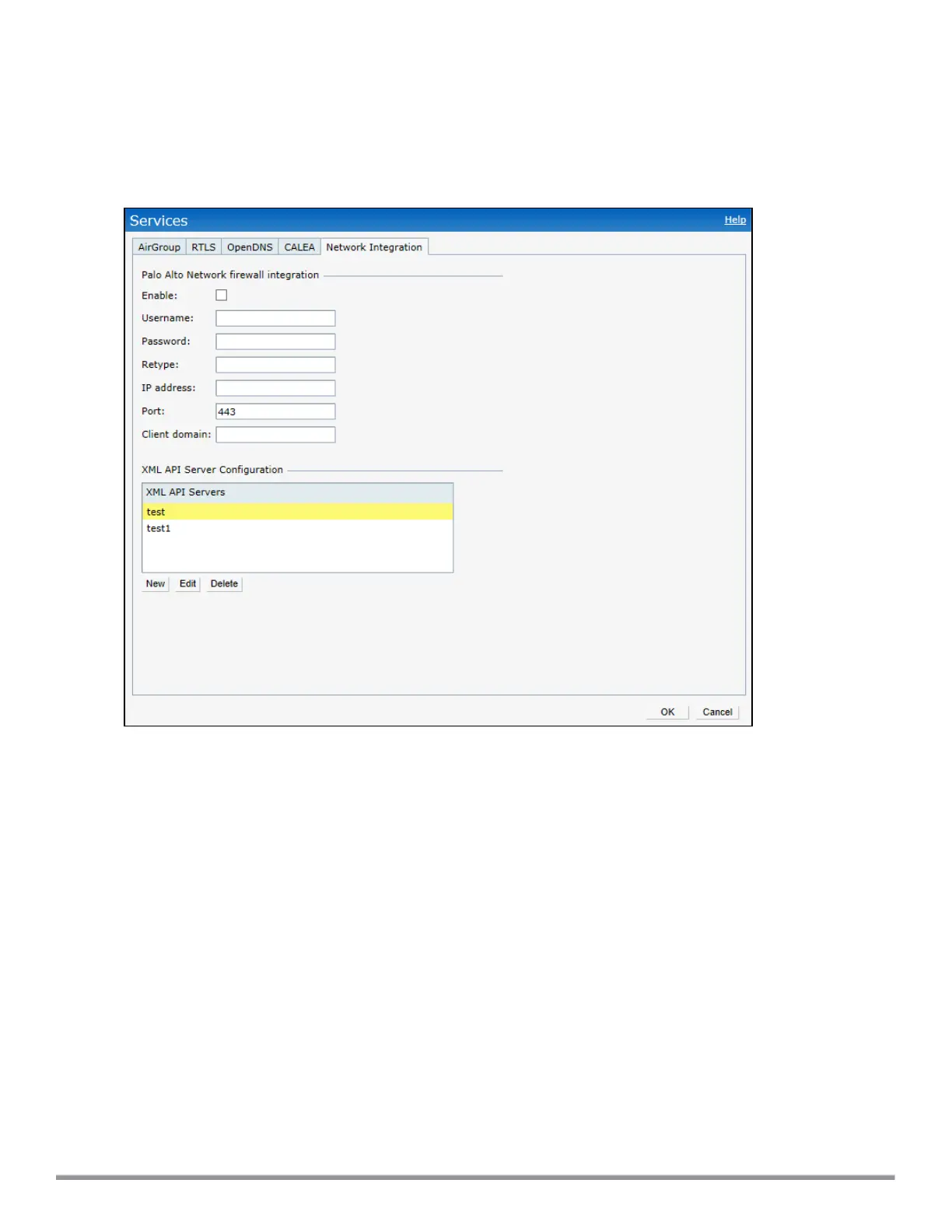
2. Click Network Integration. The PAN firewall configuration options are displayed.
Figure 79 Services Window: Network Integration Tab
3. Select the Enable check box to enable PAN firewall.
4. Provide the user credentials of the PAN firewall administrator in the Username and Password text boxes.
5. Enter the PAN firewall IP address.
6. Enter the port number within the range of 1–65,535. The default port is 443.
7. Specify the static Client Domain to be mapped to the client User IDs that do not have a domain name of
its own.
8. Click OK.
In the CLI
To enable PANfirewall integration with the IAP:
(Instant AP)(config)# firewall-external-enforcement pan
(Instant AP)(firewall-external-enforcement pan)# enable
(Instant AP)(firewall-external-enforcement pan)# domain-name <name>
(Instant AP)(firewall-external-enforcement pan)# ip <ip-address>
(Instant AP)(firewall-external-enforcement pan)# port <port>
(Instant AP)(firewall-external-enforcement pan)# user <name> <password>
(Instant AP)(firewall-external-enforcement pan)# end
(Instant AP)# commit apply
Aruba Instant 6.5.0.0-4.3.0.0 | User Guide Services | 296



 To Next Page