FastPak EXP Operating Manual 73
Dispensing Batches
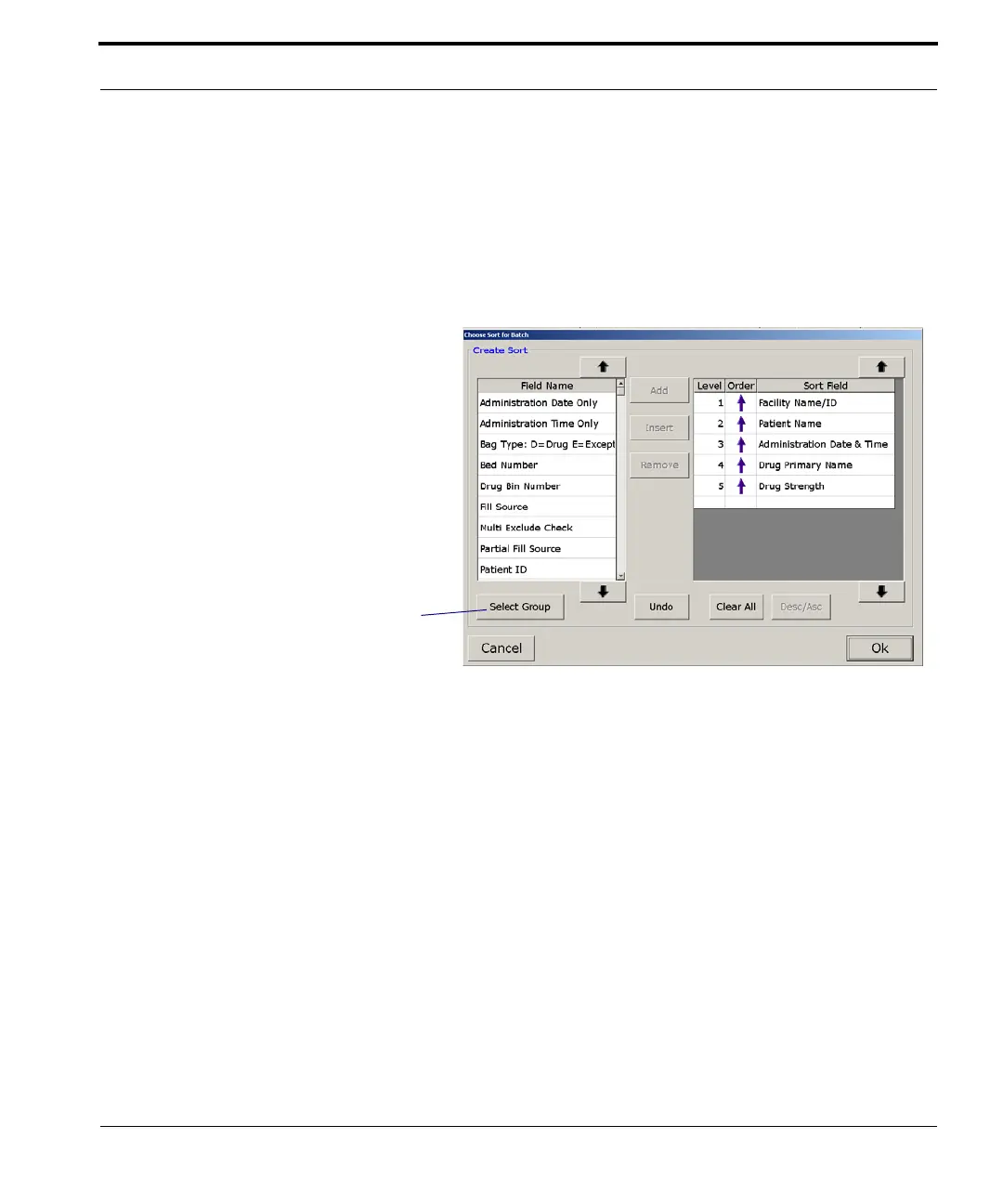
Current Sort
The details of the current sort are shown on the right
(on the Dispense window in Figure
7-3). Click
Change Sort if you want to change the sort. The
Change Sort for Batch window appears.
Figure 7-5 Change Sort window
If you wish to add a field to the current sort selection,
highlight any field in the Field Name column and
select Add. The selected field then appears in the
Sort Field column at the bottom of the list. Select
Insert if you wish to add a field just above the last
field in the list. Or, highlight a field in the Sort Field
list, then select a new field from the Field Name list
followed by Insert. The selected field will appear
just above the highlighted field in the Sort Field list.
Click Select Group to select
from a defined or default
sort.



 To Next Page