4 - 12
Checking the rating values
The voltage, frequency and number of phases set are the Sigma Hand-held’s best estimate
of the supply rating, based on the measurements it makes. However, if the generator is
uncalibrated, non-standard, or is under performing in some way, then these values may
need adjustment before testing can begin.
It is very important to check if the automatically set values are acceptable, and you can
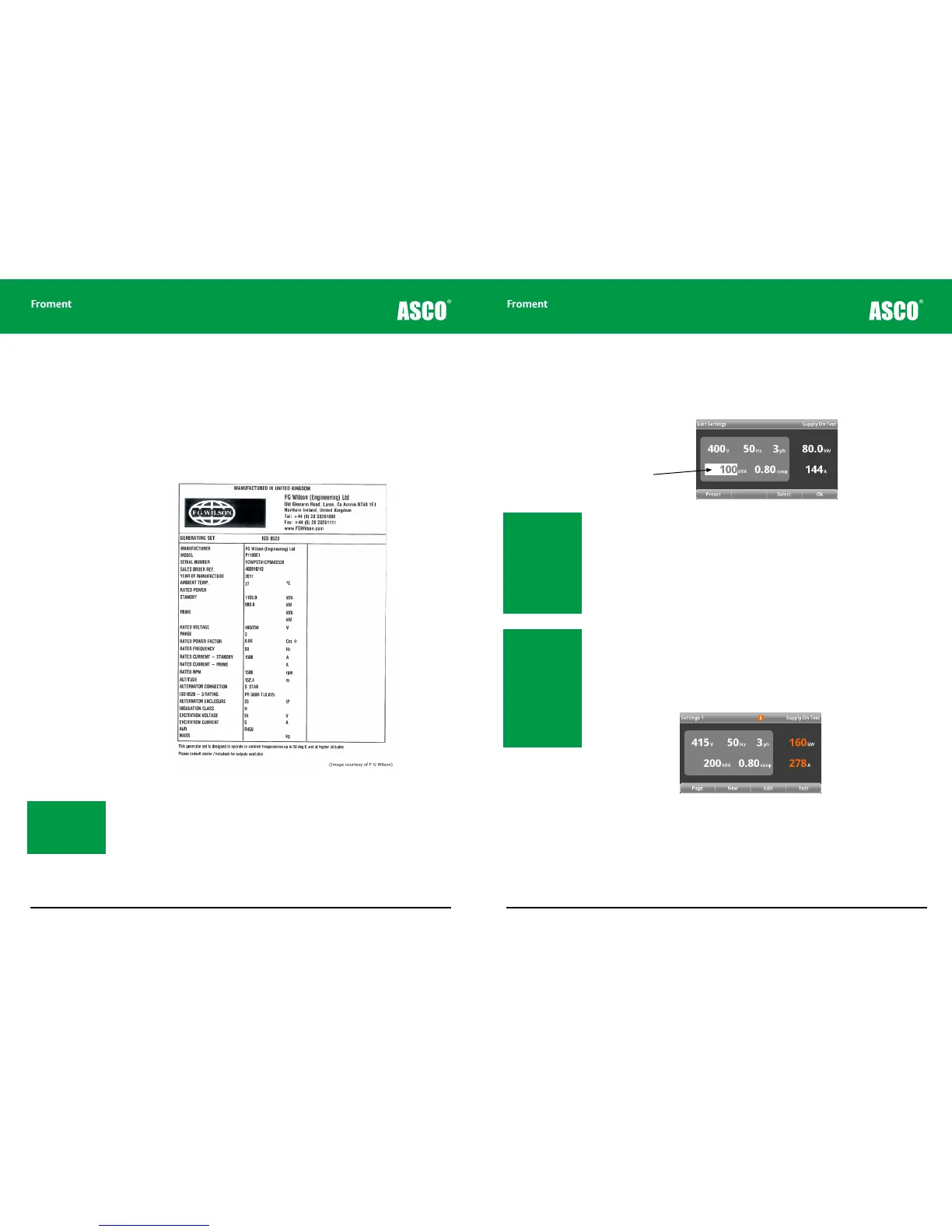
usually do this by comparing them to those on the generator’s rating plate.
Figure 4-8 Typical generator rating plate.
The voltage, frequency, number of phases, apparent power (kVA) and power factor (cos
φ) values shown on the Supply-on-Test page are all adjustable from the Supply-on-Test
Edit page. You can reach this page directly by pressing F3 (EDIT) or (after automatically
measuring the supply on the busbars) by pressing F2 (NEW).
Note: In this example
the generator is rated
at 400V, 50Hz with
an apparent power of
1100kVA at 0.8 cos φ.
Hand-held Reference Guide
4 - 13
To edit the supply rating values:
1. On entering the Supply-on-test Edit page the kVA value will be highlighted, ready for
editing.
2. Press F1 (PRESET) to step through a series of pre-defined values for kVA. Use the +
or – keys to make fine adjustments to the value.
3. Press F3 (SELECT) to choose the next value to be edited. Each press will step from
power factor (cos φ), voltage (V), frequency (Hz) and the number of phases (ph).
Pressing F2 (HELP) provides further information on each selected item.
As the values on the left hand side of the screen are adjusted the active (or resistive) power
(kW) and apparent current (A) are re-calculated and shown to the right of the display. This
facility will help you verify that ratings for the cables you are using are adequate. It can also
be useful if the generator does not have a kVA value on its rating plate.
4. Press F4 (OK) when the values are set correctly. The load bank will be set to operate
at the supply ratings set and the display will return to the Settings 1 page. A warning
symbol will be displayed if the load bank is not large enough to carry out a test to at
least 110% of the supply.
Figure 4-9 Settings 1 warning symbol
Note: The maximum
preset is 83% of the
load bank size. This is
the largest generator
that can be tested to
110% allowing for a 4%
voltage droop. The
minimum preset is ap-
proximately 25% of the
maximum value.
Note: The setting for
power factor should
reflect the generator’s
rating, not the
capability of the load
bank. Most generators
are rated at 0.80 cos φ
and if that is the case
you should set this
even if you intend to
test the supply at unity
power factor.
Editable supply
on test values
Chapter Four



 To Next Page