5 - 12
Chapter Five
5 - 13
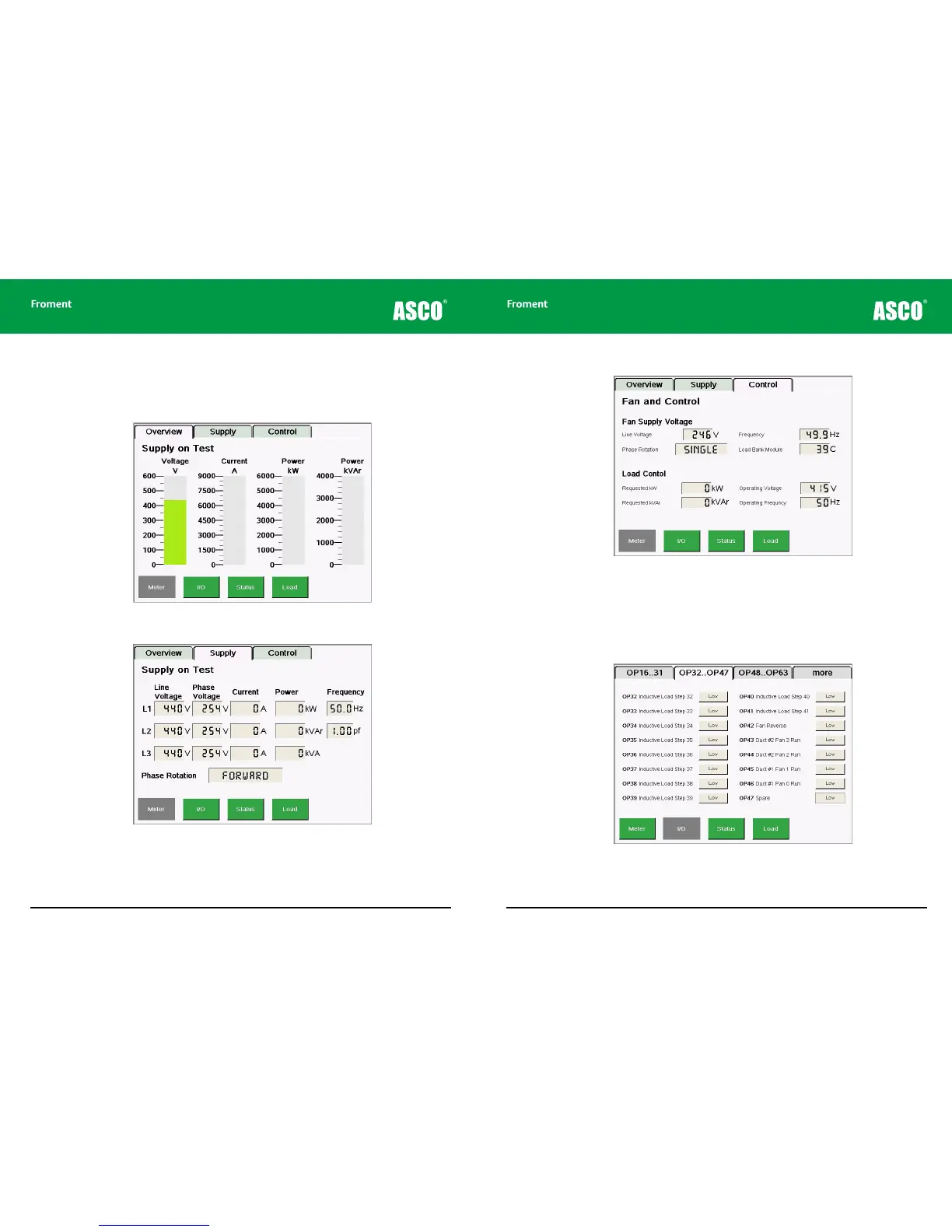
Figure 5-4 The Meters/Control screen shows details of the Fan and Controls Supply and the
Load Control status.
I/O Screen
Tapping the I/O key provides an interactive listing of all the Sigma 2 Load Bank Module
inputs and outputs.
Figure 5-5 The I/O screen. Each input or output state is shown in real-time.
Maintenance & Troubleshooting
The Meters Screens
The System Monitor’s Meter Screen has three tabs (Overview, Supply and Control). Meters/
Overview is displayed by default.
Figure 5-2 Meters/Overview provides a real-time visualisation of the load bank’s operation.
Figure 5-3 The Meters/Supply screen provides a more detailed view of the Supply-on-Test
instrumentation.



 To Next Page