4 - 22
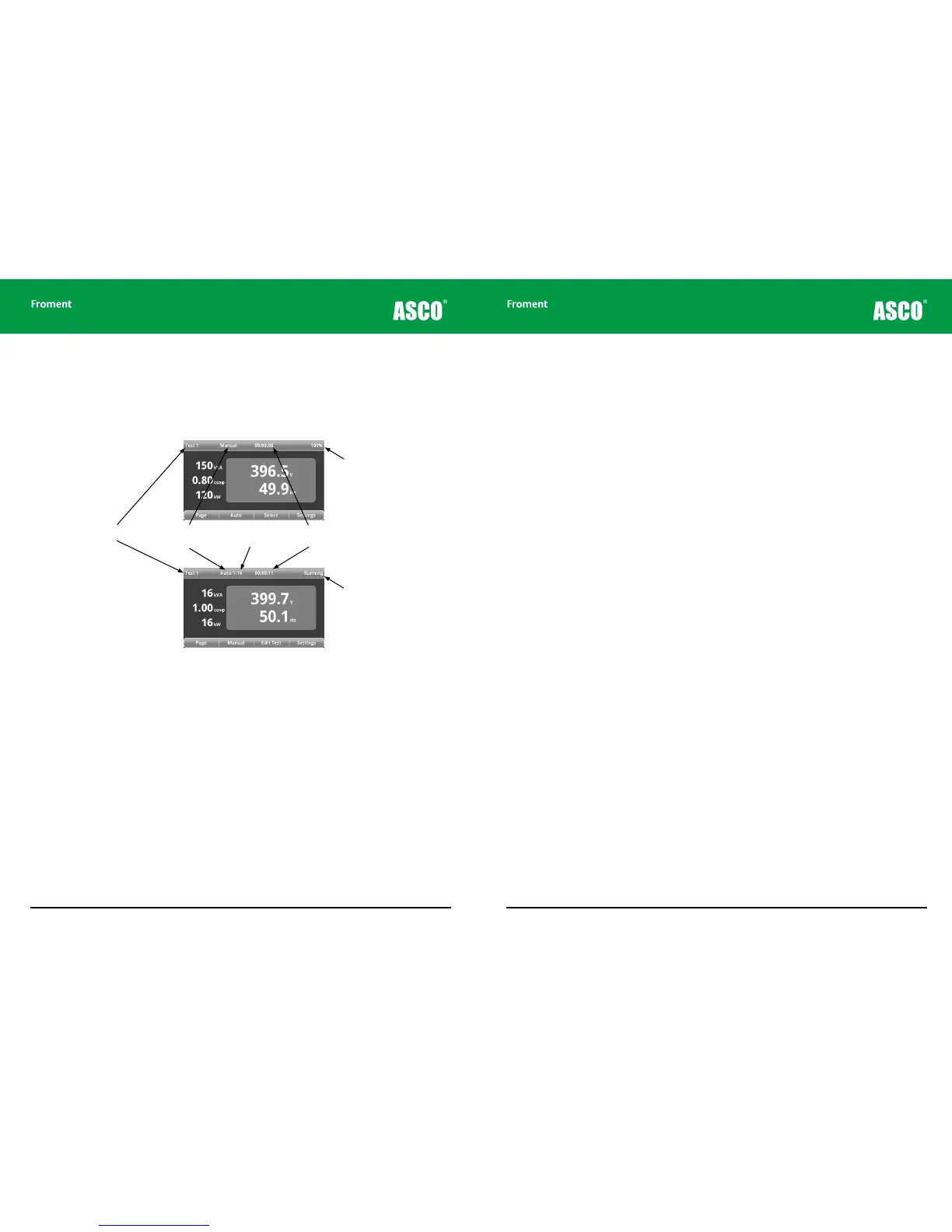
The test screen status bar
The status bar provides important information during testing. The information shown
varies depending on the test mode (manual or automatic) as shown in Figure 4-20.
Figure 4-18 The Test screen status bar - showing the dierences between automatic
and manual modes.
Page Title
Test Mode
(Manual/Auto)
Auto Test
Step Number
Time elapsed since
last load step
Current Load Selected (%,
kW, kVA or cos φ)
Auto test status
(running/paused/stopped)
Hand-held Reference Guide
4 - 23
Manual Test Mode
The Hand-held’s manual test mode provides direct, real time control over the load bank’s
operation.
The following assumes that:
• The Supply-on-Test and load bank settings have been made as described earlier in
this chapter.
• You have pressed F4 (TEST) from either of the Settings screens on the Hand-held to
get to the test 1 page.
Using load correction
By default, the Hand-held provides closed loop load correction whenever you press the I
key. This operates as follows:
• The first time that a load is applied the Hand-held will look up in its internal load table
to see if it has a stored correction for that load value. If so, it will apply the stored
correction.
• If no correction is found then it will calculate the load correction based on the actual
power measured with a compensation for the actual voltage and frequency
• If the same load is applied a second time the Hand-held will always calculate a new
load correction. This load correction will be stored, replacing the previous correction.
• You can force a new load correction at any time by pressing I when the a load is applied.
• The last sixteen load corrections are stored in the Hand-held’s memory. Restarting the
Hand-held, or pressing either NEW or CHECK, will clear the stored corrections from
memory.
Chapter Four



 To Next Page