4 - 18
The Test Pages
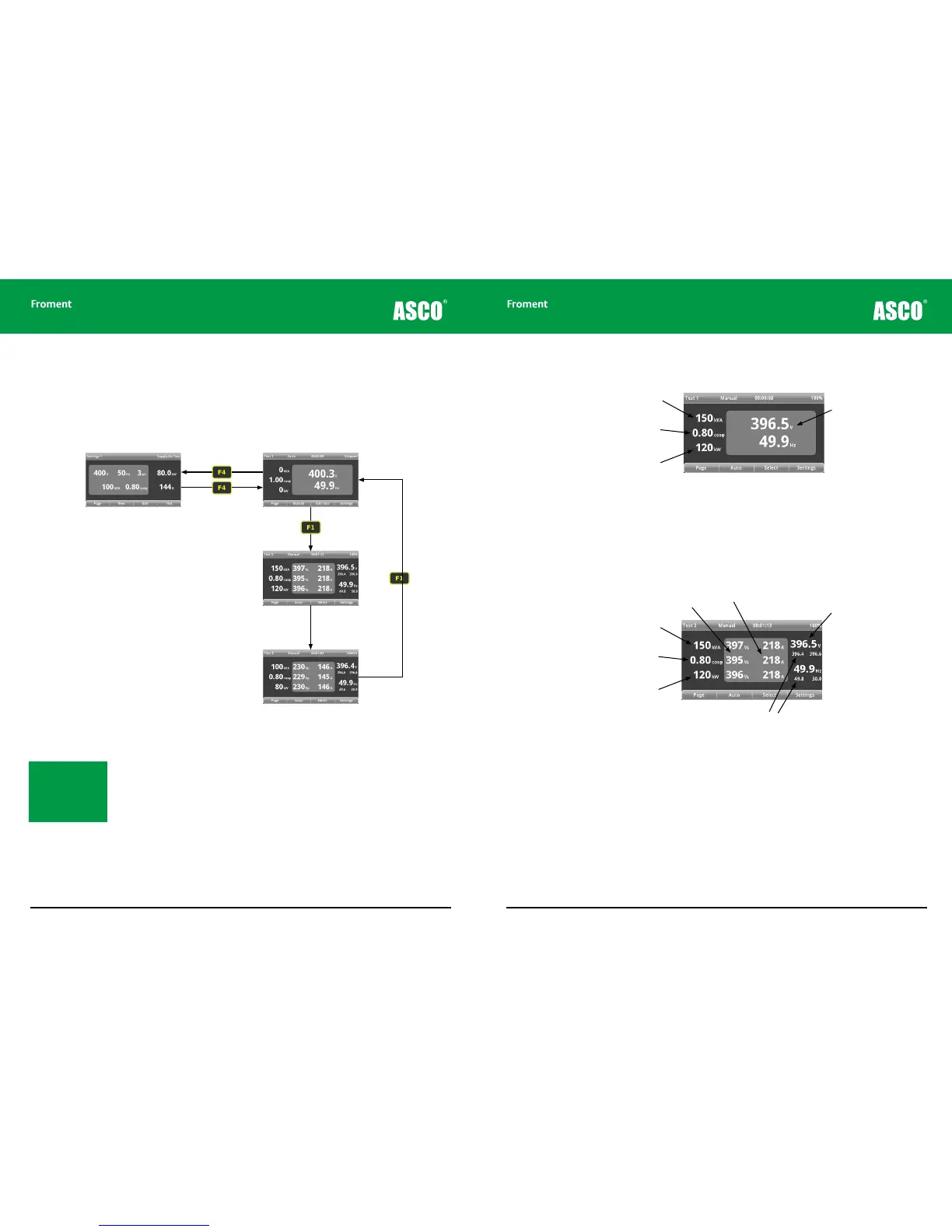
There are three Test pages which allow you to select and accept load, and to monitor the
test as it proceeds. To reach the first of them, press F4 (TEST) from either of the Settings
Pages.
Figure 4-14 The Test pages
Press F1 (PAGE) to cycle through each of the pages in turn.
As the generator test runs the instrumentation will show the generators response to the
load applied in real time. The three test pages oer dierent views of the instrumentation,
each of which can be useful at dierent stage of the generator testing process.
Note: The Test pages
(Test 1 to Test 3) are
available for viewing at
any time, irrespective
of whether a test is
running.
Hand-held Reference Guide
4 - 19
Test 1 - AVR and governor adjustment setup
Figure 4-15 Test 1 page.
This first Test page shows the real-time Voltage and Frequency of the supply as it is tested,
with the calculated instrumentation powers in the left hand column. Use this test page for
adjusting the generator’s initial AVR and governor settings before starting a full load test.
Test 2 - Full load testing (line to line)
Figure 4-16 Test 2 page.
The second and third Test pages display the electrical data required for full-load testing
from dierent perspectives. Test 2 displays true rms three-phase measurements of the
line to line voltage (VL), and current (A) in the central column of the display, with the
calculated instrumentation powers in the left hand column.
Apparent Power
Power Factor
Actual Power
Real-time voltage and
frequency display
Apparent Power
Power Factor
Actual Power
Real-time voltage and
frequency display
RMS line to line voltage
RMS Current
Maximums and minimums
since the last load change
Chapter Four



 To Next Page