CHAPTER 2 CONTROLS AND DISPLAY
EFD1000 PRO MAX PFD Pilot’s Guide
Page 2-10
091-00005-002 () EFD1000 PRO MAX PFD Pilot’s Guide
Page 2-11
091-00005-002 ()
Access To and Navigation Within the Menu
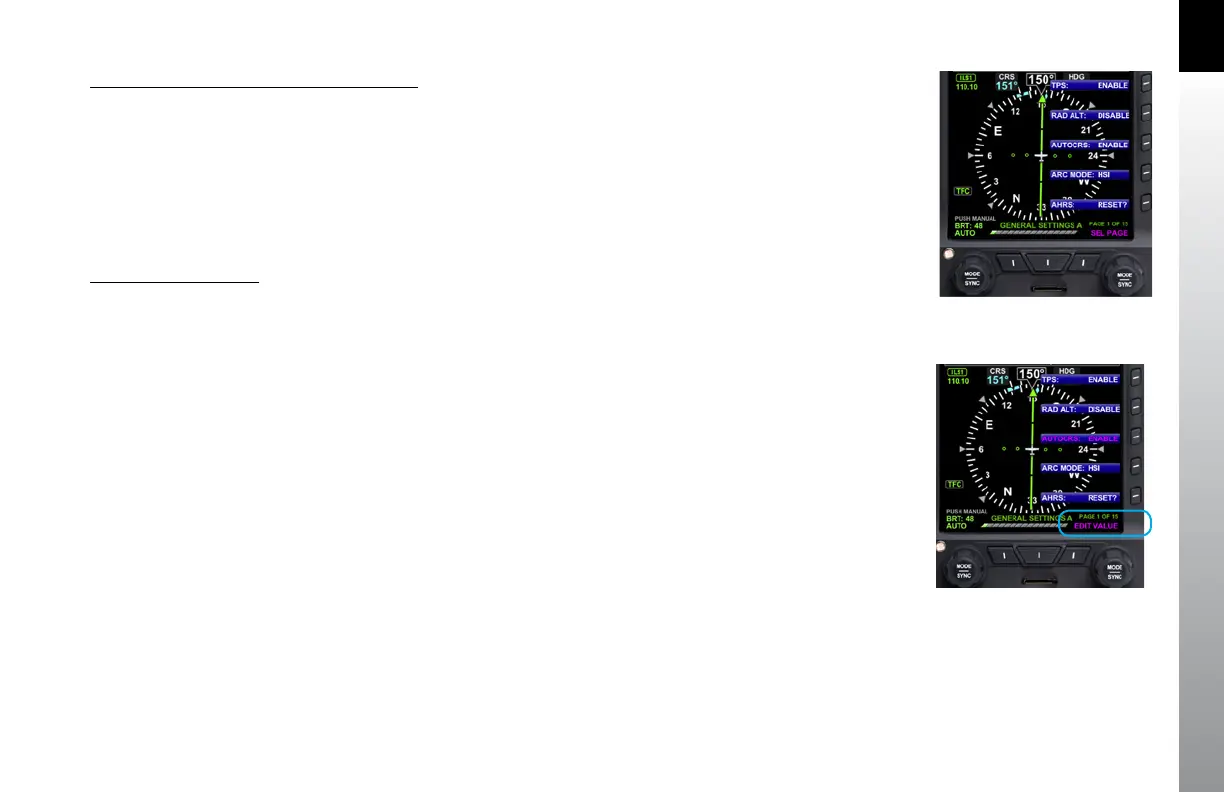
1. Press the MENU button. The Menu displays on the Navigation Display
adjacent to the Hot Keys (Figure 2-13).
2. Rotate the Right Knob to navigate through the different pages of the
Menu. Rotating the Right Knob clockwise advances the Menu Pages,
counterclockwise returns to previous pages.
3. Press the MENU Button to exit.
Edit Main Menu Items
1. Press the MENU Button.
2. Navigate to the desired Menu Page.
3. Press the Menu Key of the desired option. The Menu label turns magenta,
and the EDIT VALUE label displays above the Right Knob (Figure 2-14).
4. Rotate the Right Knob to the desired value.
5. Press the Right Knob to return to Menu navigation mode.
6. Press the MENU Button to exit.
Figure 2-13
Menu Display
Figure 2-14
EDIT VALUE Displays Above Right Knob



 To Next Page