CHAPTER 4 REFERENCE GUIDE
EFD1000 PRO MAX PFD Pilot’s Guide
Page 4-18
091-00005-002 ()
Once the Selected Minimums field value is set to a Decision Altitude, Decision Height,
or Minimum Descent Altitude, the Pro PFD provides an alert when the aircraft descends
below this altitude. To activate this feature, enable the Selected Minimums (MIN) field
and set the value with the Right Knob. The range for the MIN data field is 0 – 15,000 feet,
in increments of 10 feet.
Display/Hide Minimums
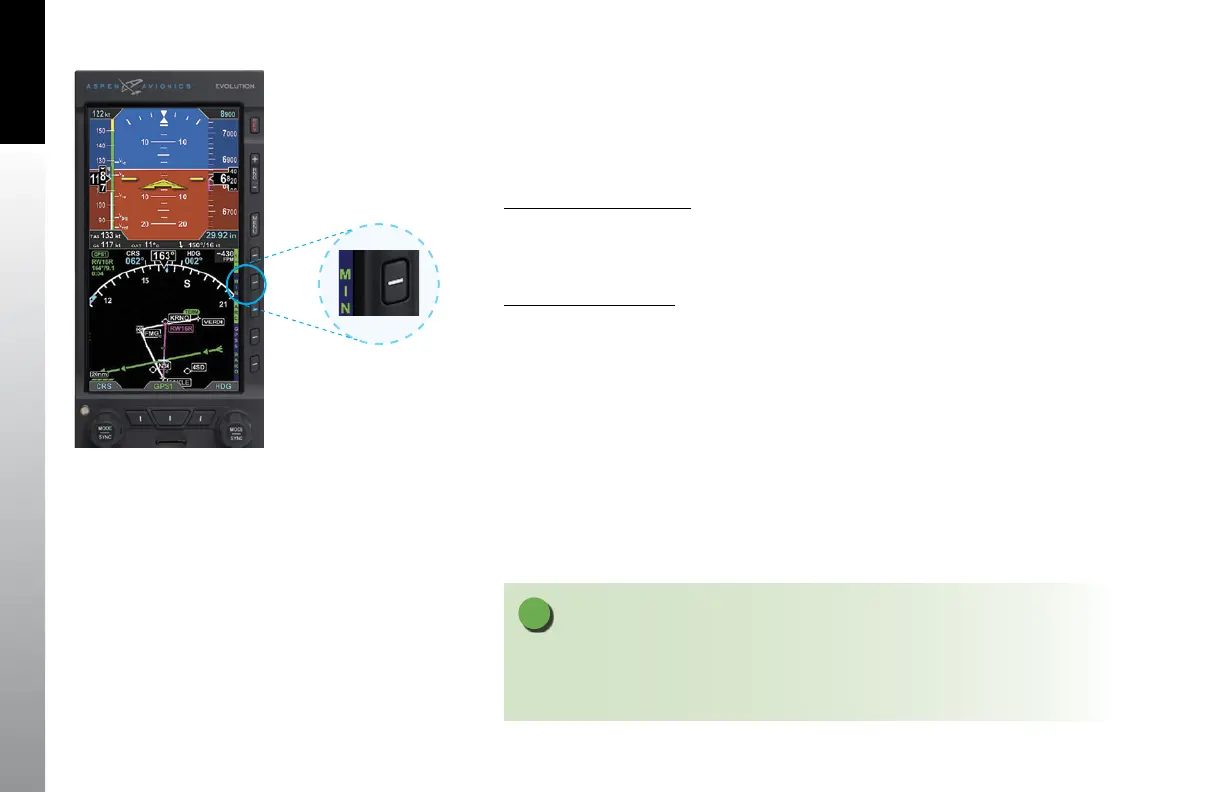
1. Press the MIN Hot Key to alternately hide or display the Selected Minimums
Field, MINIMUMS Annunciation, and Markers (Figures 4-27).
Set Altitude Minimum
1. Press the MIN Hot Key to set the altitude minimum. The Selected MINIMUMS
Field and the MIN label above the Right Knob are rendered in magenta
(Figure 4-28).
2. Rotate the Right Knob to change the value of the
Selected MINIMUMS Field.
OR
1. Press the MIN Hot Key to set the altitude minimum. The Selected MINIMUMS
Field and the MIN label above the Right Knob are rendered in magenta
(Figure 4-29).
2. Press and Hold the Right Knob, the MINIMUMs value will be set to
current Altitude.
NOTE
Pressing the MIN Hot Key presents the MINIMUMS Markers on the Altitude Tape and the
Selected Minimums Field on the Attitude Display. The MIN label above the Right Knob and
the MIN field value are rendered in magenta for editing.
Figure 4-27
MIN Hot Key – Selected MINIMUMS
Annunciation and Markers Disabled



 To Next Page