CHAPTER 4 REFERENCE GUIDE
EFD1000 PRO MAX PFD Pilot’s Guide
Page 4-19
091-00005-002 ()
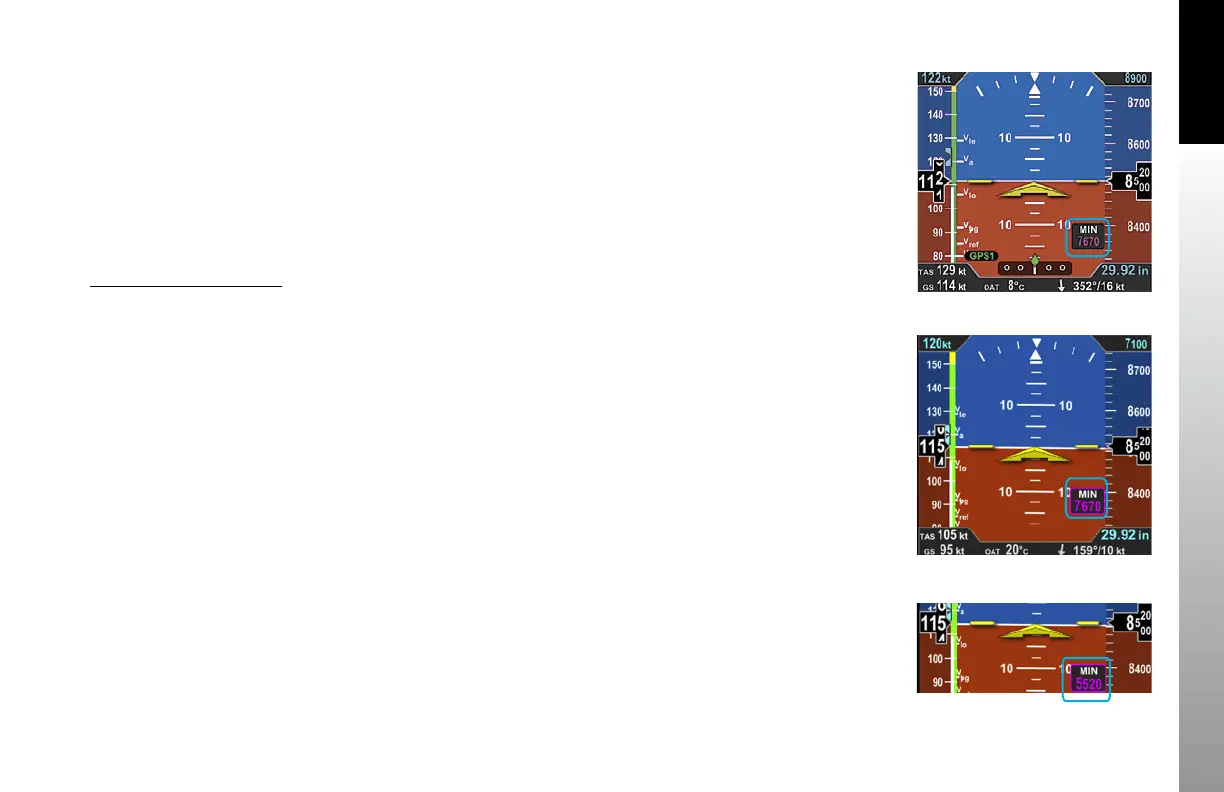
Figure 4-28
Selected MINIMUMS Field -
MIN Enabled
Figure 4-29
New Selected MINIMUMS
Annunciation Setting
Figure 4-30
MINIMUMS
Annunciation Active
Once the desired value is selected, and after 10 seconds of inaction, the field is disabled.
Whenever the aircraft is at or below the Selected MINIMUMS setting, the MIN legend in
the Selected Minimums Field turns inverse amber (Figure 4-30) and when configured
with an optional Sonalert, a one-second stuttered tone is generated.
The inverse amber MIN Annunciation is cancelled when the aircraft is 100 feet above
the selected minimums setting or when the selected minimums is set to a new altitude.
Additionally, the MINIMUMS Markers on the Altitude Tape provide the pilot with
additional awareness of aircraft altitude with respect to the set MINIMUMS.
Minimums Audio Callout
As the aircraft approaches to within 100ft of the minimums altitude, the approaching
minimums audio alert sounds the voice message “APPROACHING MINIMUMS”. Once
an approaching minimums audio alert has been generated, subsequent ones shall be
inhibited until the baro corrected altitude transitions to 200 units above the selected
minimum or the selected minimums is adjusted to a new value.
When the aircraft reaches the minimums altitude, the Minimums audio alert sounds
the voice message “MINIMUMS”.



 To Next Page