CHAPTER 4 REFERENCE GUIDE
EFD1000 PRO MAX PFD Pilot’s Guide
Page 4-34
091-00005-002 ()
Select the CDI Navigation Source
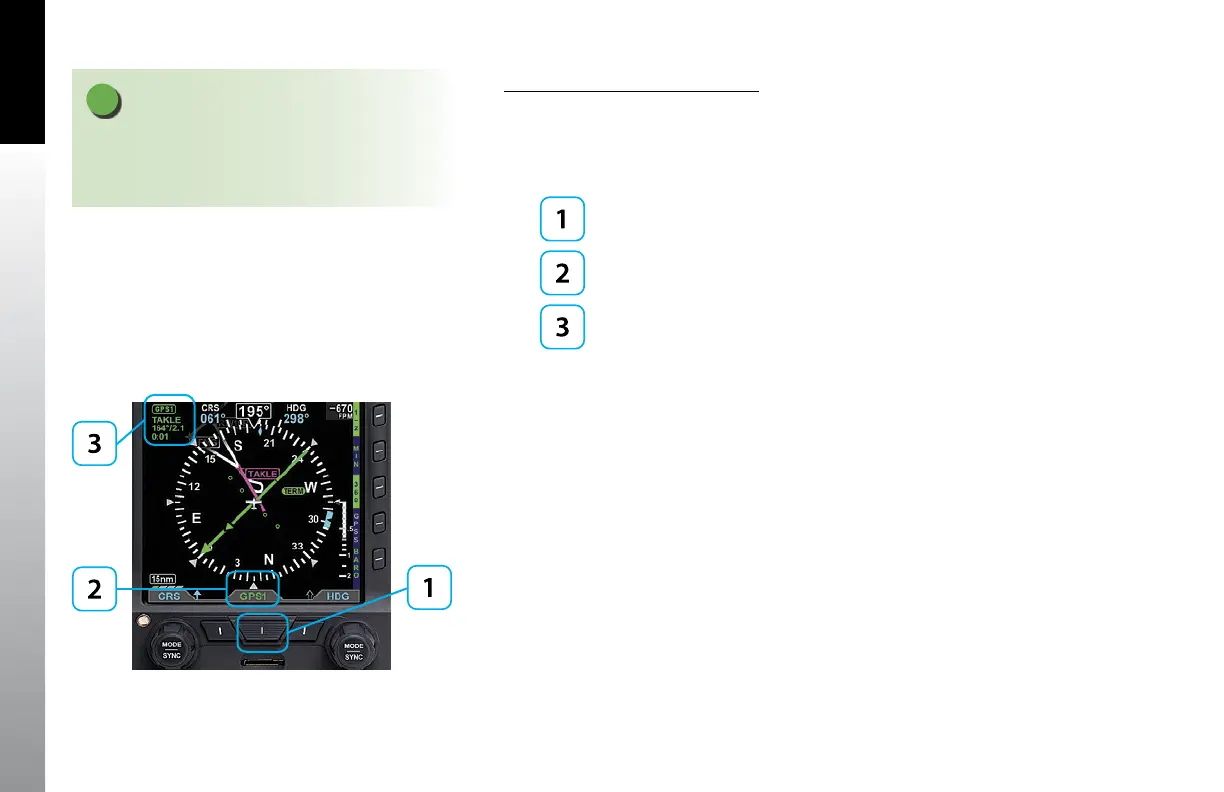
• Press the CDI Navigation Source Select button until the desired navigation
source is displayed above the button (e.g., GPS1, GPS2, VLOC1, VLOC2)
(Figure 4-61).
CDI Navigation Source Select Button
Selected CDI Source Label
CDI Source Information Block
Whenever the CDI Navigation Source’s data is valid, a CDI Source Information Block
for the selected source is shown in the upper left corner of the Navigation Display, as
shown in (Figure 4-65) and described in Table 4-6.
Figure 4-61
CDI Source selection and Information
NOTE
There are many radio configurations available. Your
authorized Aspen Avionics Dealer can explain the
configuration used on your aircraft.



 To Next Page