CHAPTER 4 REFERENCE GUIDE
EFD1000 PRO MAX PFD Pilot’s Guide
Page 4-40
091-00005-002 ()
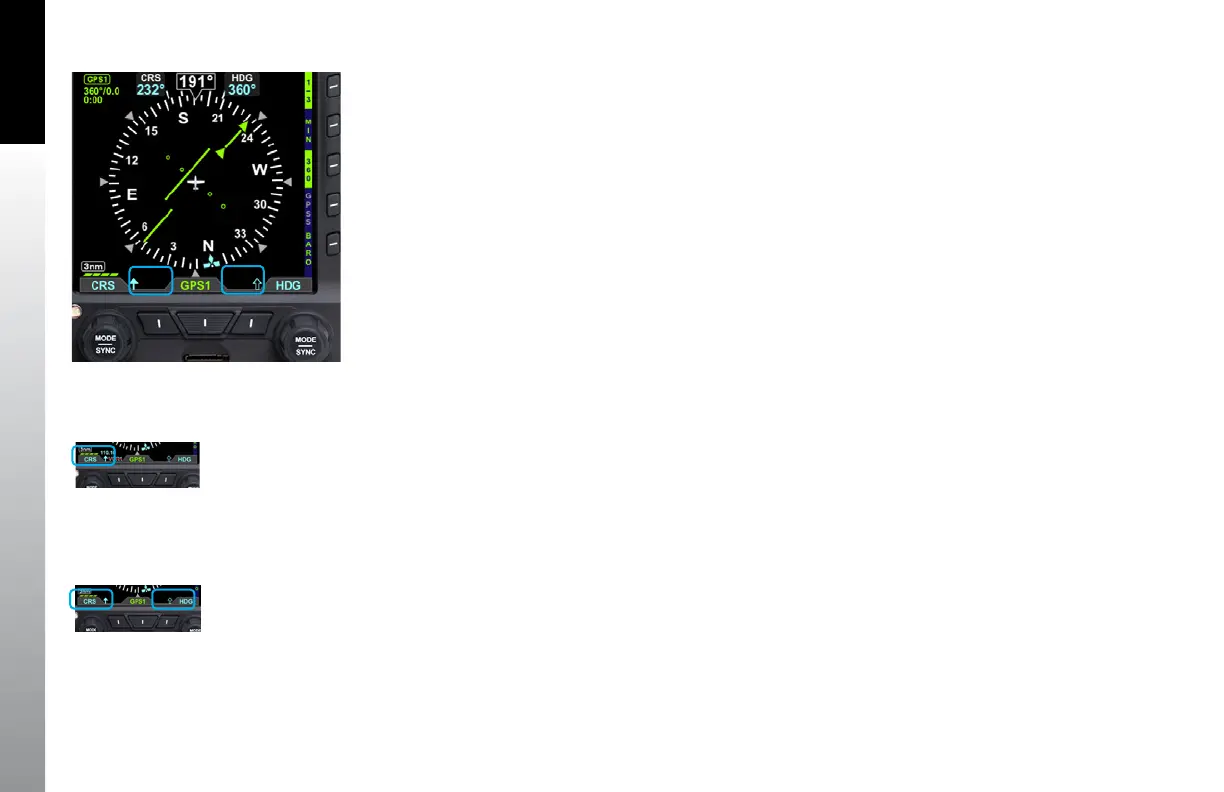
The Bearing Pointers indicate only the bearing information provided by their selected
navigation sources. They resemble and perform like traditional Radio Magnetic
Indicator (RMI) needles. Each Bearing Pointer’s head and tail is aligned with the
corresponding bearing/radial value on the compass. The pilot can select a navigation
source for each of the Bearing Pointers from the same VOR and GPS sources available
to the CDI or simply turn off the Bearing Pointer and Source Information.
Each Bearing Pointer is associated with a Left Button or a Right Button, its source,
and Information Block. The Left Button, immediately adjacent to the CDI Navigation
Source Selection Button (Middle Button), is associated with and controls the Single-
Line Bearing Pointer. Likewise, the Right Button controls the Double-Line Bearing
Pointer. The Bearing Pointers’ Source Information is shown directly above their
respective Buttons.
Unlike the CDI’s Course Pointer, which can be adjusted by the pilot, no adjustments
can be made to the Bearing Pointers. When a VOR is selected as the source, the arrow
of the needle points to the VOR navaid to which the receiver is tuned. The position of
the Bearing Pointer tail, with respect to the compass, indicates the aircraft’s current
position on the VOR radial. When a GPS source is selected, the Bearing Pointer
indicates the bearing to the active waypoint.
When the Bearing Pointer Source Information is unavailable or invalid, the Bearing
Pointer and its Source Information are removed (Figure 4-75). The Bearing Pointer’s
Source is also source legend slashed with a red line (Figure 4-76).
Figure 4-77
Icons when Bearing Pointers are OFF
Figure 4-76
Invalid Bearing Pointer Source
Figure 4-75
Bearing Pointers OFF



 To Next Page