CHAPTER 4 REFERENCE GUIDE
EFD1000 PRO MAX PFD Pilot’s Guide
Page 4-41
091-00005-002 ()
When a Bearing Pointer is turned OFF, only the Bearing Pointer’s icon is shown.
The Selected Source, the Source Information, and the Bearing Pointer are removed
(Figure 4-77).
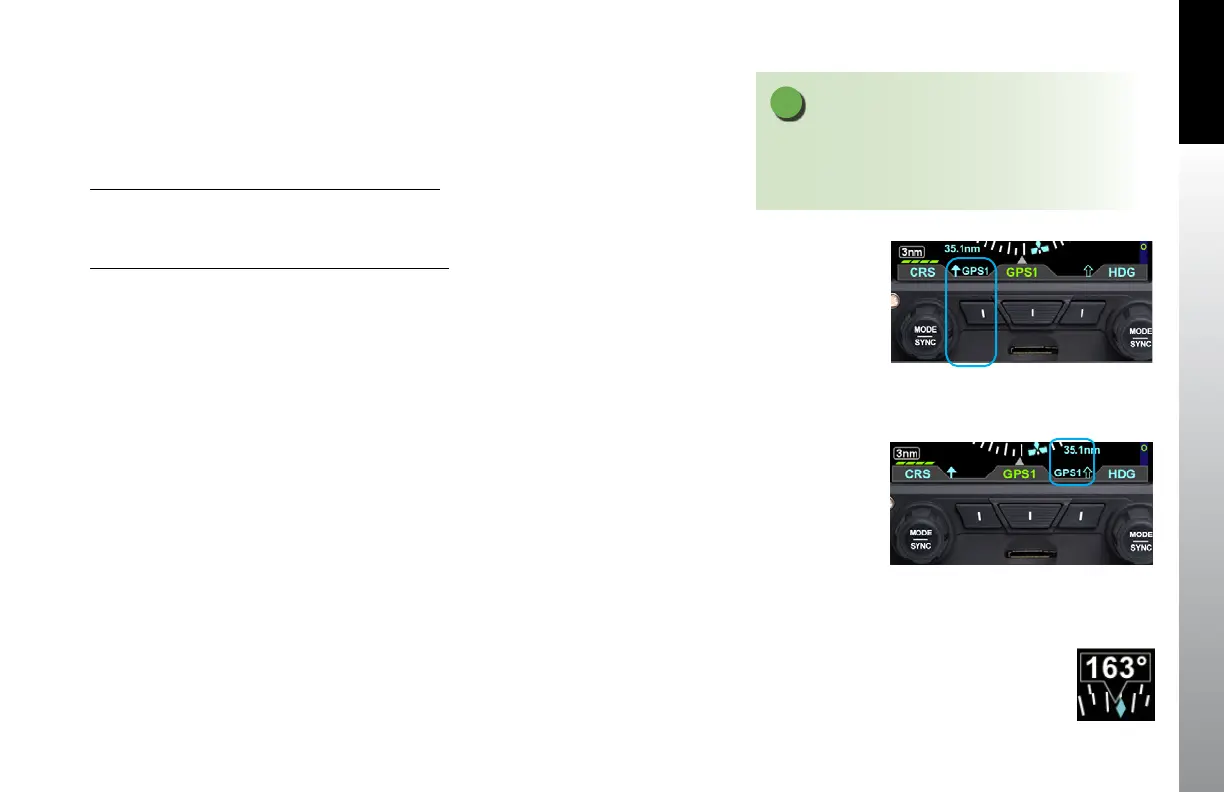
Select the Single-Line Bearing Pointer Source
1. Press the Single-Line Bearing Pointer Button (Left Button, Figure 4-78) until
the desired navigation source is shown above the Button.
Select the Double-Line Bearing Pointer Source
1. Press the Double-Line Bearing Pointer Button (Right Button, Figure 4-79)
until the desired navigation source is shown above the Button.
Figure 4-78
Single-Line Bearing Pointer and Button
Figure 4-79
Double-Line Bearing Pointer and Button
NOTE
A VOR that is tuned to a localizer frequency is
considered an invalid Bearing Pointer source since
Localizer signals provide no bearing information.
Figure 4-80
Direction of Flight
Numerical Display



 To Next Page