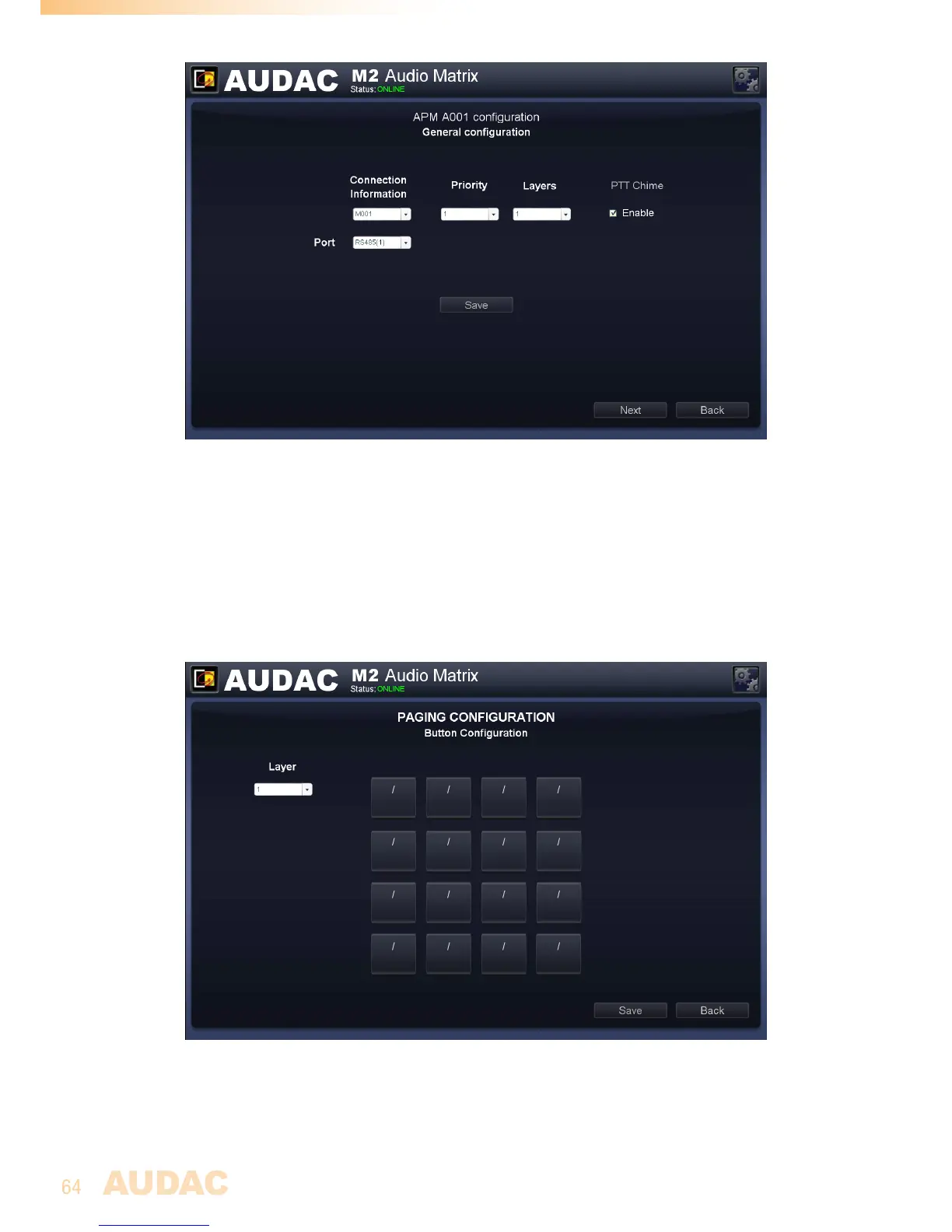
M2 General paging configuration
3)ConfiguretheAPMbuttons
Afterclickingthe‘Next’button,anoverviewoftheAPMkeypadwillbegiven.Thenumber
ofbuttonsdisplayedinthiswindow,dependsonwhattypeofAPMpagingconsoleis
connectedtoyoursystem.
Ontheleftsideofthewindowadropdownlistisshownwhichallowsbrowsingbetween
thedifferentlayers(whenenabled).Simplyclickonthebuttonyouwouldliketoassign
functionto.
M2 Paging Button Configuration
Afterclickingthecorrespondingbutton,awindowwillcomeupinwhichyouneedto
selecttheactionthatshouldbeexecutedwhenthisbuttonisclicked.Theselectable
functionsare:OutputSelect,PlayMessage,ToggleRelay&PulseRelay.


 To Next Page