79
Set Date & Time: Sets the current date and time.
SUBMIT: Save surely by pressing this button after setting the value.
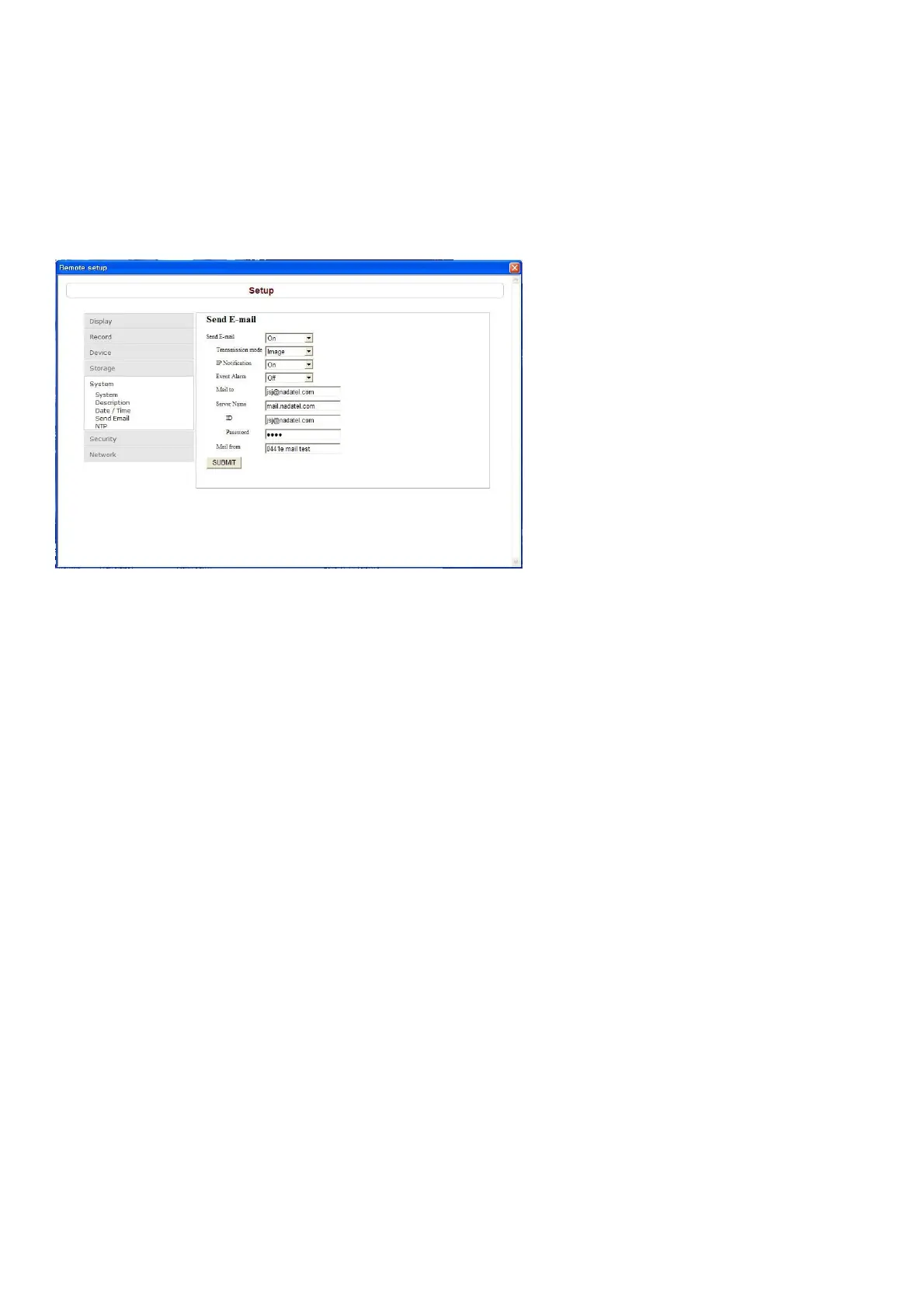
9-7-5-4. Send E-mail
Setting the Send E-Mail:
This setting is used to automatically send a notification e-mail to a specified address when an alarm occurs.
(Memo: The DVR will be forcibly restarted if a value on this screen is changed.)
Send E-Mail: Sets whether to enable/disable e-mail sending function.
Transmission Mode: Enables sending image of the channel that triggered the alarm when an alarm event
is triggered.
IP Notification: To send a notification e-mail when the DVR IP address is changed, check the checkbox.
Event Alarm: Sets whether to enable/disable sending e-mail reports on the channel that triggered the
alarm when an alarm event is triggered.
Mail Address: Input the destination address.
Mail Server Name: Input the SMTP server name as well as the user ID and password.
Return Mail Address: Set the source e-mail address to be notified to the destination.
SUBMIT: Save surely by pressing this button after setting the value.



 To Next Page