96
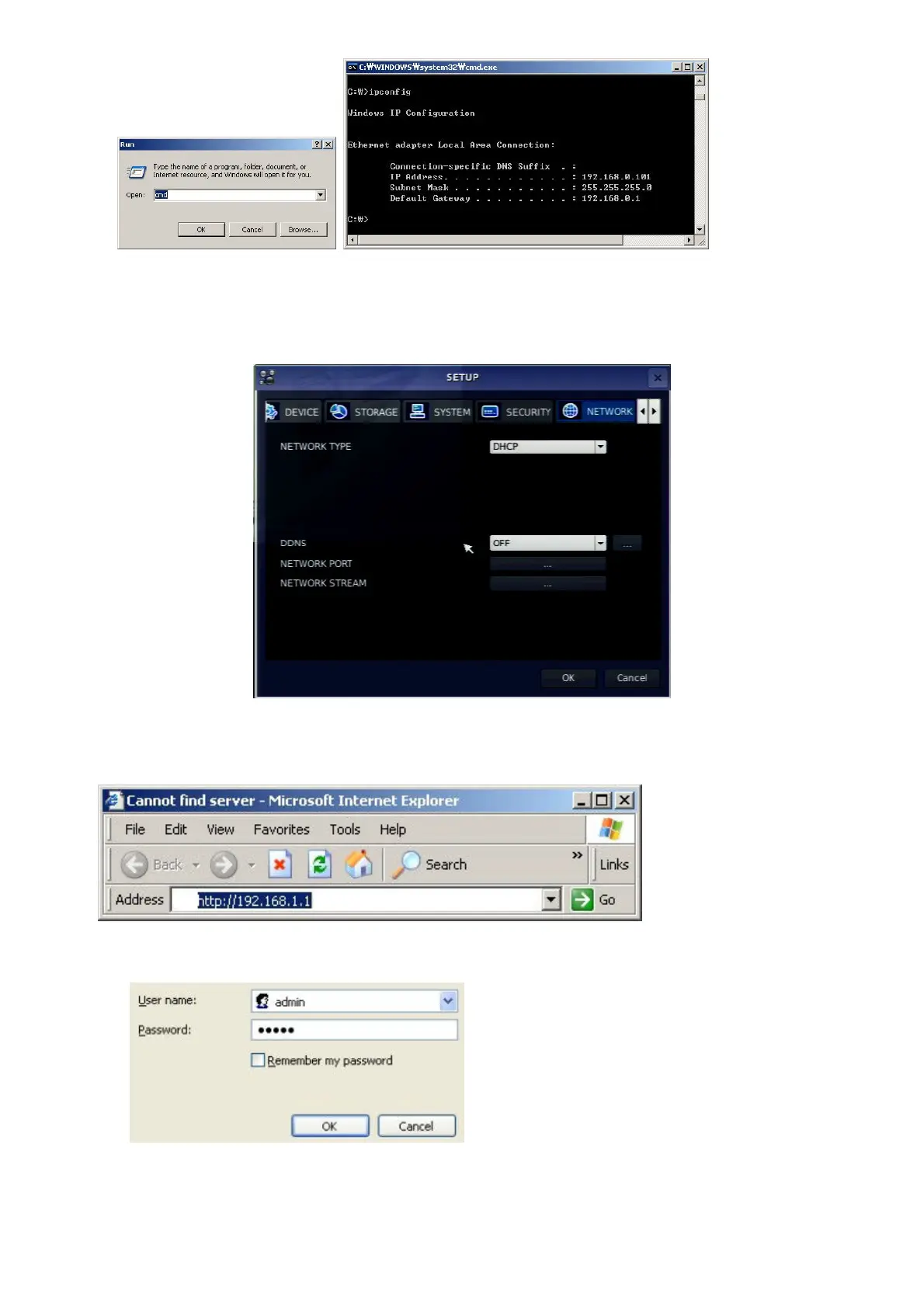
3. But if IP is something else like 192.168.x.xxx., you should change IP address, Subnet, Gateway on
the DVR. Go to SETUP>NETWORK>LAN of the DVR and change the IP settings to be like IP:
192.168.XXX.XXX and Gateway: 192.168.XXX.XXX. (Refer to the user’s manual of Router.)
Open your web browser. Enter the router IP address in the address bar (The router IP address are different
with the brand and model.), click GO.
4. Enter the user name and password (admin is default) and press the OK button.



 To Next Page