Departure 4-3
COOL FEATURE
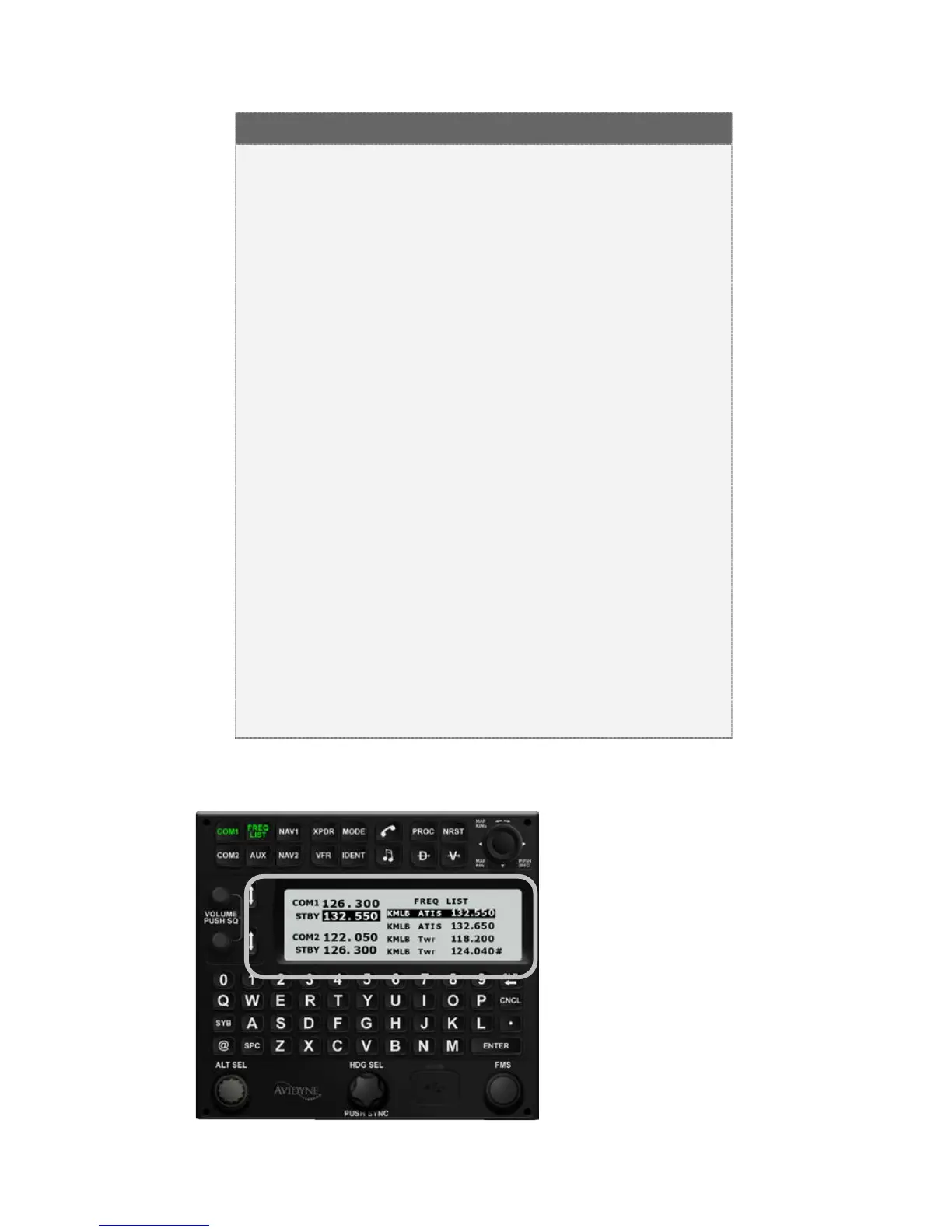
Frequency List Pressing the “Freq List” function
key on the keyboard will present a list of the most
logical frequencies for your geographic position and
phase of flight. If there isn’t an active flight plan the
list will use the nearest airport frequencies. The
“FMS” rotary knob on the keyboard can be used to
scroll through that list. By pushing the knob on your
desired frequency, you’ve just nominated the
frequency into the standby position of your active
radio. Press the “up & down arrows” key on the
MFD, or press the “Swap” button on the keyboard,
and it pushes that frequency into the active position
of the selected radio.
Use either the “Freq List” function key to help find
and tune the appropriate departure com frequencies
or manually type the frequency in via the keyboard
keypad and swap it into the desired radio.
“Mandatory Frequencies” (e.g. Canadian Mandatory
Frequencies) are indicted by an asterisk next to the
frequency in the Freq List.
Freq List














 To Next Page