Cruise / Enroute 5-7
future legs beyond the next leg will be depicted in
white.
Turning the right-hand bezel knob (inner or outer ring) will result
in a map range change. Pressing the knob cycles through the
various map views. The map view selected is indicated at the top
of the map next to the heading box. No indication means Heading
Up. All other options are labeled next to that heading box.
DECLUTTERING THE MAP
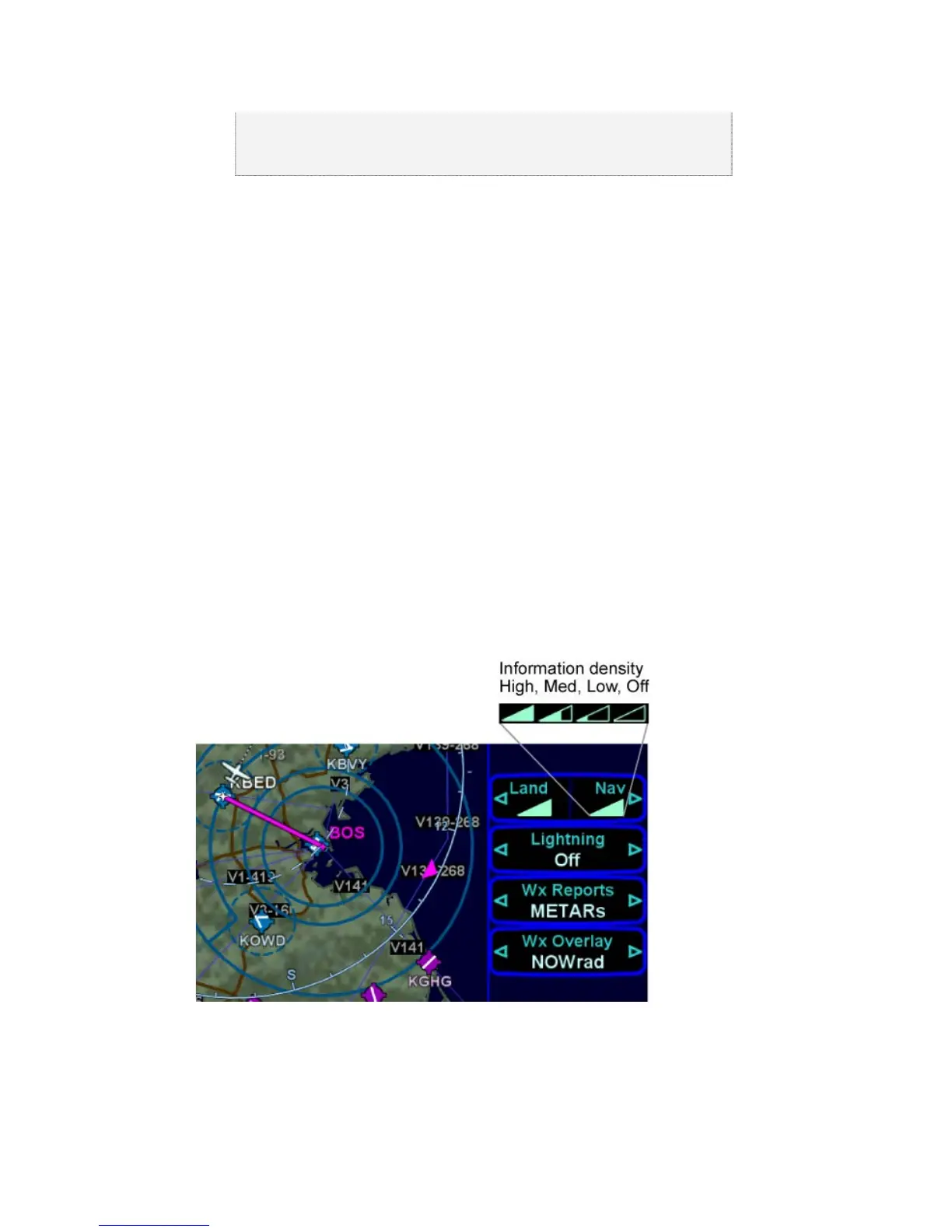
The top LSK allows separate control of the information density of
the land-based (Land) map features (e.g. terrain, political
boundaries, rivers, lakes, oceans, roads, etc.) and the
navigational-based (Nav) map features (e.g. airspace, Victor and
Jet airways, airports, obstacles, navaids, etc.). Use the left and
right sides of the governing LSK to select the preferred level of
feature density. The level specified remains consistent across all
map pages on the display on which it was set – each IFD can be
configured differently.
Declutter Map Controls
PANNING THE MAP
There is a dedicated map panning joystick located in the top right
corner of the keyboard. This 8-position joystick moves a cursor














 To Next Page