5-8 Cruise / Enroute
around the map and enables useful tasks such as panning ahead
along your route, and determining bearing and distance of any
object from your present position. Pop-up boxes offer information
about an area of interest.
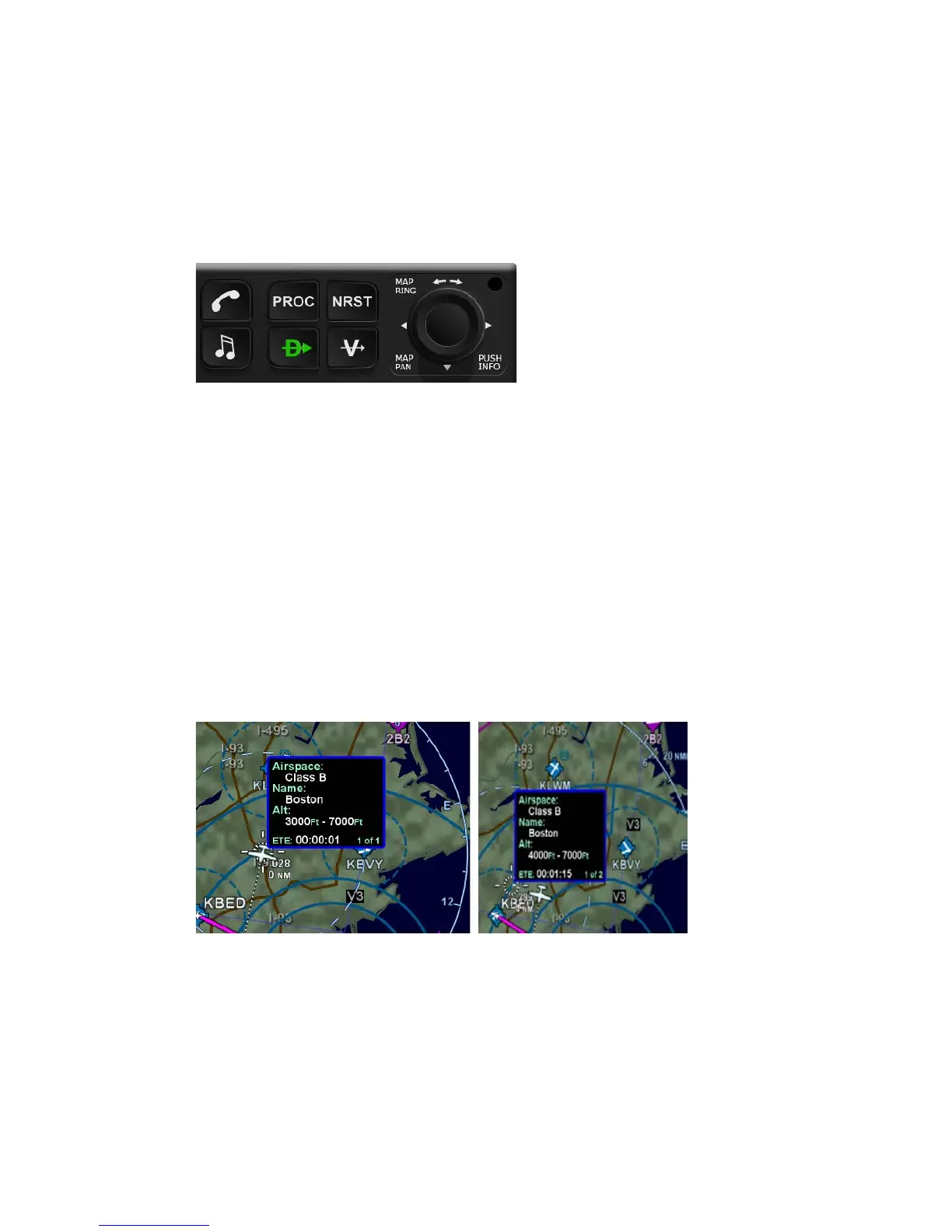
Keyboard Map Panning Joystick
These “hot spots” are all over the map and include every depicted
Navaid, airport, and airspace, including TFRs. When the panning
cursor is positioned over a hot spot for a few seconds, an
informational pop-up box appears and contains relevant
information about that hot spot. A few examples are depicted in
the images on the next page. Note that in every case, there is a
page count in the bottom right corner of each pop-up box. For
those boxes that indicate more than one page, twisting the
joystick switches between the various pages of the pop-up box.
“Hot Spot” Pop-up Box
To enhance situational awareness during panning operations, a
dashed line, or range ring, is drawn around the panning cursor
and a read-out of the cursor’s bearing and distance from ownship
is immediately adjacent to the cursor. As long as there is no “hot
spot” pop-up box displayed, twisting the joystick will result in a
map range change. This is true regardless if you are in panning
mode or not. Pushing the joystick removes the panning pop-up.














 To Next Page