Cruise / Enroute 5-15
Direct-To Technique 2
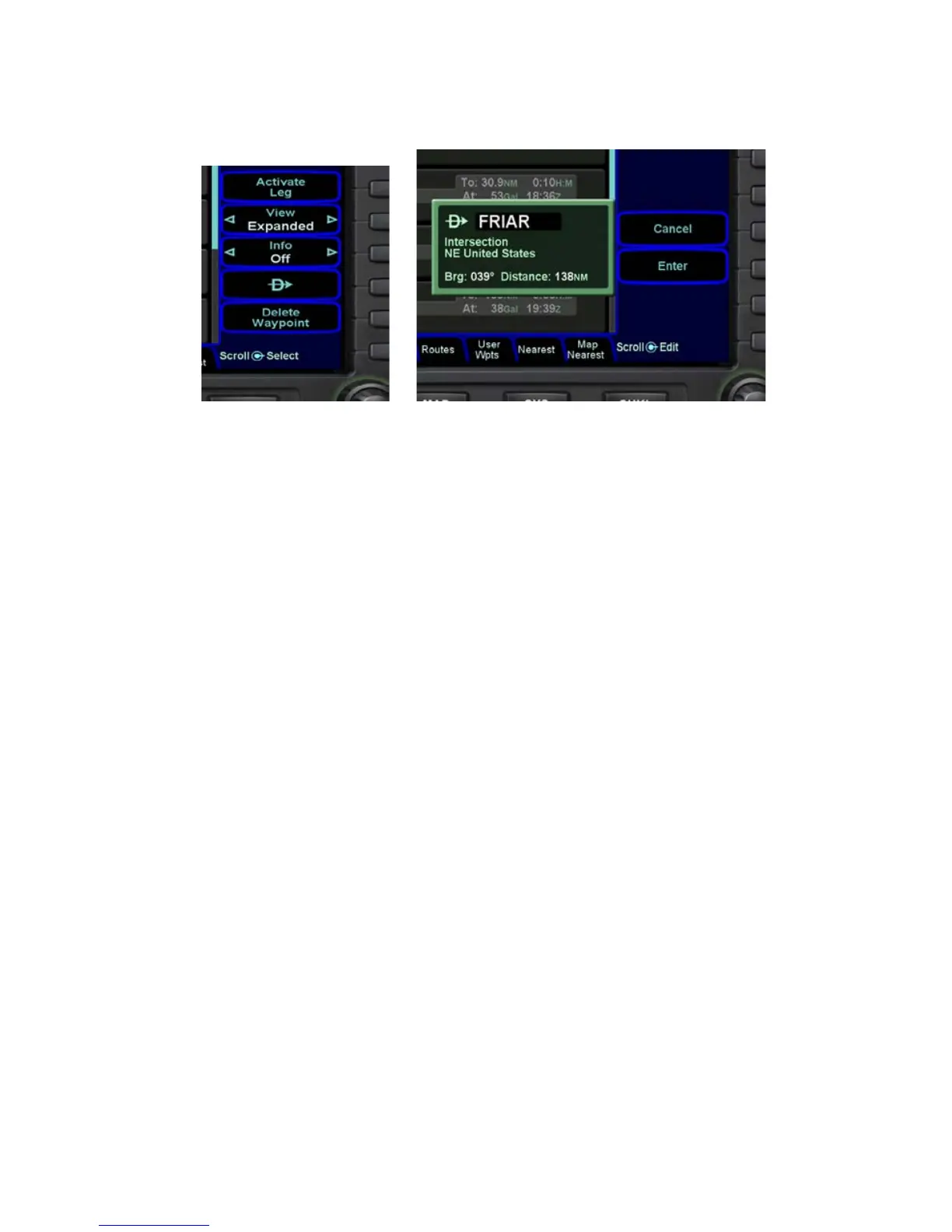
There is also a Direct-To (-D->) LSK on most of the FMS tabs
(Flight Plan, Info, User Waypoints, Nearest). Press the
corresponding LSK, the green Direct-To dialog displays. Options
are the same when using the -D-> on the keyboard.
Canceling a Direct-To is as easy as placing the edit cursor over
the Direct-To waypoint of interest and pressing the “Delete
Waypoint” LSK. Once a Direct-To entry has been accepted, it
becomes a standard waypoint in the plan. Canceling it is the
equivalent of deleting any other waypoint.
CREATING A HOLDING PATTERN
A hold can be put on any waypoint that has a fix terminated leg –
waypoints that terminate with a lat or lon position such as
navaids, enroute waypoints, user waypoints, airports, etc. Legs
that terminate at an altitude, DME distance, radial crossings, etc.
do not support attaching a hold.
By using an edit cursor on the flight plan, push the “FMS” knob on
the keyboard, or the right-hand knob on the IFD with FMS
displayed in to generate a drop down list of options. Near the top
of that list, you will see “Hold at <waypoint name>”. Scroll to
highlight that drop down list entry and push the knob again. You
have just added a holding leg, populated with standard hold data.
Alternatively, you can use an insert cursor by positioning it where
you want to insert a hold in your flight plan. Push either the “FMS”
knob or the right-hand MFD knob. Note that a hold is available via














 To Next Page