Cruise / Enroute 5-35
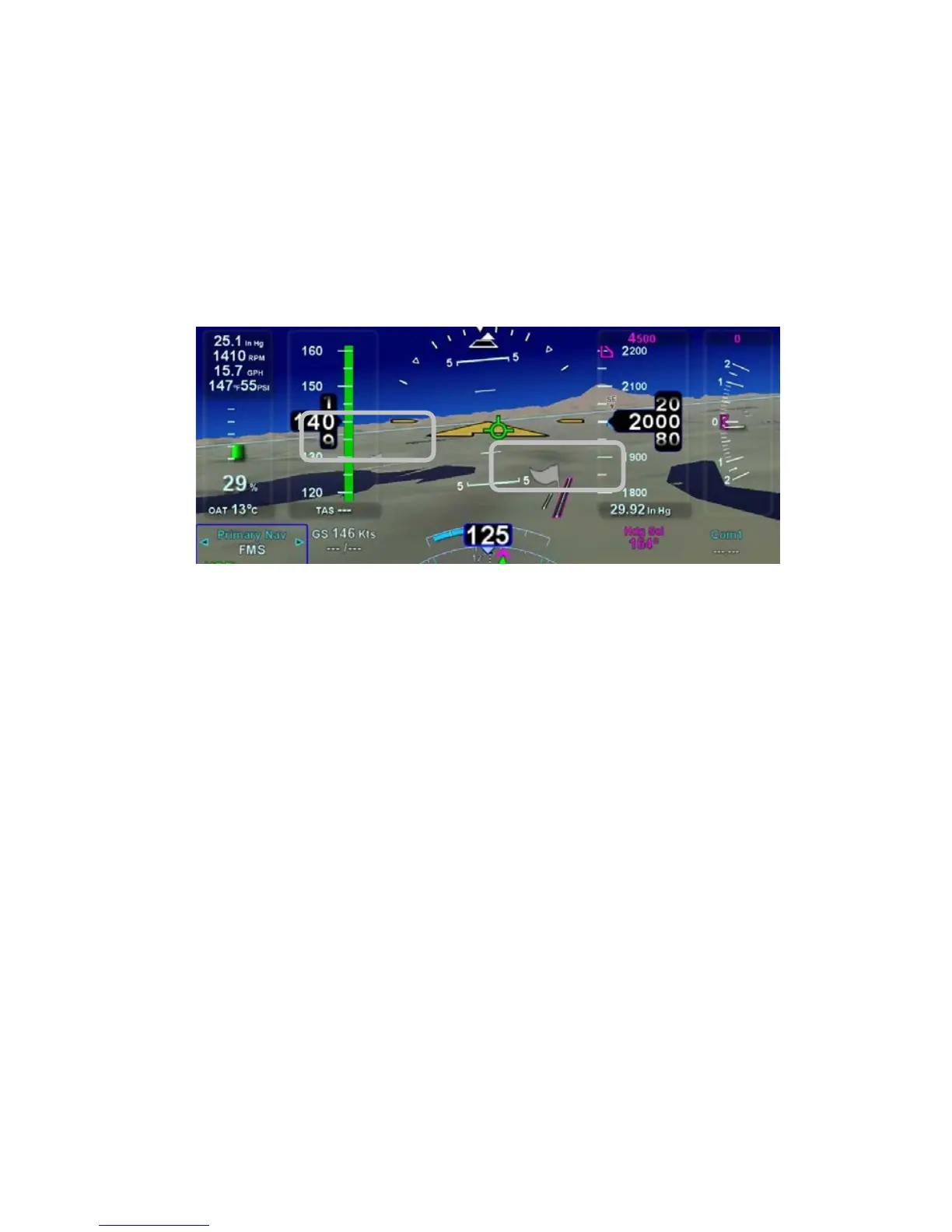
Any airfield that is in the FMS database and in the SynVis field of
view will be depicted in the SynVis scene with a METAR looking
gray flag until the airfield is within 1.5nm at which time, the flag is
removed and the runway outlines should be clearly visible. If the
IFD receives a valid METAR, the airfield flag will be color coded
to represent the ceiling and visibility, consistent with the moving
map.
Airport METAR Flags
Any runway that is part of the active flight plan will be further
outlined in magenta.
Provided aircraft position is close enough to the runway, runway
numerical identification (e.g. “07”) will be visible as will centerline
markings.
Obstacles will be depicted in the SynVis scene out to 12nm.
Standard high, low and grouping symbology is used to depict
obstacles. Depiction of non-threat obstacles in the SynVis scene
is governed in part by the Map Setup page selections. If obstacle
filtering is disabled on the Map Setup page, then all obstacles
within 12nm will be displayed in the SynVis scene. If obstacle
filtering is enabled, then the system will display the greater of
2000’ or the selected altitude filtering number. For example, if
500’, 1000’ or 1500’ were selected on the Map Setup page for low
obstacle altitude filtering, the system will depict all obstacles
within 2000’ vertical feet of the aircraft out to 12nm in the SynVis
scene.














 To Next Page