R5906167 /00 ImagePRO–4K Video Processor
106
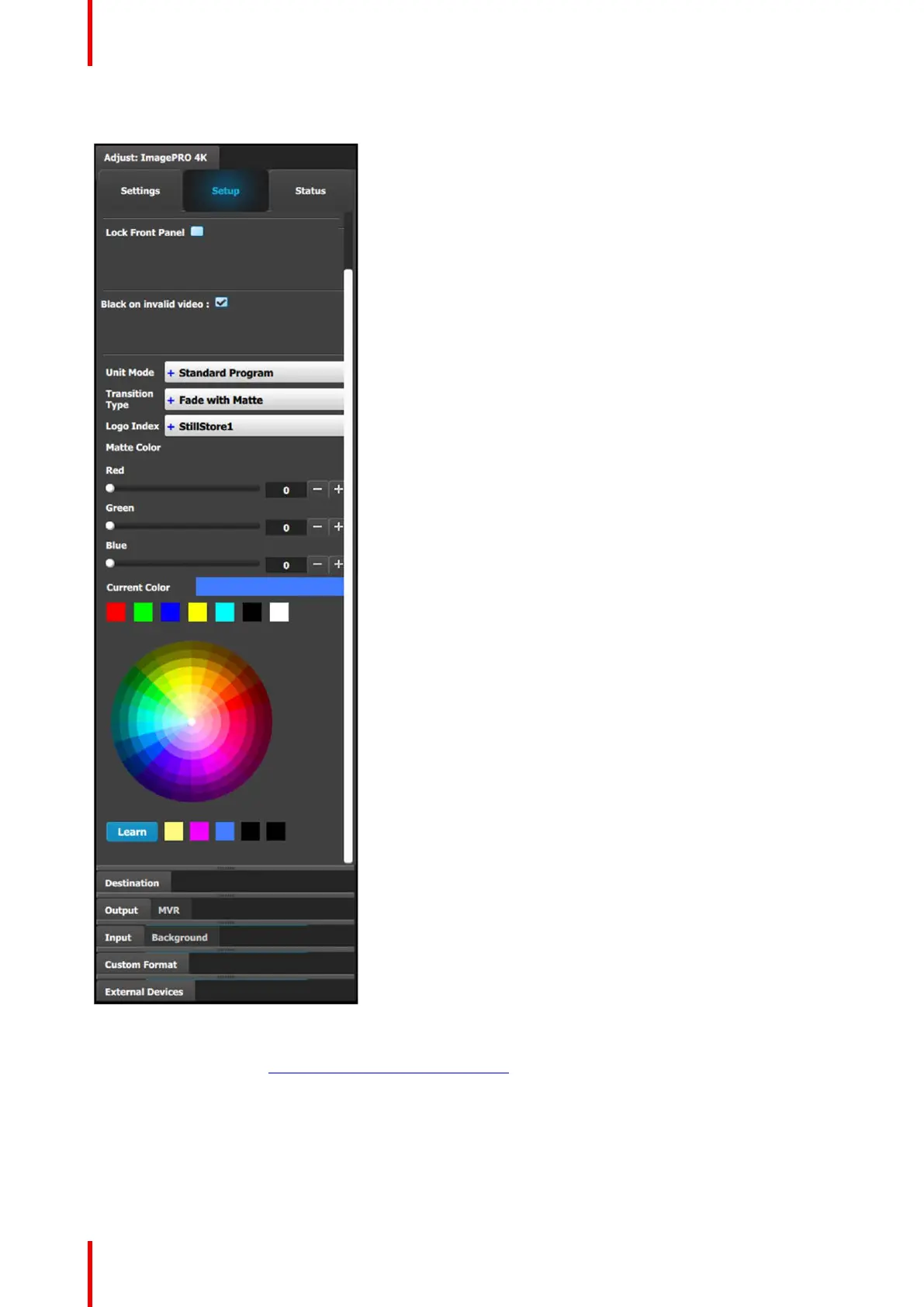
Unit Adjust panel > Setup menu
This menu provides:
• A Lock Front Panel checkbox.
Check the box to lock the front panel; uncheck the box to
unlock the front panel.
• A Black on invalid video checkbox.
• A Unit Mode drop-down menu.
The options on the drop-down menu are:
- Standard Program
- Standard Preview
- Matrix Preview
• A Transition Type drop-down menu.
The options on the drop-down menu are:
- Standard
- Image Cut
- Fade with Matte
- Fade with Logo
• A Logo Index drop-down menu that allows the operator
to assign an existing Still to be the logo.
• Matte Color.
The matte color can be adjusted three ways.
- Use the Red, Green, and Blue sliders to adjust the
current matte color.
- Select a standard color from among the boxes above
the color wheel.
- Use the color wheel.
◦ Select a color on the color wheel.
◦ Click the Learn button below the color wheel.
◦ Assign the new color to one of the boxes next to
the color wheel.
◦ Select one of the colored boxes next to the color
wheel.
Once a color is selected, it appears in the Current Color
box.
For a more complete description of the Configuration menu of the Event Master Toolset GUI, see Chapter 6 of
the “Event Master Devices User’s Guide” (found at the “Manuals, drawings & documentation” link on the E2
Product Support page at http://www.barco.com/td/R9004698).
ImagePRO–4K-specific programming controls
The Resources area of the Programming menu has ImagePRO–4K-specific controls on the IP4K tab. From
this tab the operator can assign a matte or a logo to an Output (Aux) channel.
Event Master Toolset



 To Next Page