A: R82GB0FA.PMD
B: R82DE0FA.P65
E: 080403 / T. Weiß
G: 020304 / TCS
Section 5.5
Page 38
Operation and Control System
?
120 Lock area 2
The robot has been moved into a specified lock
area by the X,Y or Z axis.
Effect:
- Current servo axis stops moving.
- IMM enable signals are cancelled if Lock
area 1 (moulding area) is affected.
To remedy:
- If an axis has been moved into a lock
area, exit the violated lock area in the
opposite direction.
- Confirm error.
123 Control parameter
Effect:
Control parameter was not loaded.
To remedy:
- Load service data (PWL 1).
- Confirm error.
124 Controller!
Effect:
One axis movement command was tarted.
Servo booster not activated or power supply not
connected.
To remedy:
- Power ON.
- Confirm error.
126 Controller error!
Effect:
Controller indicates an error. Select F4 to view
more details on the PCS ERROR page (refer to
ACOPPS errors on page 22 in Section 5)
To remedy:
- A different procedure must be used,
depending upon the ACOPOS error.
134 Battery change
The CP476 B&R 2003 controller battery must
be changed.
To remedy:
Discharge the static on the top-hat rail
and the earth connection (Do not reach
into the power pack!).
Remove the cover on the lithium battery
with a screwdriver.
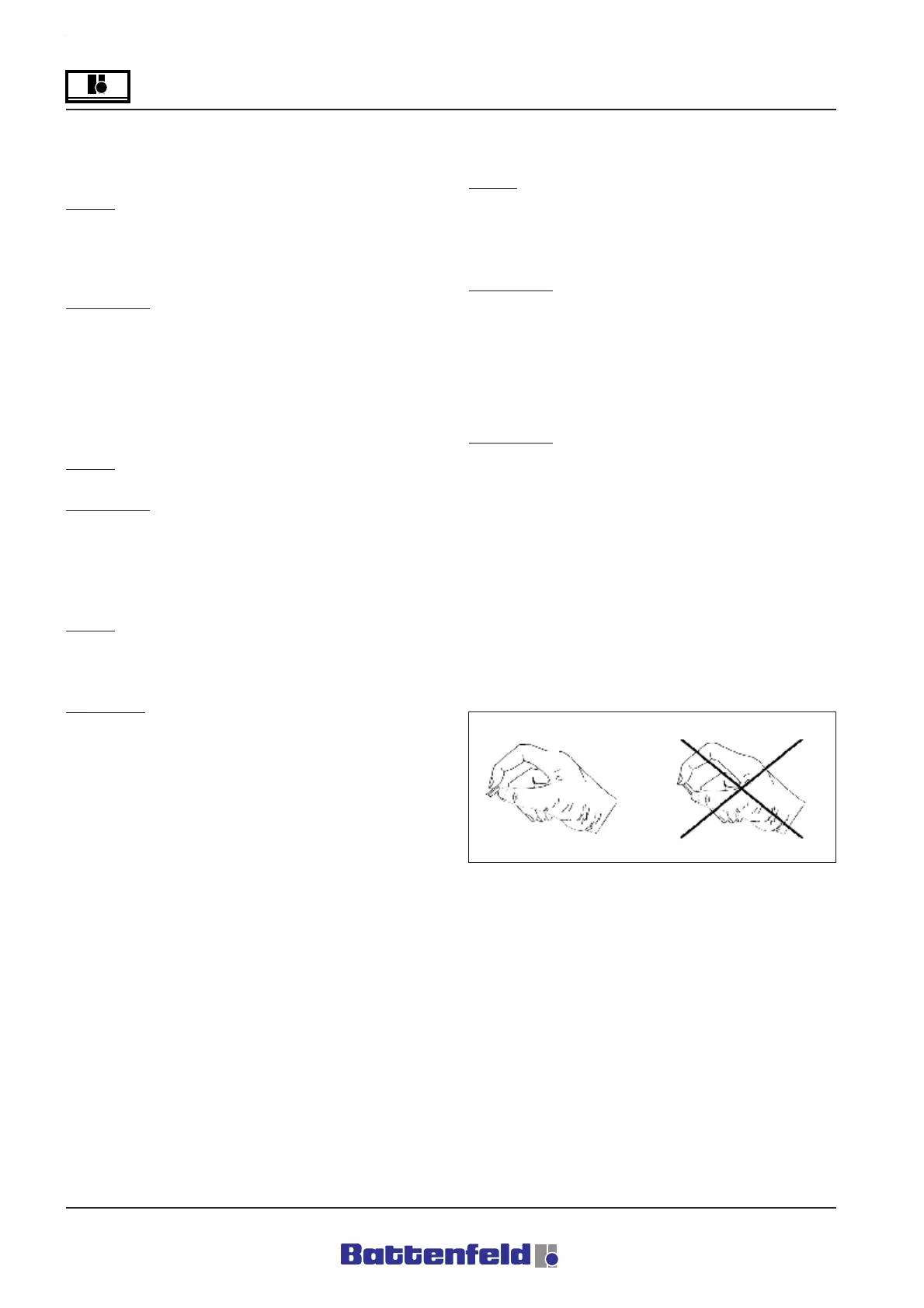
Pull the removal tape to take the battery
out of the holder. Avoid short circuits by
not gripping the battery with pliers or
uninsulated pliers! Only touch the top
surfaces of the battery. It can also be
removed using insulated pliers.
Correct: Incorrect:
R8B2_160.BMP



 To Next Page