Programming the Pump 95
SIGMA Spectrum Infusion System Pump Operating Software Version 8.00
Operator’s Manual For Use With MDL Version 8.0
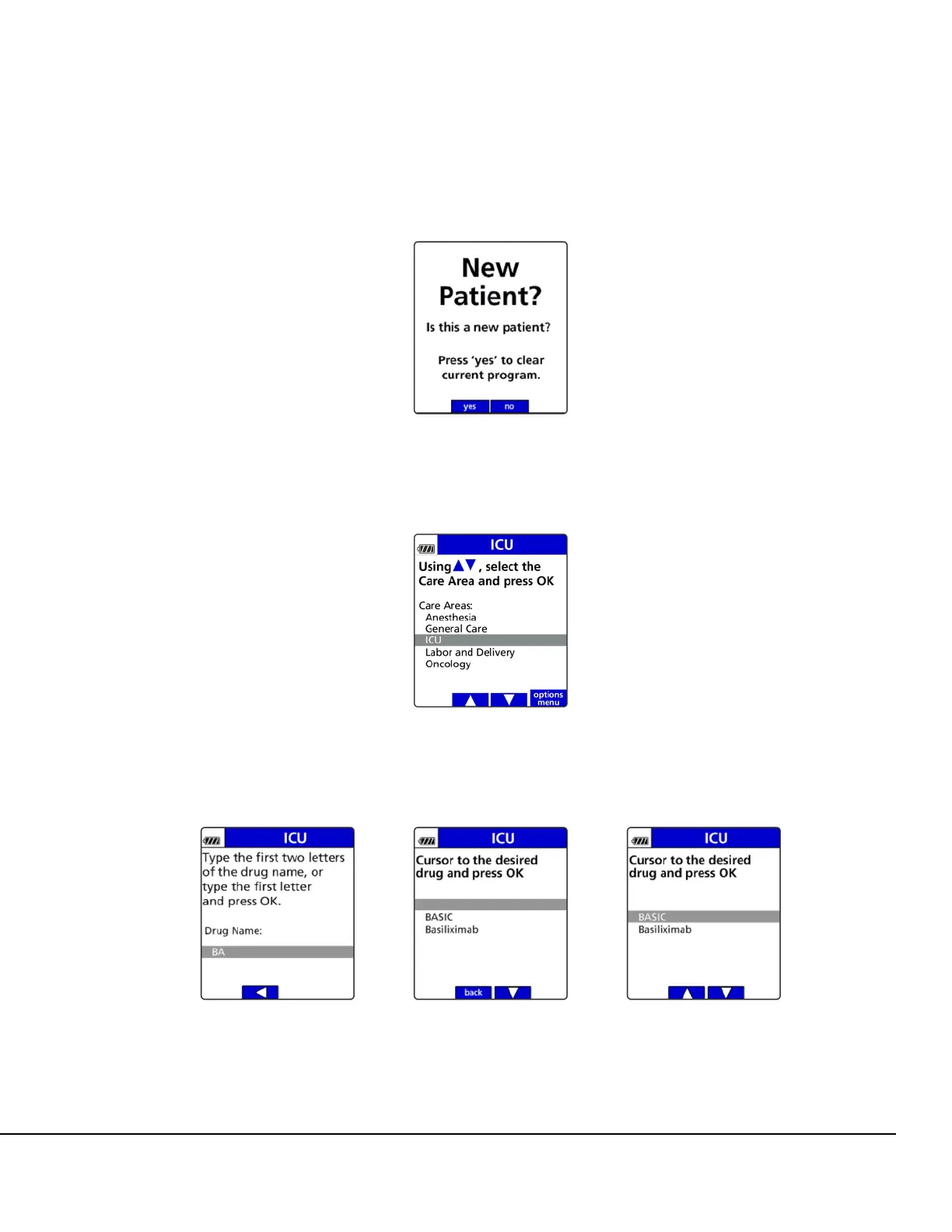
Press the no soft key to retain the previously programmed infusion values. See
Figure 116.
3. Press the arrow soft keys to select the Care Area and press OK. See Figure 117.
4. Using the keypad, enter the letters BA, select BASIC and press OK. See Figure 118.
Figure 116. New Patient Screen.
Figure 117. Select Care Area Screen.
Figure 118. Selecting BASIC at Drug Identification Screen.



 To Next Page