96 Programming the Pump
Manual 41018v0800 SIGMA Spectrum Infusion System
Revision B Operator’s Manual
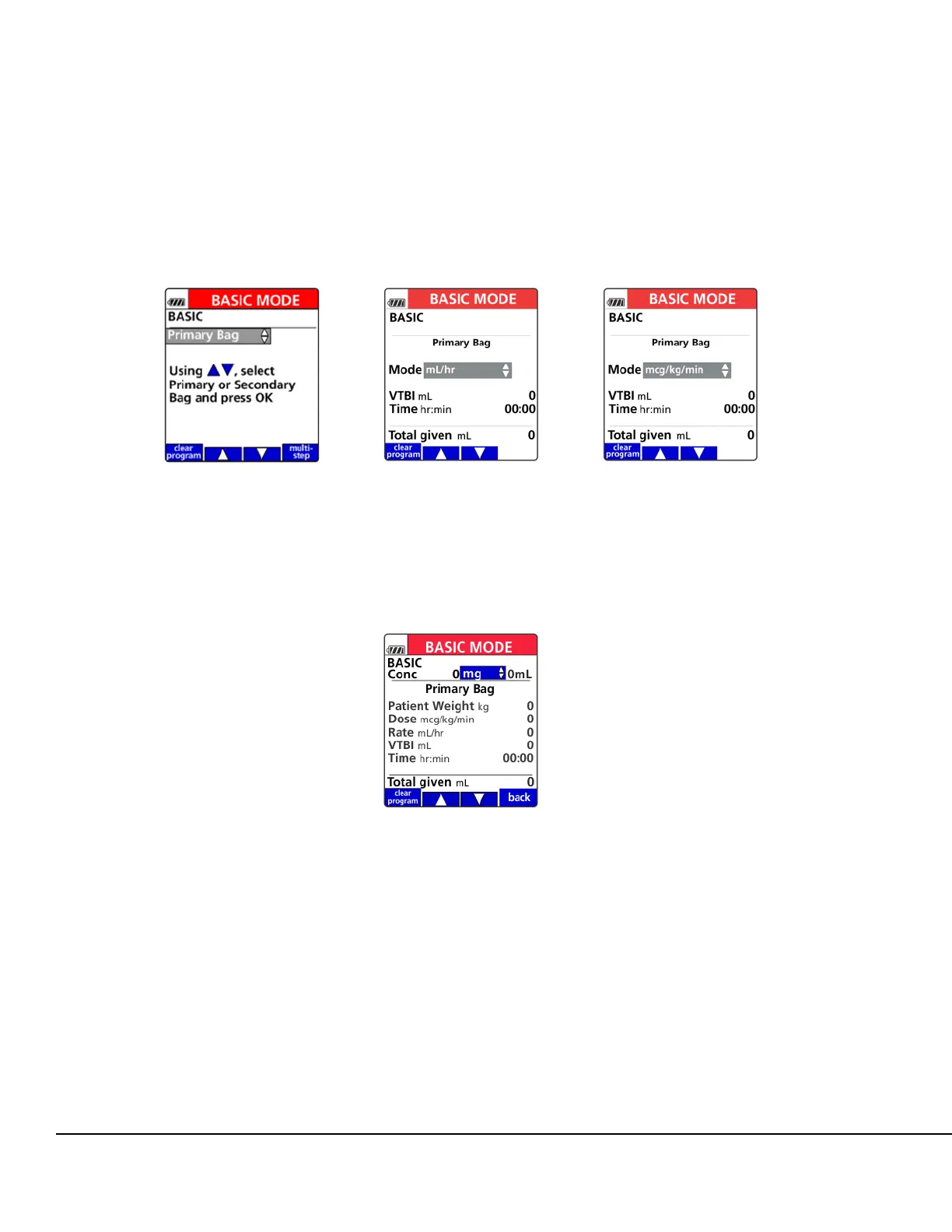
5. Press the arrow soft keys to select Primary or Secondary bag setup and press OK. See
Figure 119.
6. Press the arrow soft key to select a dose mode and press OK. See Figure 120. Also see
Figure 121. If a dose mode is selected, entering a concentration will be required.
7. To enter a concentration, press the arrow soft keys to select a unit of measurement (for
example, mg, mcg, g and so forth). Press OK. See Figure 122.
Figure 119. BASIC Mode - Bag
Selection Screen.
Figure 120. BASIC Mode -
Dose Rate Selection Screen.
Figure 121. Arrow Soft Keys
used to scroll through Dose
Modes.
Figure 122. BASIC Concentration
Unit Selection Screen.



 To Next Page