Programming the Pump 53
SIGMA Spectrum Infusion System Pump Operating Software Version 8.00
Operator’s Manual For Use With MDL Version 8.0
NOTE: “D” is obtained by pressing the 2 key one time and the “O” is obtained by pressing
the 5 key three times (similar to phone texting).
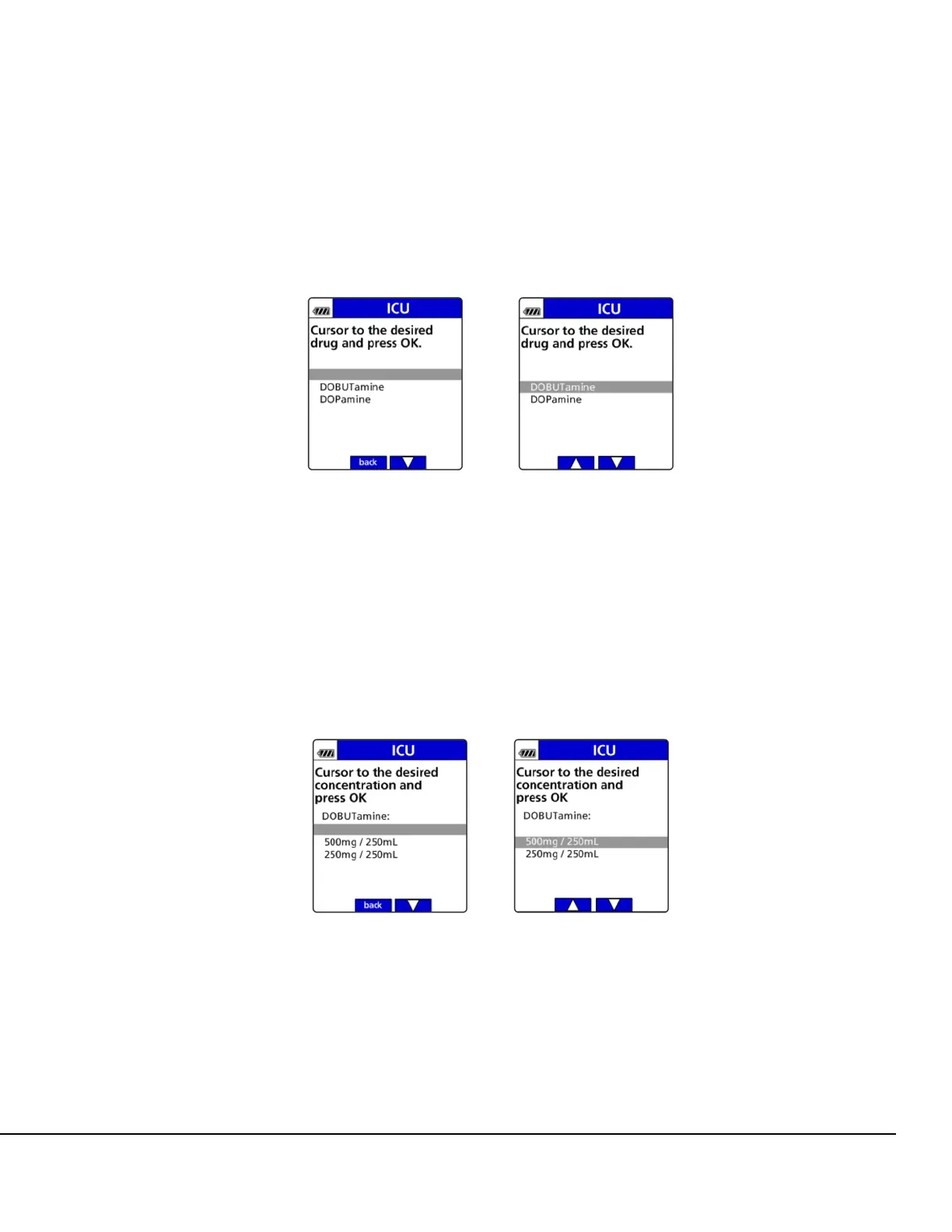
5. Press the arrow soft keys to move the cursor to the desired drug name and press OK. See
Figure 31.
If the drug is not listed, follow the facility's procedure to request the drug be added to the
Pump.
NOTE: After selecting a drug and concentration (if applicable), a clinical advisory may
display. A clinical advisory is configured in the Drug Library by drug. It is an advisory
that displays important information related to the delivery of a drug.
6. Move the cursor to the correct drug concentration (if more than one is offered) and press OK.
See Figure 32.
7. Once a concentration is selected, confirm the selected drug concentration. See Figure 33.
Figure 31. Drug Identification and Drug Selection Screen.
Figure 32. Drug Concentration Selection Screens.



 To Next Page