52 Programming the Pump
Manual 41018v0800 SIGMA Spectrum Infusion System
Revision B Operator’s Manual
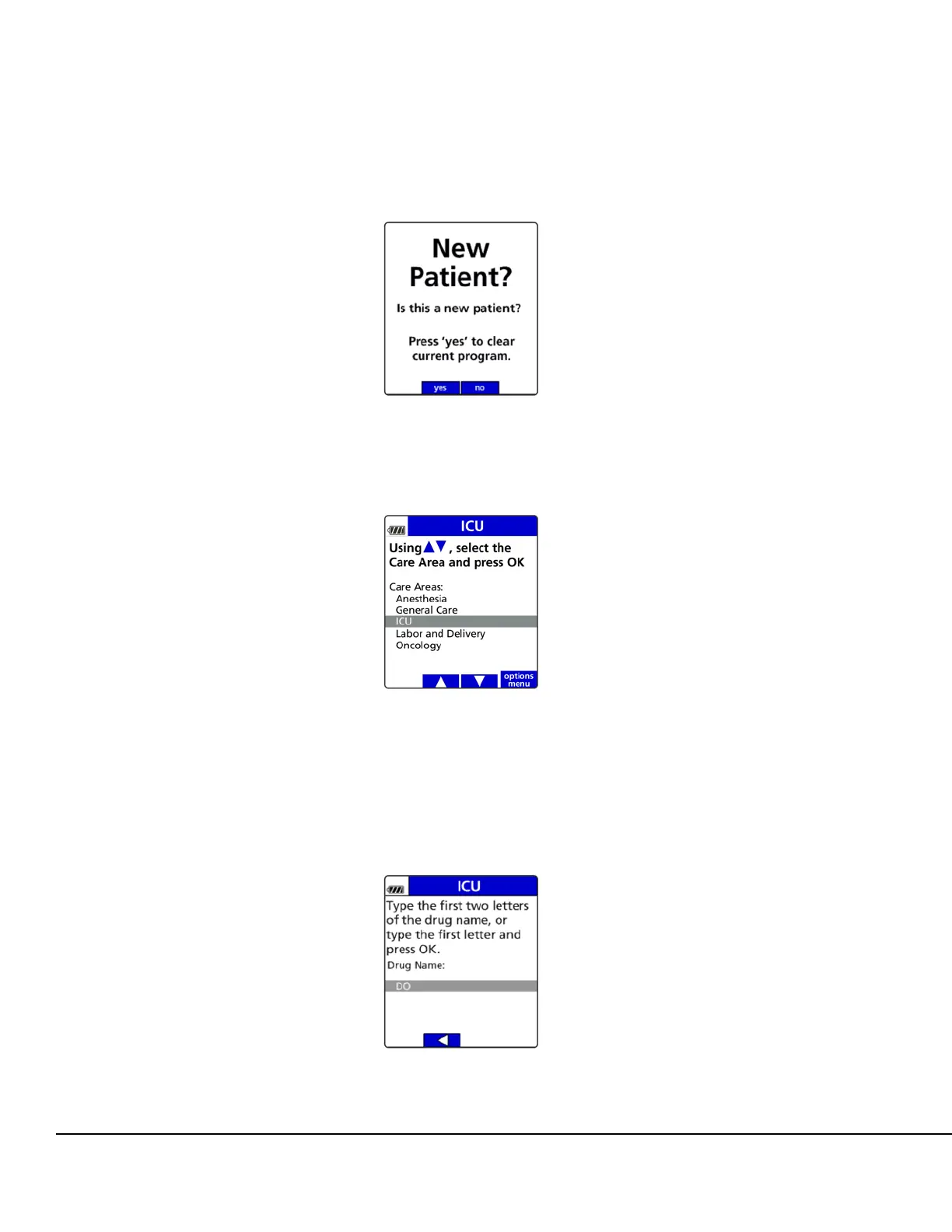
Press the no soft key to retain the previously programmed infusion values. See Figure 28.
4. Press the arrow soft keys to select the Care Area and press OK. See Figure 29.
Select the drug from the Drug Library using the keypad, press the alphanumeric hard
key(s) labeled with the desired letter(s) to enter the first two letters of the drug name. If an
incorrect letter is displayed, use the back arrow soft key to clear and reenter the correct
letter. See Figure 30. All drug names beginning with those two letters appear.
Figure 28. New Patient Screen.
Figure 29. Select Care Area Screen.
Figure 30. Drug Name Search Screen.



 To Next Page