Programming the Pump 59
SIGMA Spectrum Infusion System Pump Operating Software Version 8.00
Operator’s Manual For Use With MDL Version 8.0
Primary only, Secondary Not Allowed
Secondary only
Primary only multi-step
Cyclic
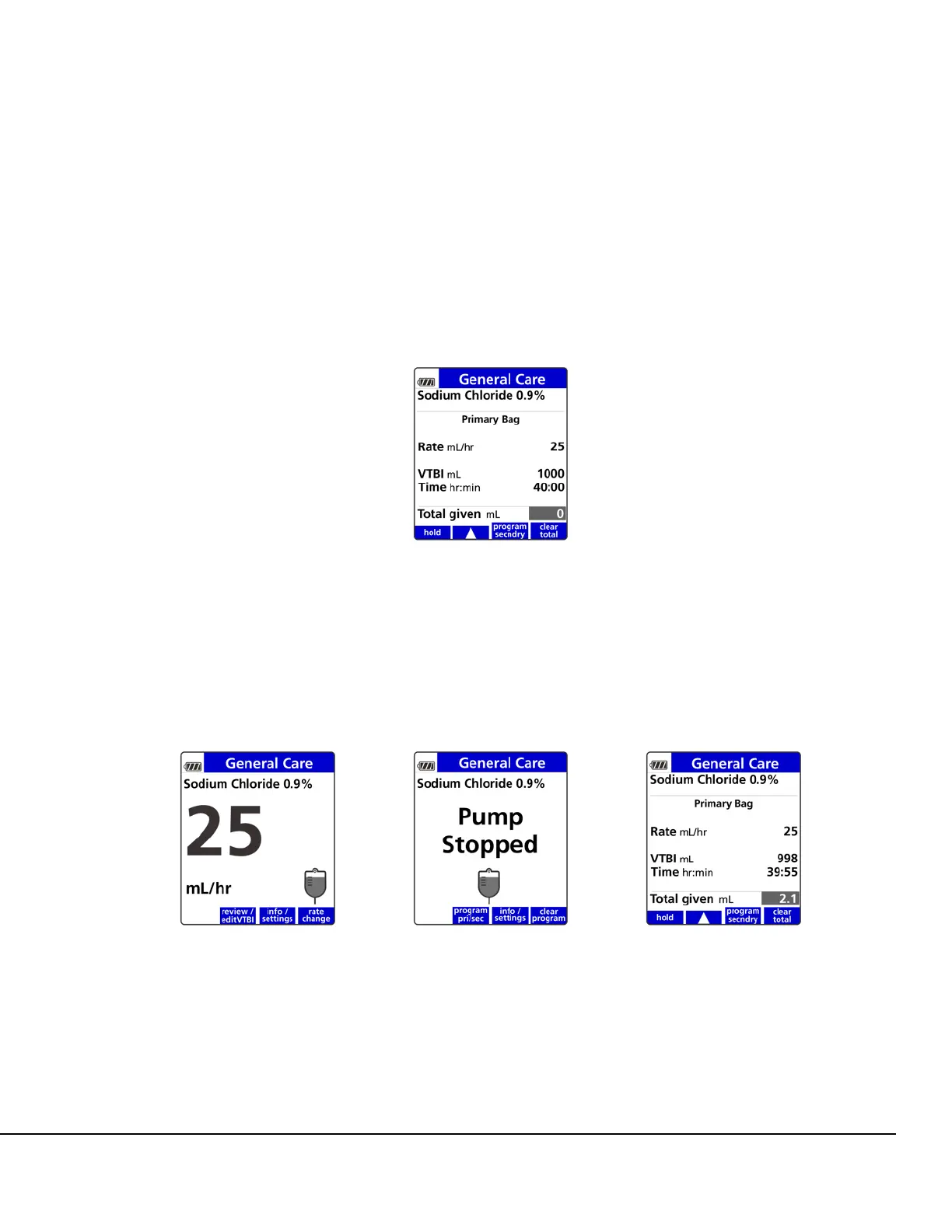
4. When finished programming the Pump for the primary infusion and before running the
infusion, press the program secndry soft key to begin programming the secondary bag. See
Figure 41.
5. If the Pump is running, press STOP. See Figure 42. The Pump Stopped screen will appear.
6. On the Pump Stopped screen, press the program pri/sec soft key. See Figure 43. The Setup
screen appears.
7. On the Setup screen, press the program secndry soft key. See Figure 44.
8. If the drug is to be delivered using the DERS, select the drug from the Drug Library:
Figure 41. Programmed Primary Setup Screen Showing
Program Secndry Soft Key.
Figure 42. Infusion Running
Screen.
Figure 43. Pump Stopped
Screen.
Figure 44. Programmed Primary
Setup Screen Showing program
secndry Soft Key.



 To Next Page