60 Programming the Pump
Manual 41018v0800 SIGMA Spectrum Infusion System
Revision B Operator’s Manual
NOTE: The drug must be pharmacy/hospital-approved and configured in the Drug Library
for secondary delivery.
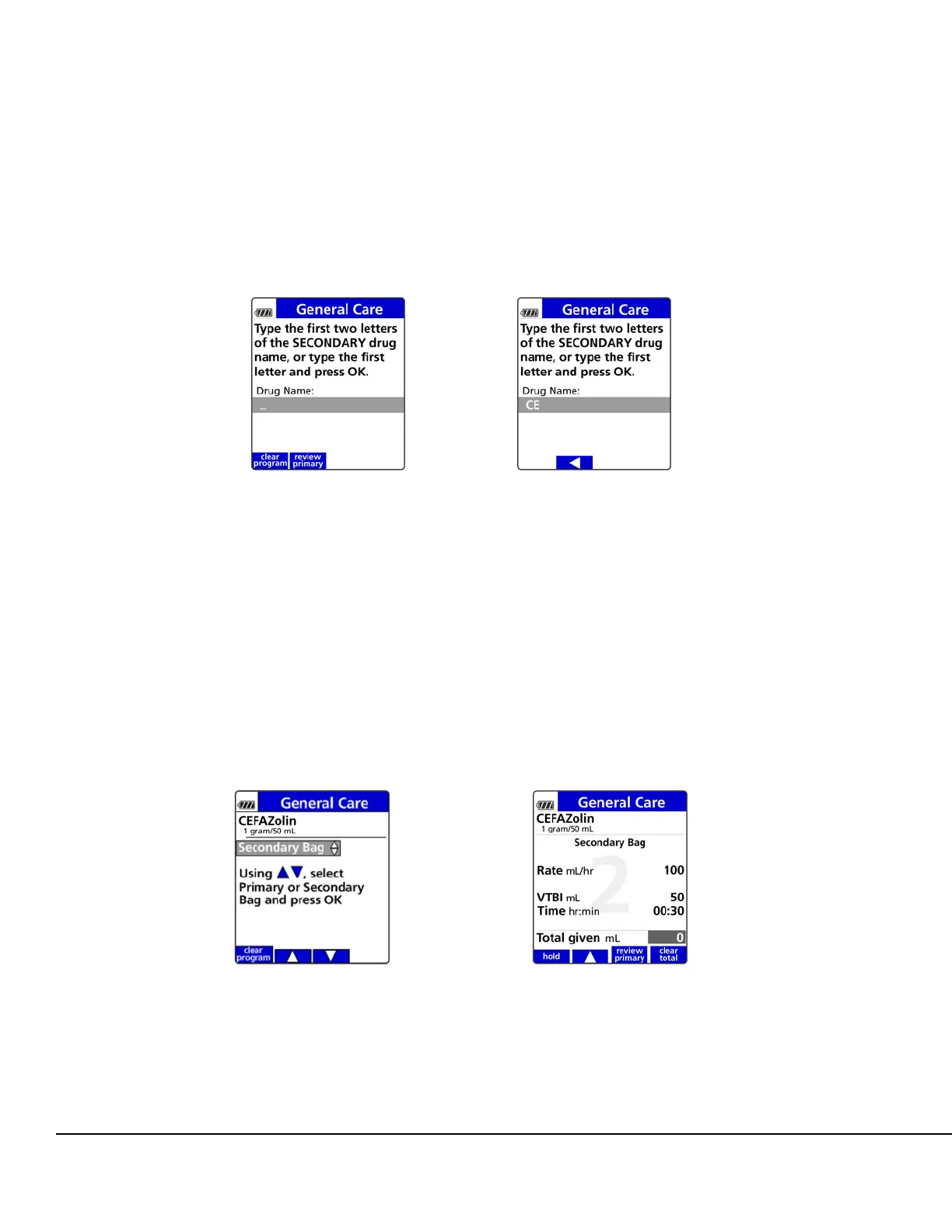
Using the keypad, enter the first two letters of the drug name. All drug names beginning
with those two letters will appear. See Figure 45.
Press the arrow soft keys to move the cursor to the desired drug name and press OK. See
Figure 45.
9. Press OK to select the secondary bag or press the arrow soft keys to change to the primary
bag, if needed. See Figure 46.
10. Confirm the values on the Setup screen:
Confirm the drug and concentrations are correct (if selected).
Enter all required values and press OK after each entry.
NOTE: Secondary VTBI should equal the secondary bag volume to avoid infusion of
residual amounts of the secondary bag at primary flow rates.
Figure 45. Secondary Drug Identification Screens.
Figure 46. Secondary Bag Selection
Screen.
Figure 47. Secondary Bag Setup Screen.



 To Next Page