Programming the Pump 61
SIGMA Spectrum Infusion System Pump Operating Software Version 8.00
Operator’s Manual For Use With MDL Version 8.0
NOTE: A watermark is displayed behind the value to help distinguish the Secondary (2)
Setup screen from the Primary (1) Setup screen. See Figure 47. This watermark
does not appear on primary-only infusions.
11. To start the Secondary Infusion:
Connect the secondary set to the primary sets upper Y injection site.
Lower the primary bag by fully extending the hanger.
Open the secondary roller clamp.
Press RUN to begin the secondary infusion.
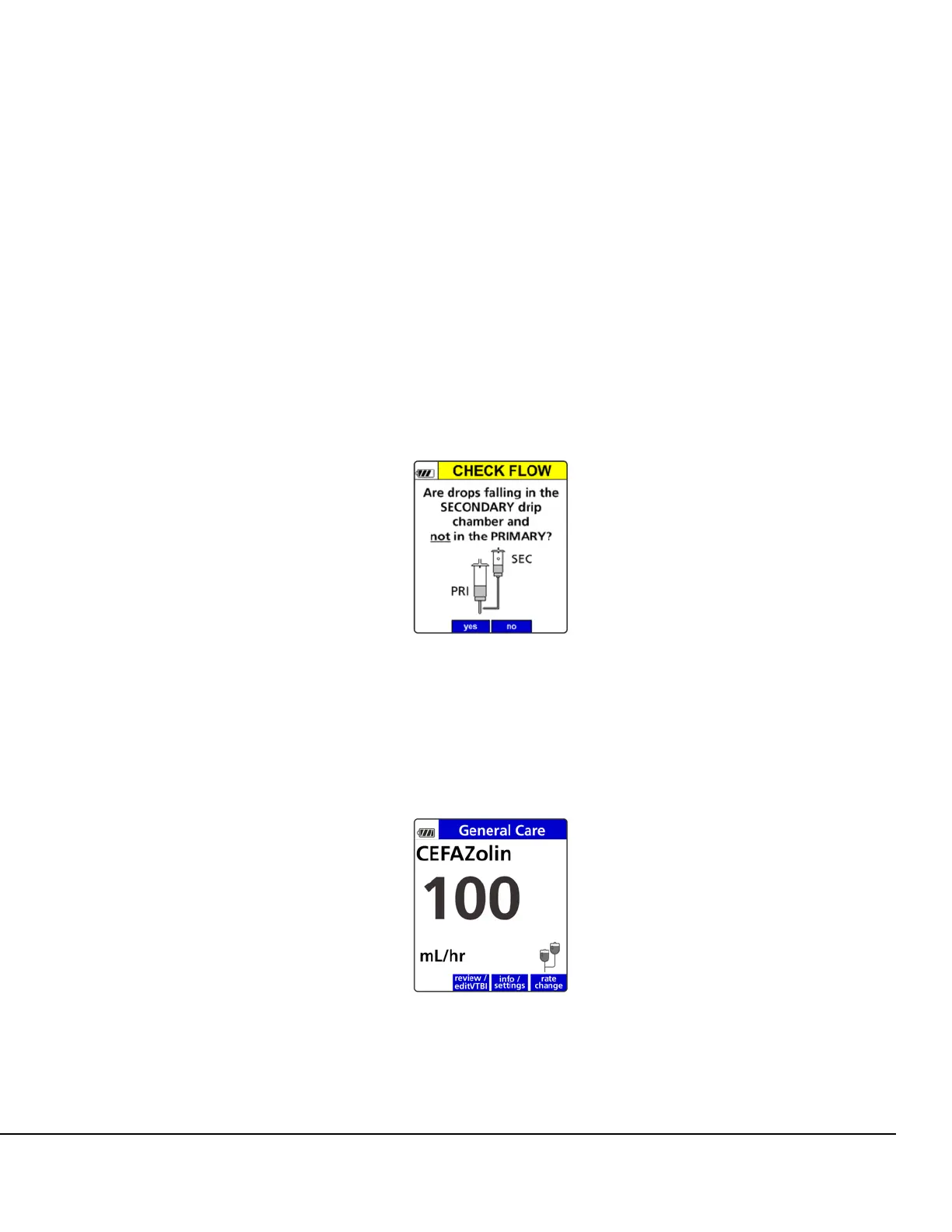
12. Once RUN is pressed, the infusion will start and the Secondary Check Flow screen is
displayed. Confirm there are no drops falling in the primary drip chamber and there are drops
falling in the secondary drip chamber. See Figure 48.
If the yes soft key is pressed, the Secondary infuses as programmed until completion with
automatic transition to primary (unless Secondary Callback is ON).
The Secondary icon (two IV bags) on the Secondary Run screen denotes the secondary is
running. See Figure 49.
Figure 48. Secondary Check Flow.
Figure 49. Secondary Run Screen with
Secondary Icon.



 To Next Page