Programming the Pump 73
SIGMA Spectrum Infusion System Pump Operating Software Version 8.00
Operator’s Manual For Use With MDL Version 8.0
Drops are flowing in the drip chamber. Note, at very low rates, it may take several minutes
to see drops.
Vents are open (if applicable).
If drops are falling in the drip chamber, press the yes soft key.
If no drops are falling, press the no soft key and follow the screen prompts.
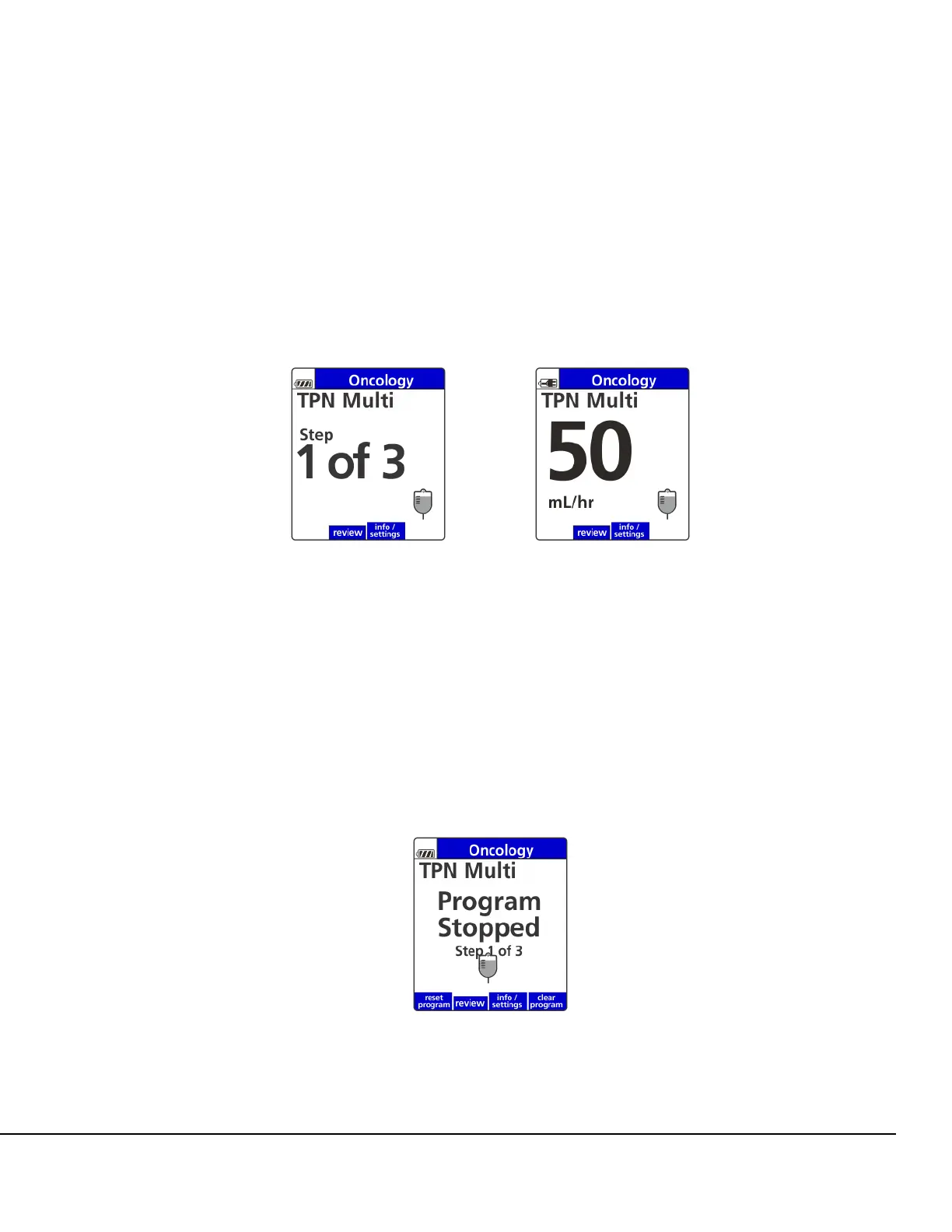
The Infusion Running screen appears showing the mL/hr (or dose rate, if applicable) and
alternates with the program step indicator screen. See Figure 68.
The Pump will automatically advance to programmed steps while infusing.
NOTE: Any value missing within the program is identified in a popup message when the
user starts the Pump.
The program is complete when all programmed steps have been delivered.The program
schedule automatically resets itself and may be restarted without entering or re-entering any
setup.
8. The program will be retained indefinitely during power-off cycles until reset. To reset the
program, press the reset program soft key from the program stopped screen. See Figure 69.
Figure 68. Alternating Multi-Step Infusion Running Screens.
Figure 69. Multi-Step Stop Screen Showing
reset program Soft Key.



 To Next Page