72 Programming the Pump
Manual 41018v0800 SIGMA Spectrum Infusion System
Revision B Operator’s Manual
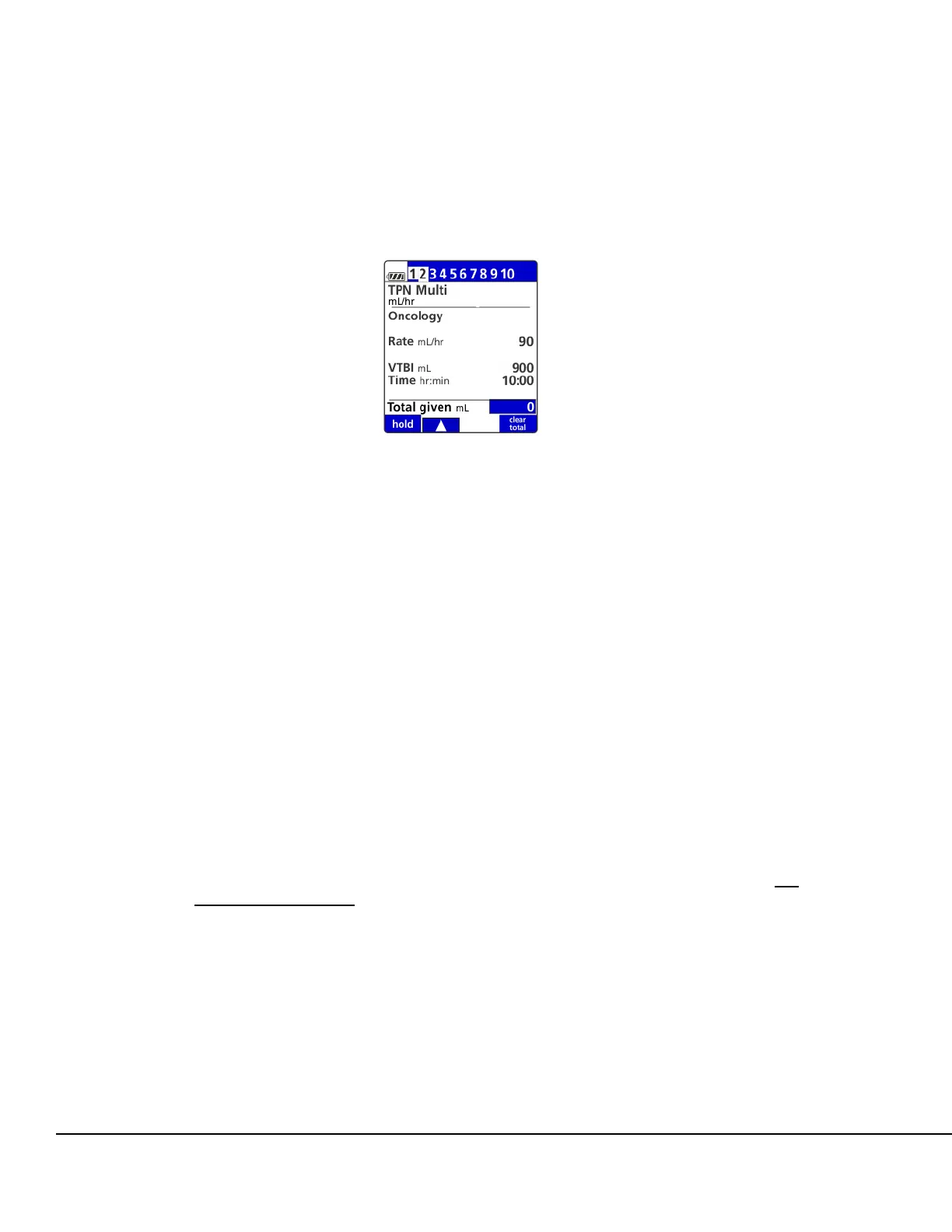
A step indicator bar is located at the top of the screen. The bar shows which steps within the
program have parameter values programmed (a small white highlight) and which step is
currently being viewed (a tabbed white highlight). See Figure 67.
6. When the setup of an individual step has been completed and “Total given” is highlighted on
the programming screen, press OK to advance and program the next step.
NOTE: A maximum of 10 steps may be programmed. Only one step is necessary to start a
program, however, it must be the first and only programmed step. The Pump will not
start if programming is incomplete in any step.
NOTE: If additional action is required:
To view the setup value for any programmed step use the up arrow soft key to navigate to
the step indicator bar located at the top of the setup screen. Then using the left and right
arrow soft keys move from step to step.
NOTE: A one-second delay exists from the time a step is selected when its setup value is
displayed to allow rapid scrolling along the step bar.
To change any setup value when the Pump is stopped, press the review or program
pri/sec soft key and navigate to the step and press OK to move to the values that must be
changed.
To view any programmed step while the Pump is running, press the review soft key. No
values can be changed with the exception of the Total given value, which can be cleared
by pressing the clear total soft key.
7. To start the infusion, ensure that the slide clamp and roller clamp are open and press RUN.
Once RUN is pressed, the infusion will start and the Primary Check Flow screen is displayed.
Check the flow and confirm:
All clamps are open.
There are no kinks or collapses in the tubing outside of the Pump.
Figure 67. Multi-Step Screen with Step
Programmed.



 To Next Page