9.2.6 Date parameter
Date parameters are used to enter and display a date.
Calls up the parameter's help text
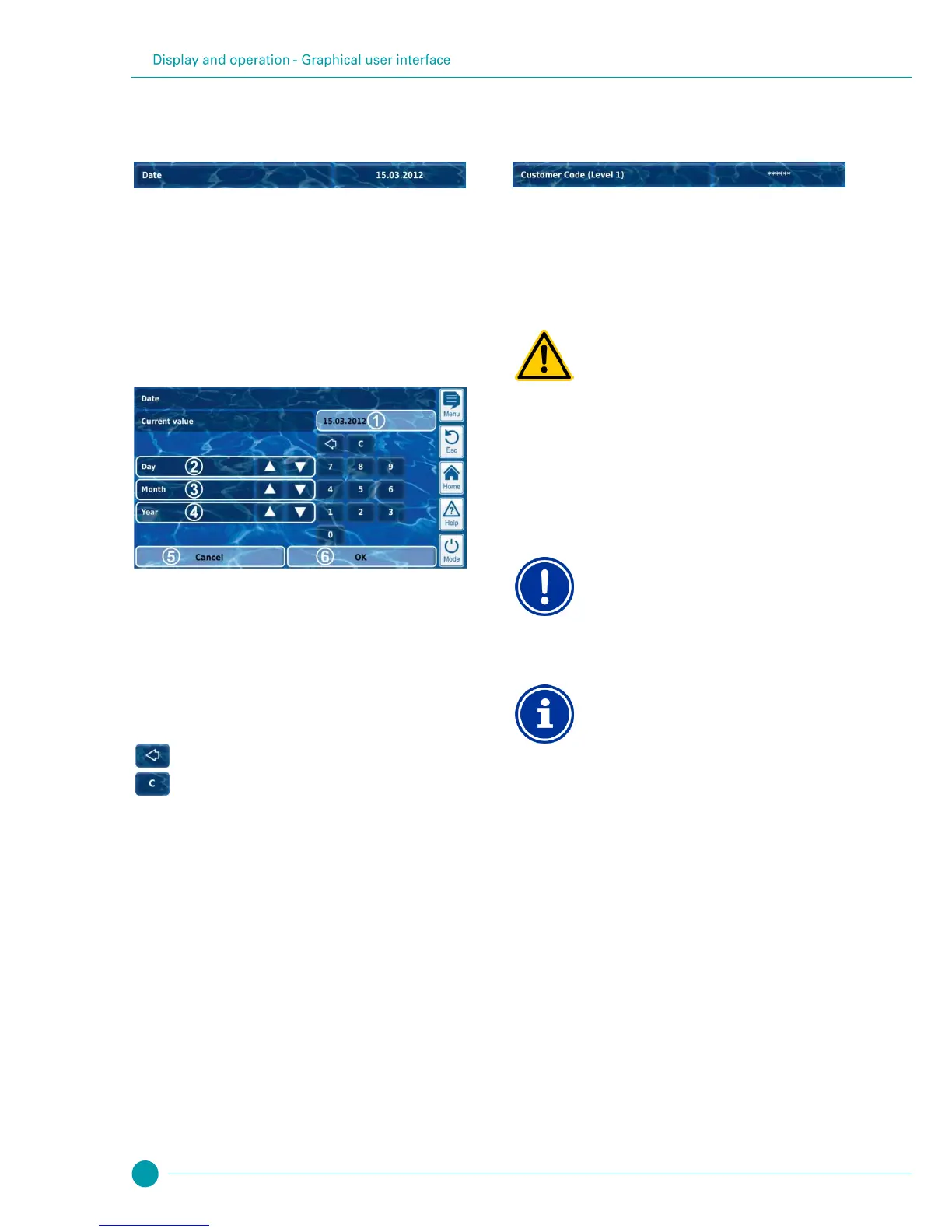
Calls up the entry screen for date.
9.2.6.1 Entry screen
There is one uniform entry screen for all date parameters, in which a
date can be set.
Display of current setting (or current input)
Incremental increase or decrease by day
Incremental increase or decrease by month
Incremental increase or decrease by year
Cancel will close the entry screen.
The value will remain unchanged.
OK will apply the date set and save it permanently.
9.2.7 Access code
There are various access codes for menu access.
Calls up the parameter's help text
Calls up the entry screen for the access code.
Unauthorised access possible from using known
access codes
Access codes facilitate access to critical areas on the
system. Unauthorised access can lead to dangerous
configurations.
Potential consequence: Death or the gravest
degree of injury, heavy material damage.
Configure individualised access codes. Under no
circumstances should the preconfigured standard
access codes be used.
Keep access codes strictly confidential.
Availability of access codes
Ensure that all access codes are known and available
as needed, even after longer periods of time. The
access codes are absolutely necessary for numerous
functions and settings!
Screen display
In order to protect the confidentiality of an access code,
the configured value is masked.



 To Next Page